 INSDesign
Preview shader edits with Node Preview Switcher
Version 1.3.0 — Blender 5.2 and drag-and-drop installation
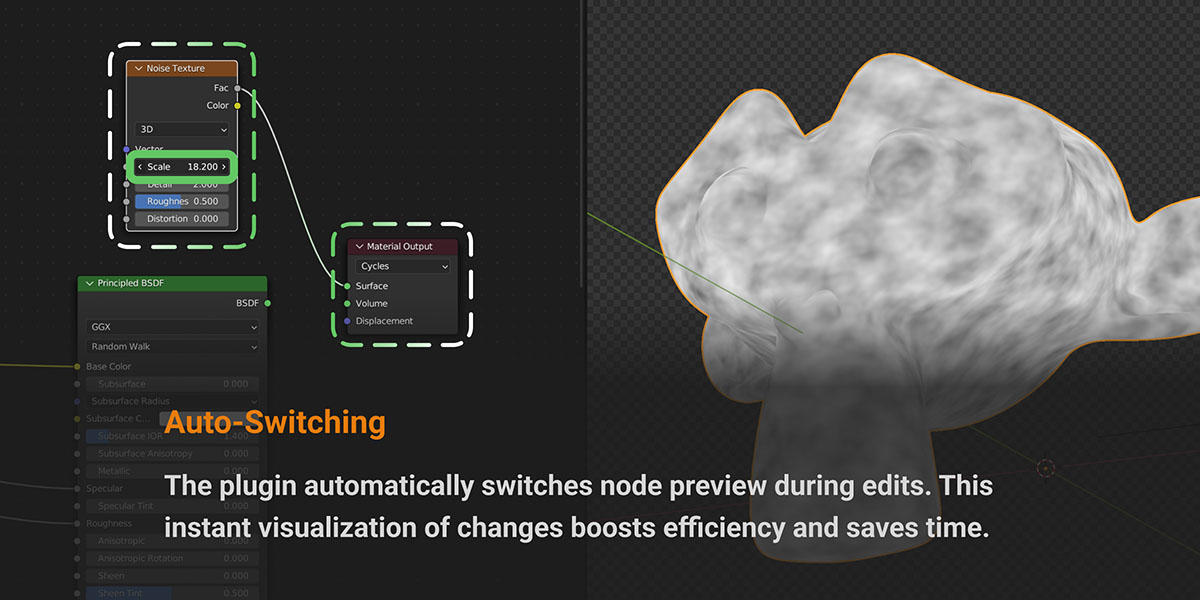
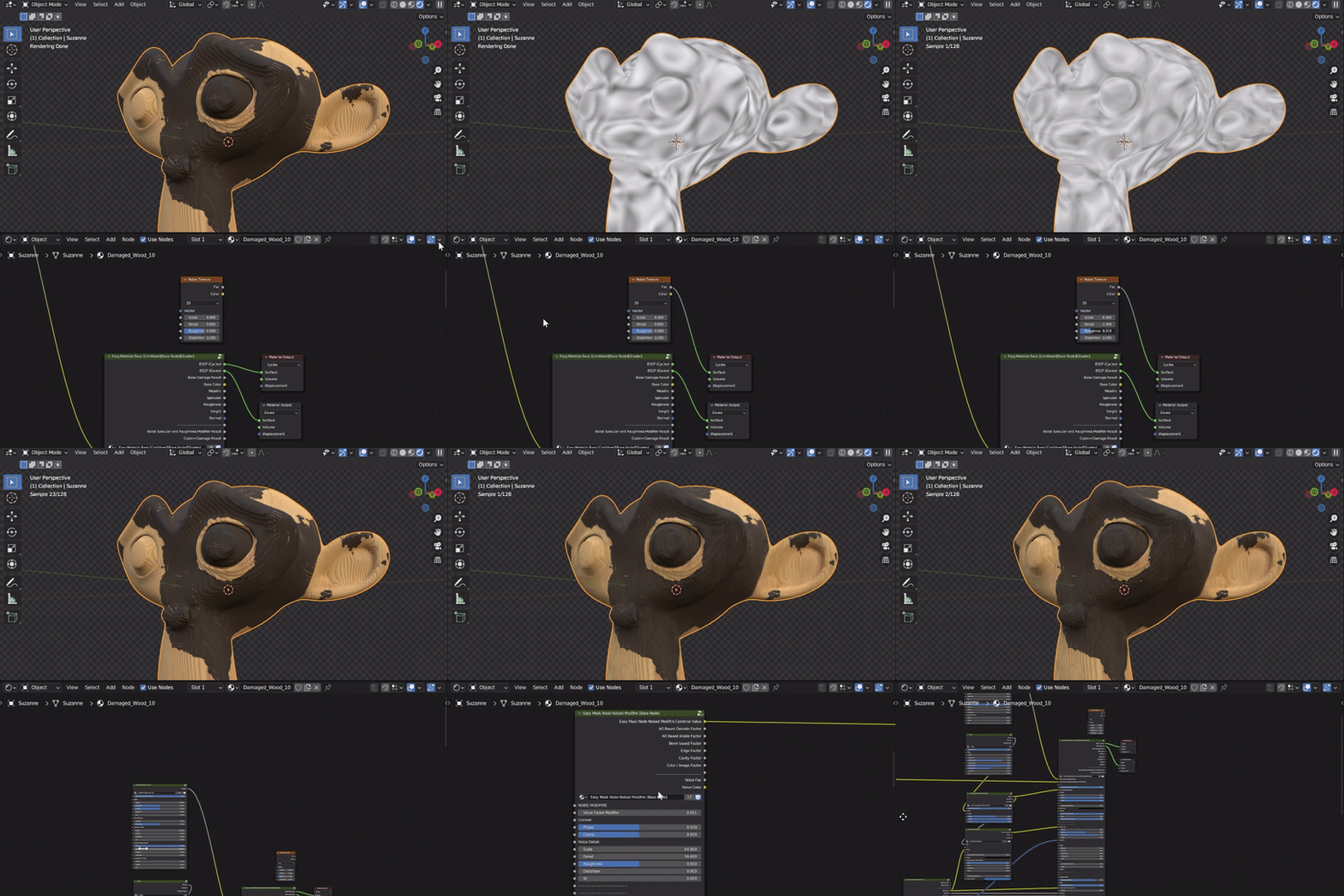
Node Preview Switcher is back for Blender 5.2. Change a parameter inside a shader node to preview its output. After your chosen delay, the original material connections return while your parameter edits stay in place.
The new release uses the Blender Extensions format. Download node_preview_switcher-1.3.0.zip and drag the intact ZIP into Blender to install.
Compatibility: minimum Blender 5.2; tested on Blender 5.2.2 LTS with Cycles and Eevee. Disable an older Node Preview Switcher add-on before enabling the new extension.
Edit the node. See the result. Keep your material.
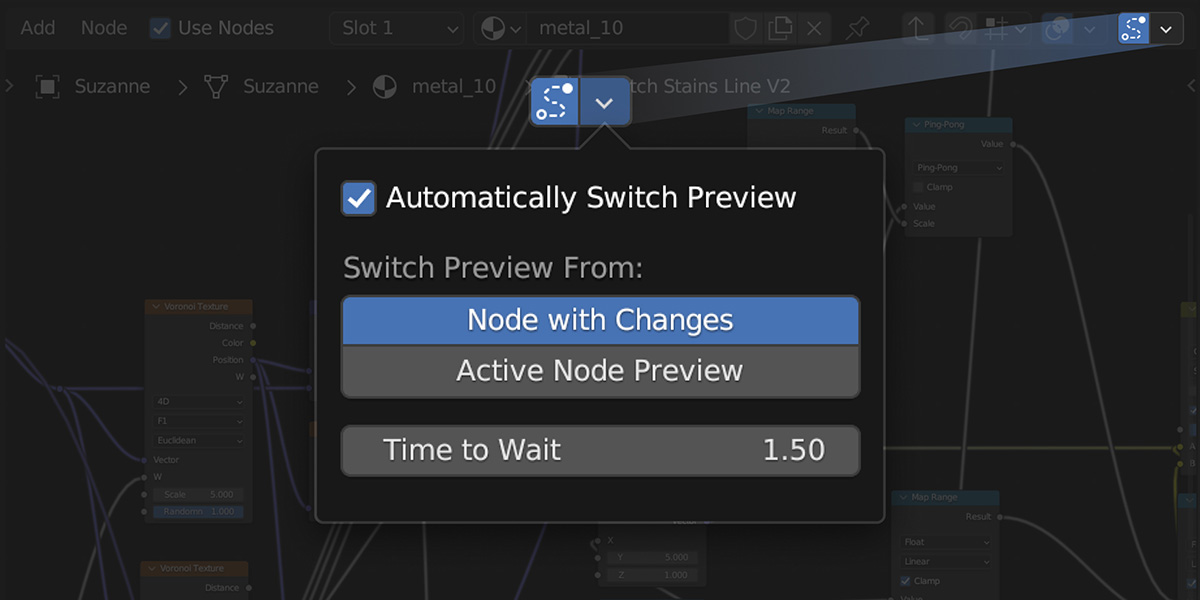
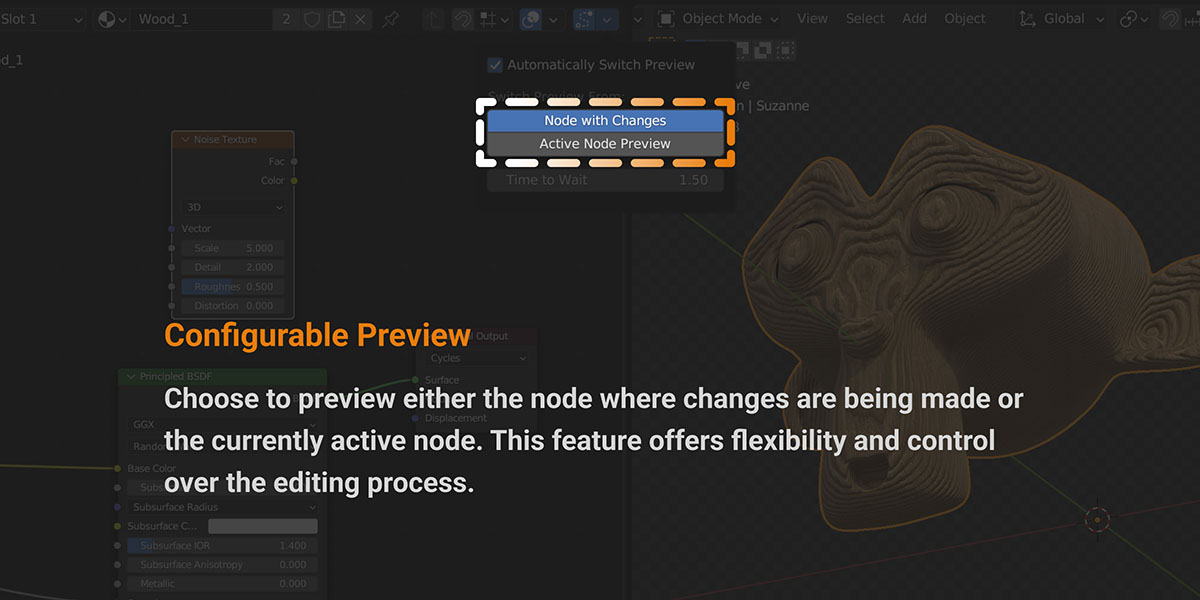
Use automatic previews while adjusting textures, values, colors or shader parameters. Choose whether to preview the node being edited or the currently active node. Set the delay before returning to the full material, or switch and restore manually from the sidebar.
Selecting, moving, resizing or collapsing a node does not trigger automatic preview.
Features
- Automatic previews: respond to parameter edits inside nodes.
- Two preview modes: preview the edited node or the active node.
- Configurable restore delay: return to the full material after editing.
- Nested node groups: preview nodes inside material groups.
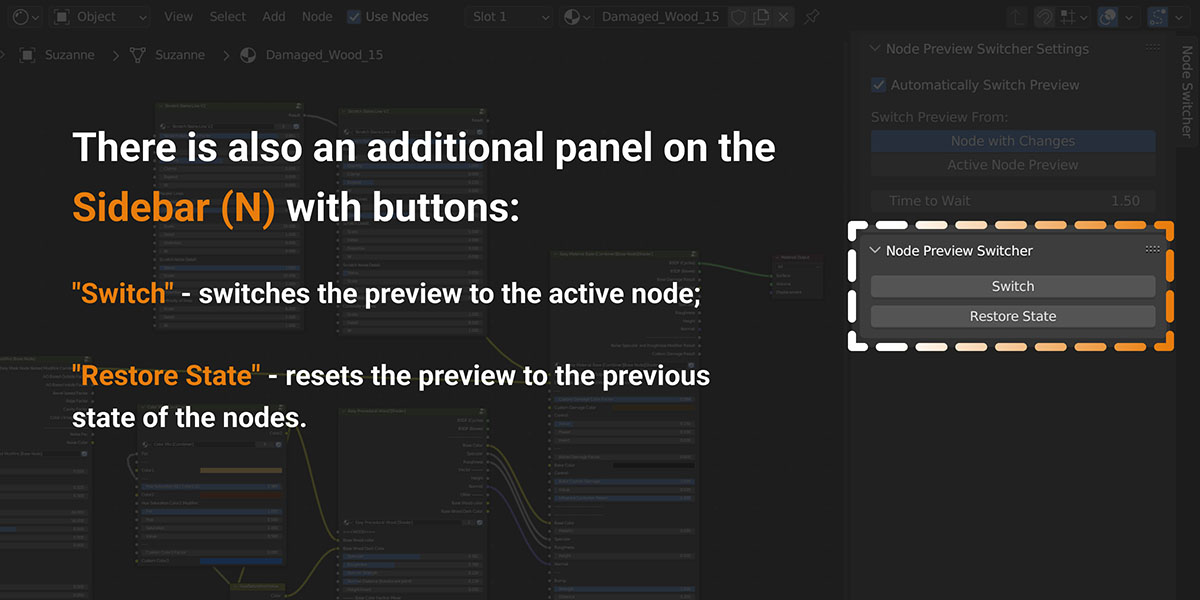
- Manual controls: Switch and Restore State in the Shader Editor sidebar.
- Cycles and Eevee: preview routing respects engine-specific material outputs.
What's new in 1.3.0
- Blender Extension packaging for local ZIP drag-and-drop installation and repository distribution.
- Restored operation on Blender 5.2.
- Fixed unwanted previews when selecting or moving nodes.
- Fixed cases where preview connections changed but the rendered material did not.
- Continuous parameter edits reuse the preview route and preserve the active node.
- Improved timers, nested-group handling and restoration of material connections.
Install in Blender 5.2
- If you have an older Node Preview Switcher enabled, disable it in Edit > Preferences > Add-ons.
- Download node_preview_switcher-1.3.0.zip. Do not unzip it.
- Drag the ZIP from your file manager into Blender.
- Confirm installation and enable the extension.
Alternatively, open Preferences > Get Extensions, choose Install from Disk from the menu and select the ZIP.
For installation directly from Superhive purchases, connect your Superhive extension repository using the instructions in your account. Local ZIP installation does not need a repository connection.
Use Node Preview Switcher
- Open an object's material in the Shader Editor.
- Use Material Preview or Rendered viewport shading to see the result.
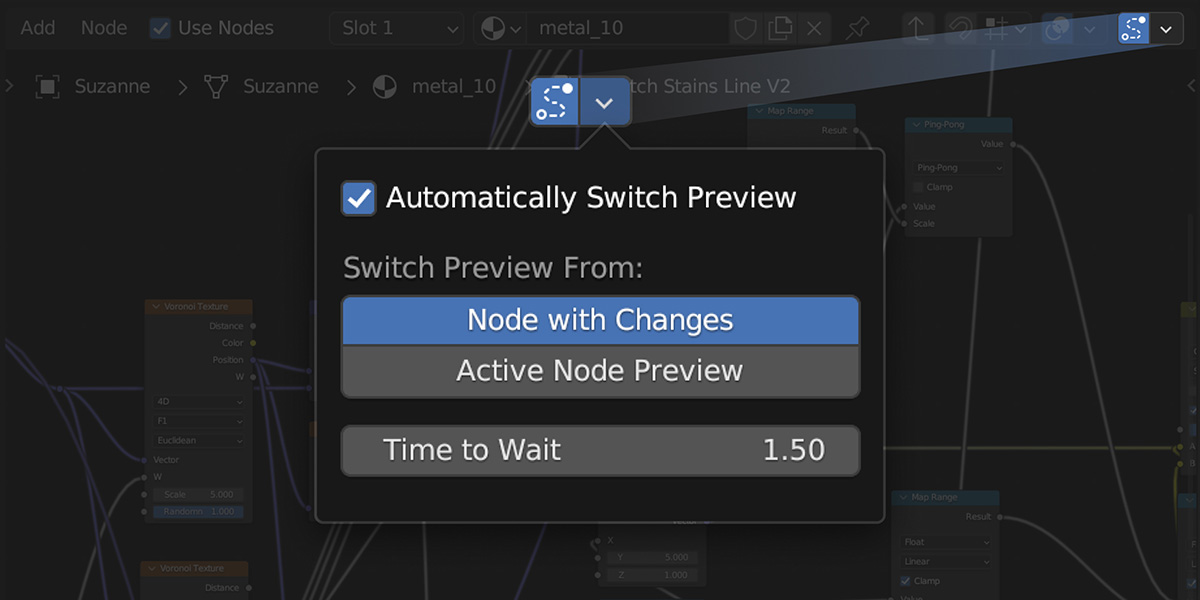
- Enable automatic previews with the tracking icon in the Shader Editor header.
- Open the adjacent settings popover. Choose Node with Changes or Active Node Preview, then set Time to Wait.
- Change a parameter inside a node. Preview starts automatically, then the original material returns after the delay.
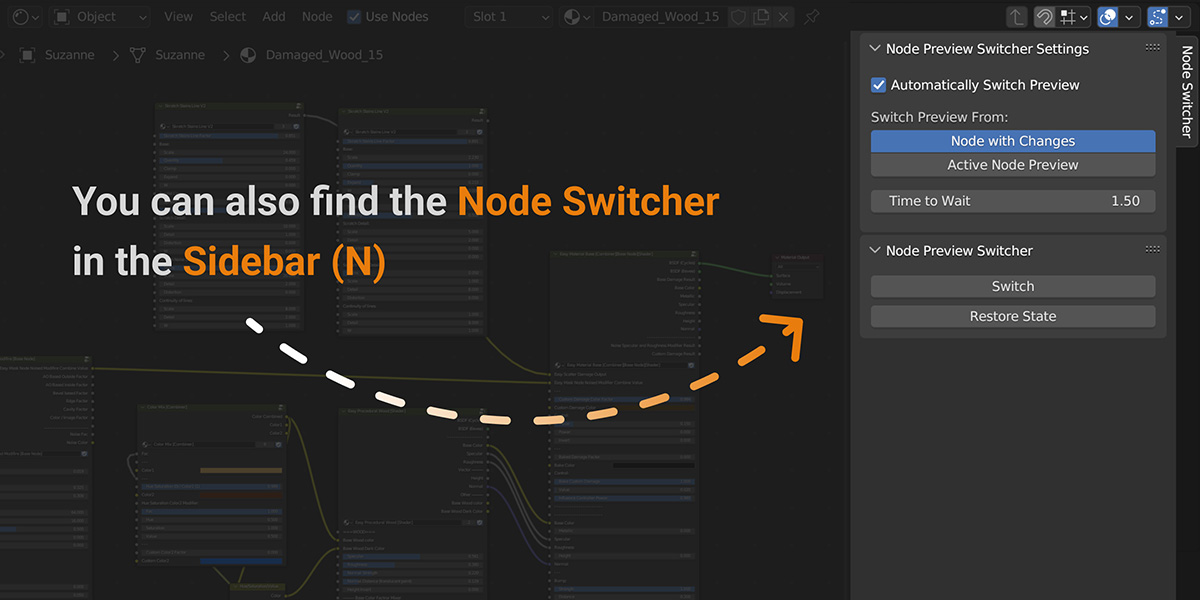
For manual control, press N in the Shader Editor and open Node Switcher. Use Switch and Restore State.
Scope: material shaders and nested material node groups; one preview session at a time. World, compositor and geometry node previews are not included. Earlier downloads retain their historical compatibility; version 1.3.0 requires Blender 5.2.
More from INSDesign
 |
 |
 |
