Node Reveal
 Bastien Colliat

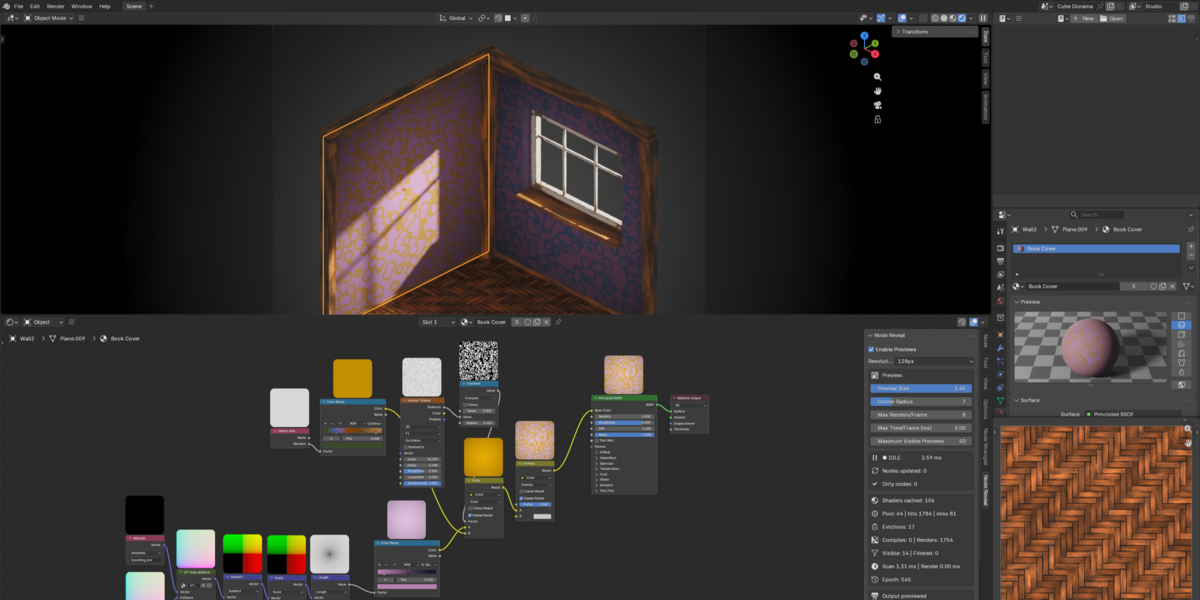
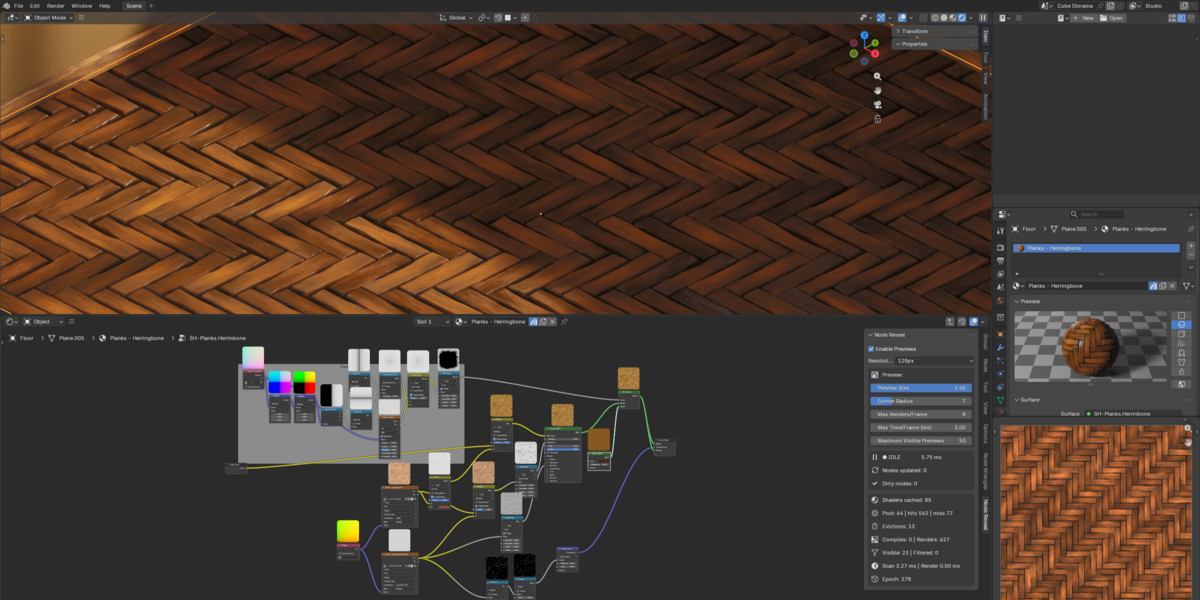
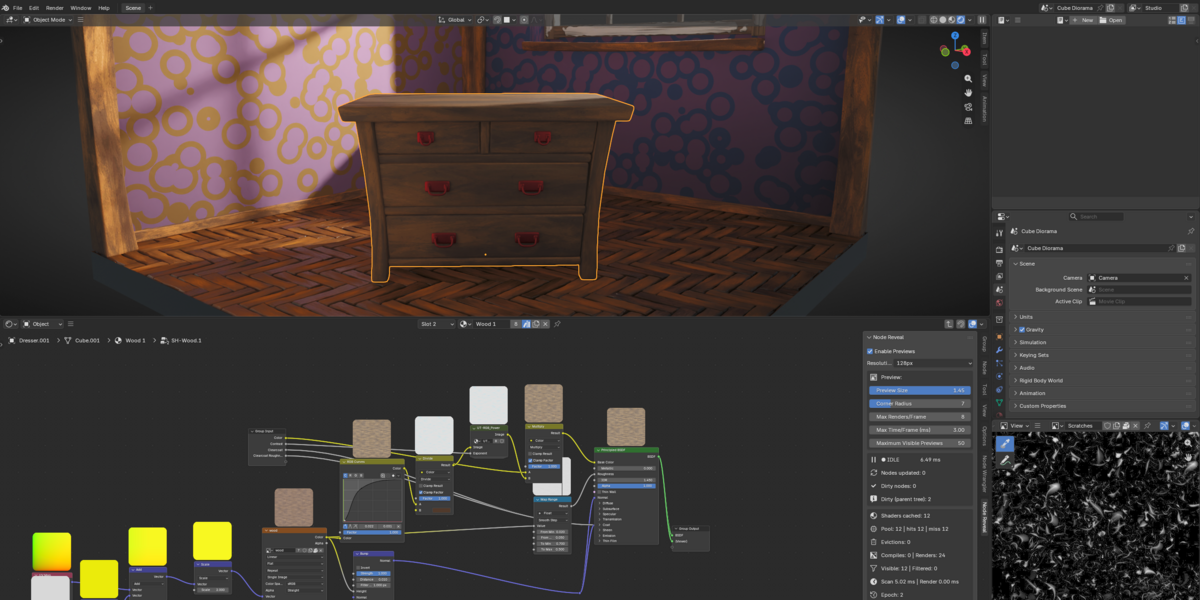
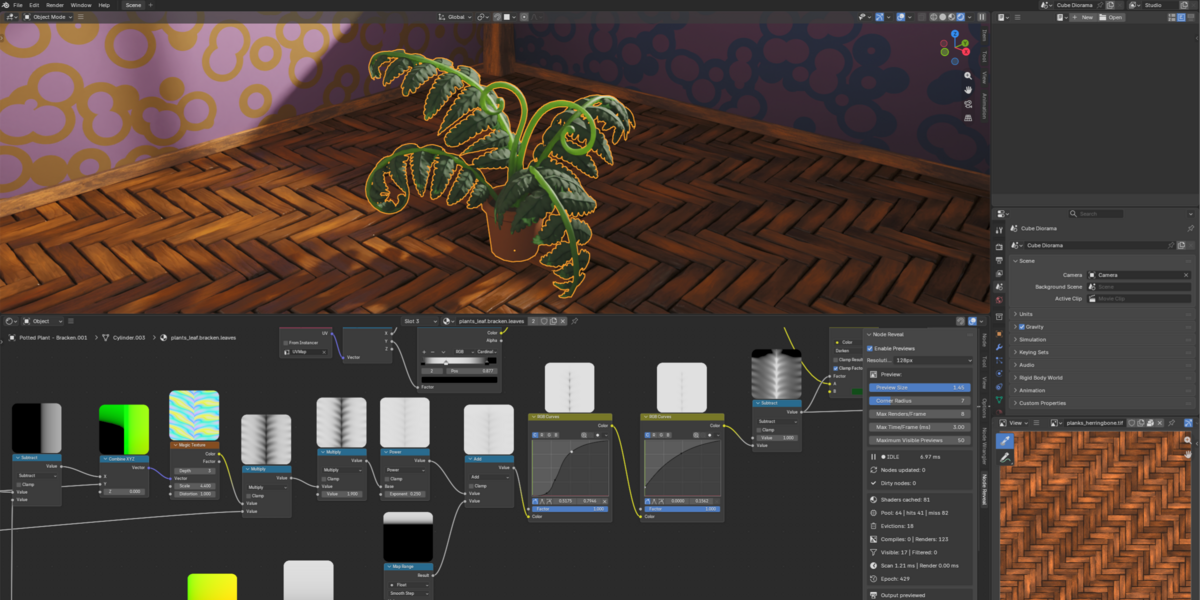

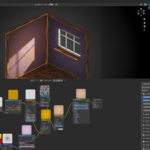
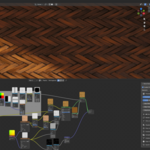
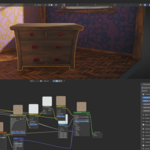
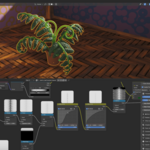
What Node Reveal does
Node Reveal draws a live preview inside every shader node of Blender's Shader Editor, so you can see what a node produces without wiring it to an output and rendering. Each preview is the node reimplemented in GLSL and drawn on your GPU, EEVEE is never invoked. Previews refresh as you edit: values, colours, blend modes, group inputs, upstream changes, muted nodes, curve and ramp edits.
Requirements
- Blender 5.2 or newer (this is an extension package, installed from a .zip).
- A GPU with OpenGL 4.6 or Vulkan.
- Tested on Windows 11 with an NVIDIA RTX 5070 Ti, in both OpenGL and Vulkan. macOS/Metal, AMD and Intel GPUs are untested, if previews do not appear, the side panel reports it rather than failing silently.
Installation
- Download the zip. Do not unzip it.
- In Blender: Edit ▸ Preferences ▸ Get Extensions ▸ dropdown arrow ▸ Install from Disk… and pick the zip.
- Make sure Node Reveal is enabled in the extension list.
- Restart Blender once. Blender does not reload an add-on's Python modules, so a full restart is required after installing or updating.
First run
Open a Shader Editor, then the N-panel ▸ Node Reveal tab and tick Enable Previews.
| Control | What it does |
|---|---|
| Enable Previews | Master switch (off by default). |
| Resolution | 128 / 256 / 512 px. All three cost the same: measured 31 / 32 / 33 ms to refresh 50 previews. Pick 512 for quality. |
| Preview Size / Corner Radius | Thumbnail size and rounding. |
| Max Renders per Frame / Max Time per Frame | How much work the scheduler may spend per redraw. Lower values keep the viewport smooth on very large graphs. |
| Maximum Visible Previews | Caps how many nodes are previewed at once (default 50). Nodes beyond the cap are reported as Filtered. |
The panel also shows live statistics: pool size, cache hits, compiles, renders, scan and render times.
Choosing which output to preview
Multi-output nodes (Voronoi, Noise, Texture Coordinate, Separate XYZ/Color, Light Falloff, Layer Weight, Mix…) list their outputs in the panel, for example ● Distance / ○ Color / ○ Position / ○ W / ○ Radius. Click one to preview it. The choice is stored on the node, so it survives saving, and it is honoured even when nothing downstream is plugged into that output. No link is ever moved or deleted.
Diagnostics
If a preview cannot be produced, the node is listed under “Failed previews” with the reason (shader compile error, incomplete data…), instead of failing silently in the console. The list prunes itself when nodes are deleted.
Fidelity: what is exact, and what is not
Previews are validated by differential rendering: the same node chain is rendered by EEVEE (emission on a 1×1 plane, 32-bit EXR) and by Node Reveal, then compared pixel by pixel. In the current build:
- 50 / 50 node chains exact against the EEVEE reference;
- 129 / 129 parameter combinations exact (every blend mode, math operation, interpolation and extension mode);
- 463 / 463 shader compilations succeed, in OpenGL and Vulkan;
- node groups (nested included), output selection, live edits and failure handling are covered by the same replayable suite.
Exact: Noise (5 types × 4 dimensions), White Noise, Voronoi (5 features), Wave, Brick, Checker, Gradient, Magic, Gabor, Image Texture (all extension modes, all interpolations, mipmapped), Environment, Mapping, Math (41 ops), Vector Math (30 ops), Map Range (4 interpolations), Mix / Mix RGB (19 blend modes), Color Ramp (including constant interpolation), RGB Curves, Hue/Saturation, Bright/Contrast, Gamma, Invert, Clamp, RGB to BW, Separate/Combine XYZ & Color, Blackbody, Wavelength, Vector Rotate, Vector Curves, Squeeze, Texture Coordinate (all 7 outputs), Attribute, Object Info colour, Emission.
Announced in the panel when they apply:
- Attribute: a preview plane has no mesh attributes. An empty name or a name containing “uv” returns the plane's UV, “position” returns object coordinates, any other name returns 0 (as Blender does for a missing attribute); Fac is the average of the components. INSTANCER / VIEW_LAYER types are not handled.
- Object Info: Random is a hash of the object name, which a node preview cannot know (shown as 0.5). Colour, alpha, location and index are exact.
- Tangent: depends on real geometry.
- IES / Sky: the .ies file is not read; the sky preview is a fixed vertical gradient.
- Light Falloff: the three outputs return Strength.
- Image Texture projections BOX / TUBE / SPHERE: not implemented (Flat only).
- BSDF, Volume and shader nodes: previews show a flat colour (base colour × strength), because a 2D thumbnail cannot represent a BRDF.
- Negative components are clipped when displayed, as in Blender's own node previews.
Performance
| Scenario | Measured |
|---|---|
| Idle frame, nothing changed | 0-3 ms (scan only) |
| One value changed at the root of a 121-node graph | 31-46 ms to refresh every visible preview, spread over frames by the per-frame budget |
| First pass, 121 nodes | ~0.9 s, dominated by GPU shader compilation (~19 ms per program), queued off-budget |
| Structural change (blend mode, operation…) | One recompile, ~19 ms |
| 512 px instead of 128 px | Free |
On very large graphs, lower Maximum Visible Previews and Max Time per Frame.
Troubleshooting
- No previews at all check, in this order: the N-panel switch is on; you are in a Shader Editor (not the compositor); the node type is supported; your GPU supports OpenGL 4.6 or Vulkan.
- Previews stopped updating Blender caches add-on modules: restart Blender after an update. Mid-session, toggling Enable Previews forces a full refresh.
- “Failed previews” is not empty the reason is shown next to the node name; usually a shader compile error on that node. Please report it with the node type and its settings.
-
Vulkan works, but in
--backgroundmode Blender requires an explicitgpu.init()before any GPU call. In the GUI nothing special is needed. - First frame after opening a file compiles the shaders of the visible nodes; it takes a moment before all thumbnails appear.
What is included
- The Blender extension (install from the zip).
-
cube_diorama.blend.blenda demo scene from blender (https://www.blender.org/download/demo/bundles/bundles-3.0/asset-demo-bundle-3.0-cube-diorama.zip/), open it with the extension enabled to see the previews at work. - This documentation.
- Full source code under GPL-3.0-or-later: this is free software, you may read, share and modify it.
Changelog
- 1.1.16 cubic image interpolation now wraps its kernel per extension mode (fixes dark bands on Repeat/Mirror images when scaled).
- 1.1.15 fixed previews of a group instance nested inside another group.
- 1.1.14 GPL-3.0 license, demo scene and manual.
- 1.1.13 hardware texture sampler: Mirror/Clip exact, mipmapping.
- 1.1.12 – 1.1.1 internal cleanup, Voronoi N-Sphere, Map Range stepped, ColorRamp constant, Attribute/Object Info rules, performance (785 → 0–14 ms per idle frame at 121 nodes), sRGB, output selector, diagnostics.
Support
Questions and bug reports: [email protected], please include your Blender version, your GPU, and the node involved.
Have questions about this product?
Login to message
| Blender Extension Compatible | Yes |
| Published | about 2 hours ago |
| Blender Version | 5.2 |
| Extension Type | Add-on |
| Render Engine Used | Cycles, Eevee |
| License | GPL |
Discover more products like this
procedural utility Shader preview GPU texture Workflow preview thumbnail Node Editor viewport Material nodes