 3DC JAN KASPERCZYK


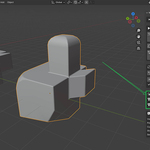
NormalForge — One-Click Custom Normals for Nanite-Ready Meshes
NormalForge is a Blender add-on that automates the bevel-to-custom-normals workflow for game-ready meshes, built primarily for Nanite pipelines in Unreal Engine. Nanite handles polycount, but it doesn't fix shading — you still need clean custom normals for smooth light transitions across hard edges. NormalForge sets those up in one click instead of doing it by hand every time you export.
The add-on offers four workflows. Auto-Detect by Angle finds sharp edges based on an angle threshold, adds and applies a bevel, then sets custom normals on your original faces. From Bevel Weights uses edges you've already weighted, falling back to angle detection if none exist. From Existing Bevel Modifier takes a bevel modifier already on your object, applies it, and sets the normals. From Existing Geometry works on meshes that have already been beveled — it detects bevel faces by comparing face areas and sets normals on the original larger faces without adding anything new.
Every workflow backs up your mesh before making changes. The bevel modifier does get applied and your mesh does change, but if you don't like the result, hit Restore and you're back to your original geometry. Fully reversible, every time.
You get full control over bevel settings — width, segments, profile, offset type, clamp overlap, loop slide, miter patterns, and more — tucked into a collapsible panel so they stay out of the way until you need them. The add-on also handles cleanup automatically, tagging bevel faces with a temporary material to identify original geometry, then removing the tags when done.
Built for game artists and environment teams working with Nanite who need correct normals on their export meshes without spending time on repetitive manual steps. Works with Blender 4.0 and above.
Frequently Asked Questions
NormalForge automates the bevel-to-custom-normals workflow primarily used in Nanite pipelines. Nanite in Unreal Engine handles polycount but not shading — you still need clean custom normals on your mesh for proper light transitions. NormalForge sets those up in one click instead of doing it manually every time.
Yes. NormalForge is built for Blender 4.0 and above and follows the current Python API for modifiers, custom normals, and mesh data.
No — it applies the bevel modifier and modifies your mesh. However, it is fully reversible. Every workflow creates a backup of your original mesh before making any changes, so you can restore it at any time with one click.
Nanite handles geometry density, but it doesn't fix shading. Without custom normals, beveled edges can show hard shading transitions or artifacts in your Nanite mesh. Custom normals give you smooth shading across bevel transitions without relying on extra geometry or shader tricks.
If you're preparing a fresh mesh for Nanite export, Auto-Detect by Angle or From Bevel Weights are the typical choices — they add a bevel, apply it, and set normals in one step. If your mesh already has a bevel modifier from your modeling phase, use From Existing Bevel Modifier. If your mesh is already beveled and finalized, use From Existing Geometry — it detects the bevel faces and sets normals without adding any new geometry.
NormalForge only touches the bevel modifier it creates or the one you point it at. Other modifiers like arrays, mirrors, or subdivisions stay on the stack. The bevel modifier itself gets applied during the process.
Yes. Use the Restore Original Mesh button to swap back to your backed-up mesh. You can also use Clear Custom Normals to remove just the normals without restoring geometry.
Yes. NormalForge exposes all bevel modifier settings — width, segments, profile, offset type, clamp overlap, loop slide, miter patterns, intersection method, and face strength. They're in a collapsible panel so they stay out of the way until you need them.
It controls how the add-on identifies bevel faces on already-beveled meshes. Faces with an area below this ratio of the median face area are treated as bevel faces. The default is 0.5. Lower values detect only very small faces, higher values are more aggressive.
Yes. When a bevel creates ngons, NormalForge automatically triangulates them and converts back to quads where possible to keep your export mesh clean for Nanite.
You run it one object at a time. The panel shows all objects that have backups saved, so you can restore any of them individually.
