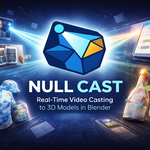
Null Cast
 Null Station


Documentation
Installation
Navigate to Edit → Preferences → Add-ons.
Click Install... and select the
NullCast.zipfile.Enable the checkbox for Object: Null Cast.
-
Restart Blender to finalize the installation.
Quick Start Guide
-
Select a Mesh: Click on the object you wish to project video onto in the 3D Viewport.
-
Access the Panel: Open the Sidebar (press N) and navigate to the Null Cast tab.
-
Select Mode: Choose between Webcam or Screen mode.
-
Activate: Click Start Webcam or Start Screen. The texture will update immediately.
Note: Ensure the viewport is in "Texture" or "Material Preview" mode to see the result. You can use the Viewport Mode button in the addon panel to auto-configure this.
Feature Overview
Webcam Mode
-
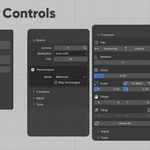
Camera Index: Select your video input device (0 is usually the default webcam).
-
Resolution: Adjustable from 320×240 (fastest) to 1920×1080 (highest quality).
FPS: Set the target frame rate (1–60 FPS). Lower values save performance.
Screen Mode
-
Monitor Selection: Choose to capture the full desktop or a specific display.
-
Region Capture: Define a custom area (X, Y, Width, Height) to capture a specific window or portion of the screen.
Visual Picker: Use the visual overlay to drag and select the capture area interactively.
Adjustments & Transforms
-
Transform: Flip (Horizontal/Vertical), Rotate, and Scale the feed to fit your object's UVs.
-
Image Correction: Modify Brightness, Contrast, Gamma, Hue, and Saturation non-destructively.
-
VFX: Use the Invert toggle for negative effects or increase Emission for glowing screen effects.
Troubleshooting
-
"Dependencies not installed": Go to Edit → Preferences → Add-ons → Null Cast and click the "Install" button for OpenCV/MSS.
-
Black Texture: Ensure your 3D Viewport is set to Material Preview or Rendered mode. Also, verify that the animation timeline is playing or that "Auto-Refresh" is active.
Performance Lag: Reduce the capture resolution or lower the FPS setting. Screen capture is generally more resource-intensive than webcam capture.
 Included
Includes 12 months of
- Support from Null Station
- Product updates
Extend this product’s Support Period +12 months: 50% of product price
Have questions before purchasing?
Login to message
| Blender Extension Compatible | Yes |
| Published | 8 months ago |
| Blender Version | 4.0 - 5.0 |
| Extension Type | Add-on |
| License | GPL |
Discover more products like this
ArchViz VFX Null Cast blender addon Projection Mapping OpenCV Webcam Capture Real-time rendering motion graphics Texture Streaming Screen Mirroring 3d tools