 Bill_3D


Object Bender
Bend Anything with Precision and Ease – Blender Addon
Overview
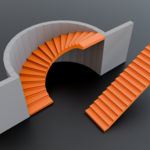
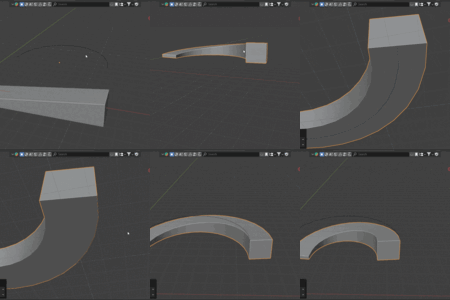
Object Bender simplifies the once tedious process of bending objects along curves. This powerful and intuitive Blender addon lets you deform any object with just a few clicks — delivering clean, smooth results without the usual setup hassle.
🛠️ How It Works
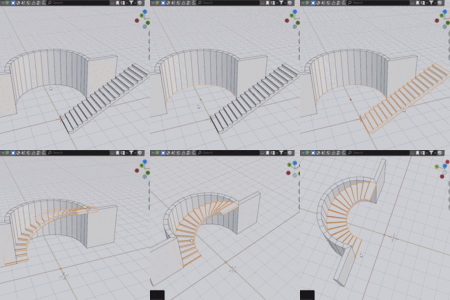
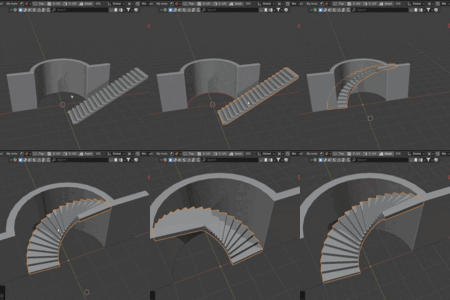
Getting the perfect bend takes just three steps:
Select Your Curve
Use any poly curve, spline, or mesh-based curve as the path.Select Your Object
Choose the mesh to bend. For best results, align it along an axis and apply all existing modifiers.Click "Bend"
Let Object Bender do the work. The addon automatically adjusts geometry to ensure a clean deformation.
🔄 No need to manually subdivide — the addon prepares your object for smooth bending automatically.
⭐ Key Features
✅ Automatic Scaling & Curve Matching
Automatically scales your object along the X-axis to match the full curve length.
Use the built-in “Curve Length” tool to preview exact length before modeling.
✅ Full Alignment Control
Align your object to the Front, Middle, or Back of the curve.
Snap to the Top, Center, or Bottom — perfect for precise placements.
✅ Reverse Direction
Instantly flip your object’s direction along the curve with the “Reverse” button — no manual rotation needed.
✅ Interactive Position Adjustment
Slide the object along the curve interactively to fine-tune placement on the fly.
✅ Non-Destructive Workflow
Add and adjust the bend effect anytime during your modeling process.
Apply the result permanently or remove it to revert to the original geometry.
🎯 Why Use Object Bender?
Fast setup, minimal clicks
Clean, professional deformation results
No modifier stacking or node setup required
Designed for both beginners and advanced users
This tool is built to save you time and boost your modeling flexibility. Whether you’re designing assets for games, animation, or archviz — Object Bender belongs in your Blender toolkit.
Have questions about this product?
Login to message
| Blender Extension Compatible | Yes |
| Published | about 1 year ago |
| Blender Version | 4.0 - 4.4 |
| Extension Type | Add-on |
| Render Engine Used | Cycles, Eevee |
| License | GPL |
