 Nuriddin Khamidov


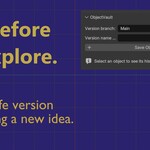
Keep Every Good Idea Within Reach
ObjectVault is a simple object-level versioning tool for Blender.
When developing an asset, ideas evolve quickly. You may try a new shape, test a material, adjust modifiers, or create a client variation. ObjectVault lets you save those moments as named versions of one object, directly inside your current Blender file.
Select an object, save a version, and continue creating.
A Focused Workflow
- Select an object.
- Name and save a version.
- Explore a new direction.
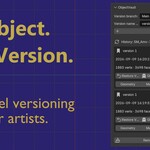
- Compare or restore a saved version whenever you need it.
Your saved history belongs to the selected object, while the rest of your scene stays untouched.
Restore Exactly What You Need
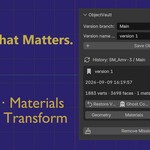
A saved version can restore the complete object, or only one part of it:
- Geometry — Bring back a previous shape while keeping the current material.
- Materials — Return to an earlier material setup.
- Modifiers — Restore a previous modifier stack and its settings.
- Transform — Restore location, rotation, and scale.
- Restore Version — Restore the complete saved object version.
Compare Ideas Visually
Use Ghost Comparison to display an earlier version as an orange wireframe overlay in the viewport. See how an idea changed before deciding which direction to keep.
Explore Alternative Directions
Create named branches for different concepts, client feedback, or design variations.
- Main
- Sport Variant
- Client Feedback
- Experimental
Each branch keeps a separate history for the same object, helping you stay organized while exploring different ideas.
Built for Asset Iteration
- Save named and timestamped object versions.
- Keep history connected even when an object is renamed.
- Compare current and saved versions with geometry, material, and modifier information.
- Store snapshots inside the current
.blendfile in a hidden, non-rendering backup collection. - No internet connection, account, or external service required.
Compatibility
- Blender 4.2 and newer.
- Tested with Blender 5.2 LTS.
- MIT License.
Installation
- Download the ObjectVault extension ZIP file.
- In Blender, open Edit → Preferences → Get Extensions.
- Open the menu in the top-right corner and choose Install from Disk.
- Select the ZIP file and enable ObjectVault: Object-Level Versioning.
- In the 3D Viewport, press N and open the ObjectVault tab.
Important Notes
ObjectVault stores independent snapshots inside your .blend file. File size may increase depending on the number of saved versions and the complexity of the asset.
Do not manually edit or delete objects inside the __OBJECTVAULT_BACKUPS__ collection. Use the Delete button in ObjectVault to remove versions safely.
