 rayspawn


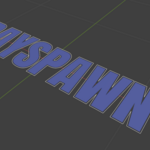
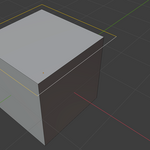
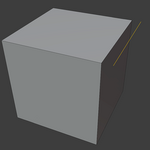
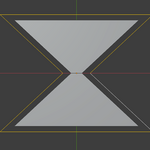
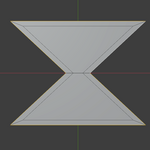

Offset Edges is a Blender modeling add-on that provides precise tools for edge offsetting, extrusion, and movement while preserving clean and predictable topology. It extends Blender’s default edge editing workflow by offering additional control over edge displacement and supports mirror workflows, face-aware calculations, and axis locking. The add-on is useful for hard surface modeling, architectural work, and any task requiring accurate edge manipulation.
To install the add-on, download the ZIP file, open Blender, and go to Edit → Preferences → Add-ons. Click Install, select the ZIP file, and enable “Offset Edges by rayspawn.” The tool is available in Edit Mode. Select edges, press Ctrl + E, and choose the add-on from the edge menu. Parameters can be adjusted using the operator panel or by pressing F9 after activation.
The add-on includes Offset, Extrude, and Move modes. Offset moves edges inward or outward while maintaining surrounding geometry. Extrude creates new geometry with depth or angle control. Move allows repositioning edges without generating new geometry. Additional options such as Follow Face, Mirror Modifier support, Edge Rail alignment, and axis locking help maintain proper topology and improve precision.
The add-on is designed to work with edge selections and performs best on clean geometry. Results may vary when used with complex or non-manifold meshes. The tool has been tested with Blender 4.x versions.
This add-on is distributed under the GNU General Public License (GPL). License details are included with the add-on package.
Have questions about this product?
Login to message
| Blender Extension Compatible | Yes |
| Sales | 10+ |
| Published | 8 months ago |
| Blender Version | 4.1 - 5.0 |
| Extension Type | Add-on |
| Render Engine Used | Arnold, Blender-Internal, Blender-Game-Engine, Cycles, Eevee, Freestyle, Luxrender, Mental-Ray, Octane, Vray, Yafaray |
| License | GPL |
