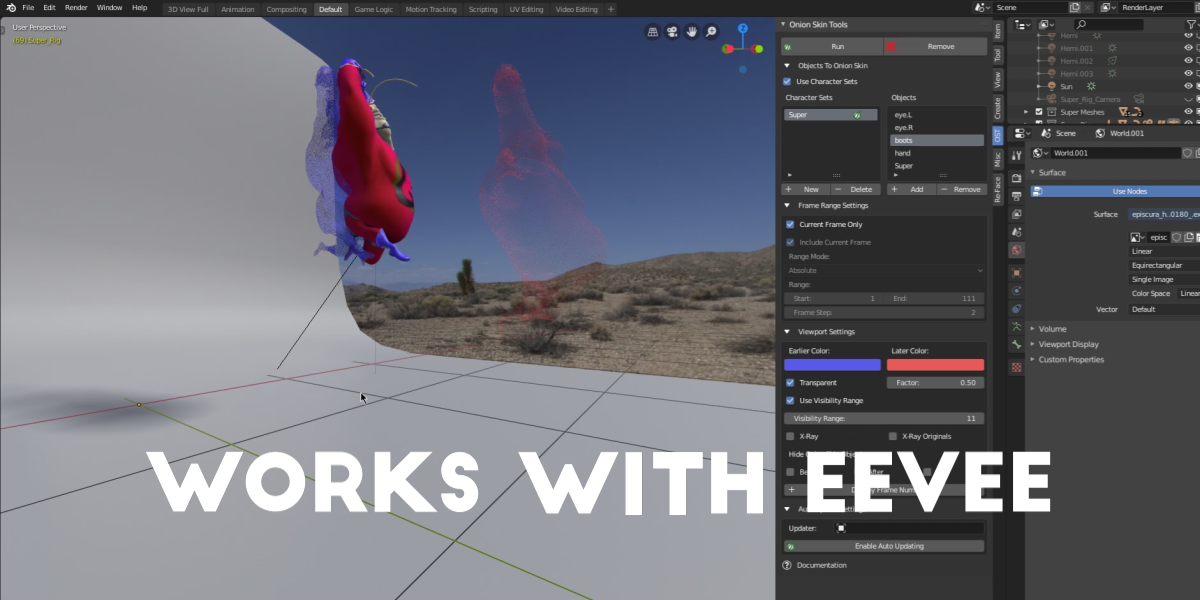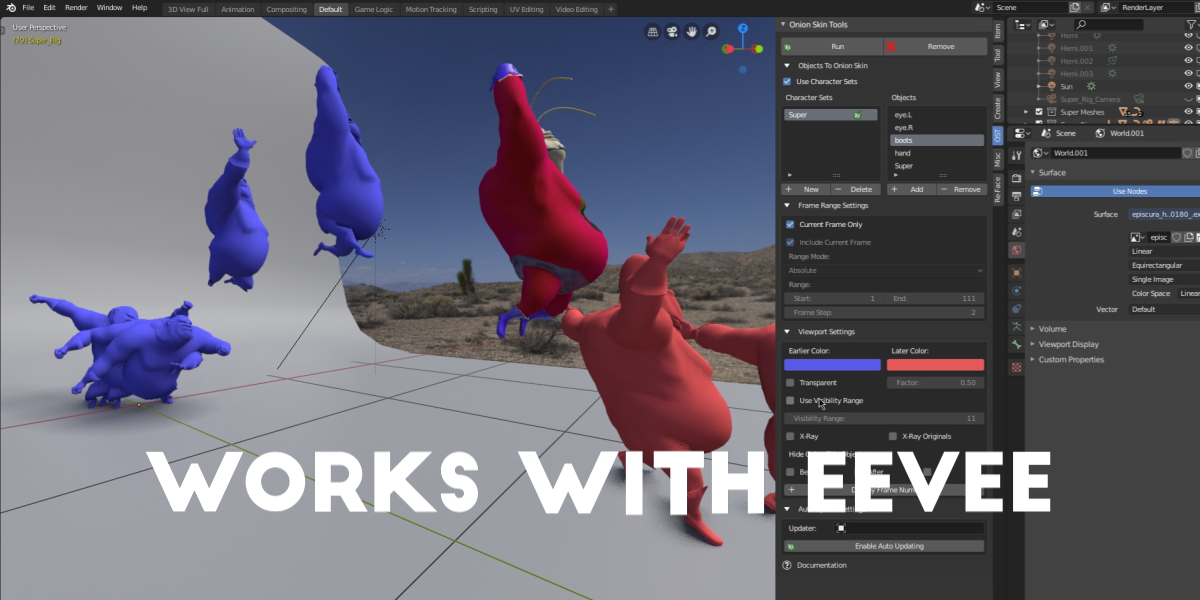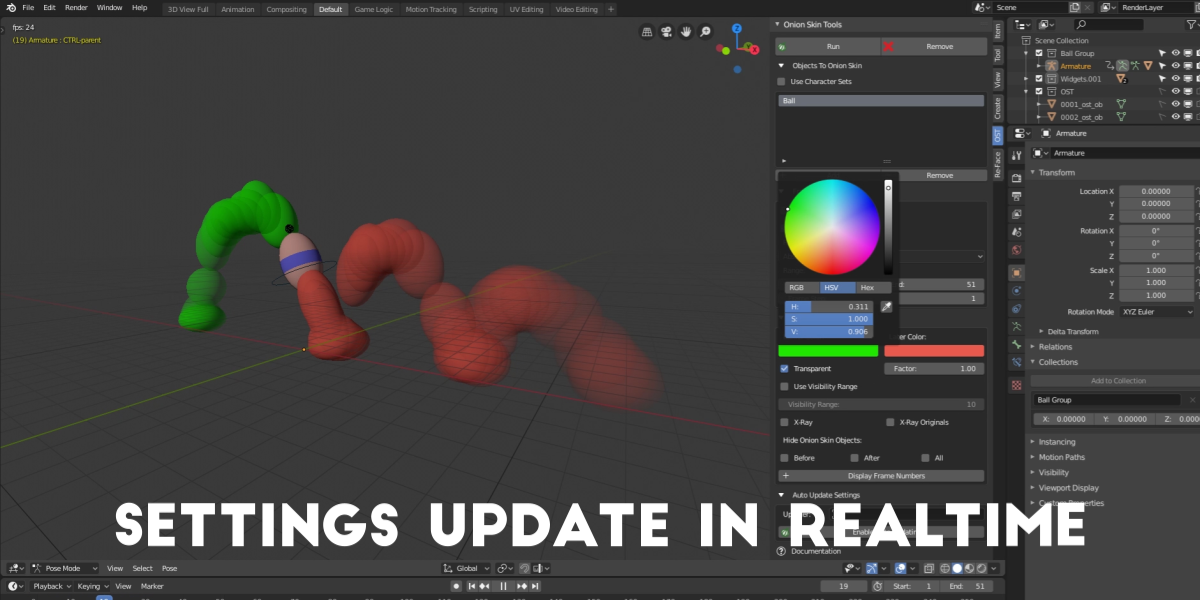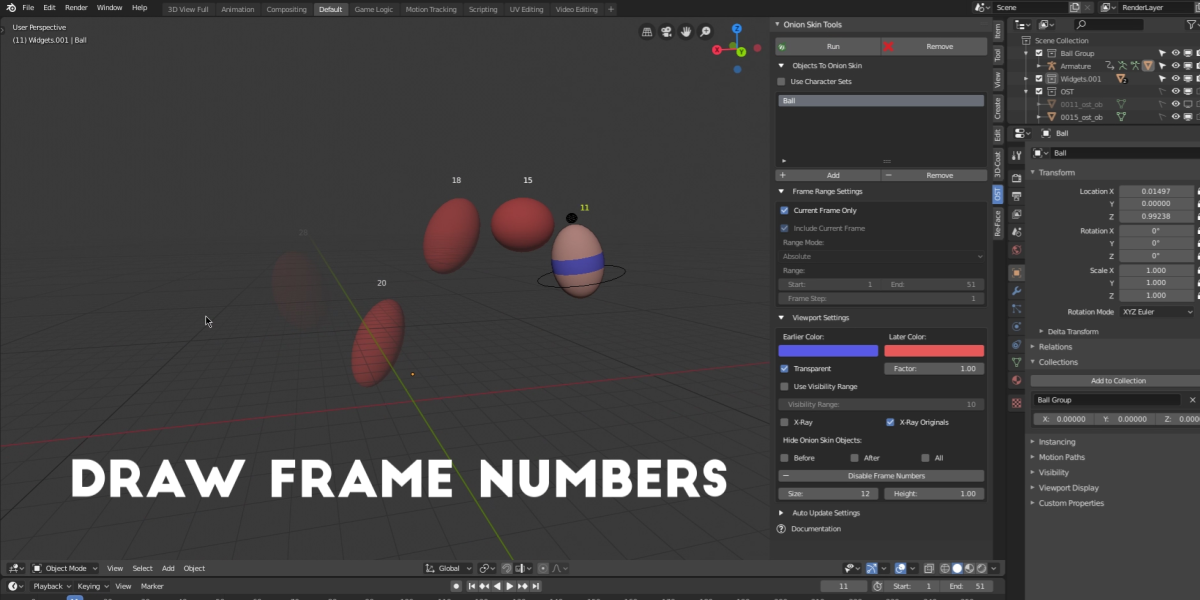
Onion Skin Tools for Blender

Joel's Blender Addons Store in Addons


Item Rating

This item has an average rating of 5 from 30 ratings by the community.

77%
17%
7%
0%
0%

Purchase this item to leave a review!

  • Adrian Lipiec
    about 9 years ago

    If you like to animate... but Blender gives you this "UGH" feeling.
    Get this addon.

    • Joel

      about 9 years ago

      Thanks for the compliment! I can relate to the frustration of animating without a consistent point of reference.

  • richardkhoa
    about 9 years ago

    I am an experienced animator and a big time animation nerd. When I first saw this addon, I thought it looked cool and wanted to try it out. And now I report back that it's really fun to play with. I found myself going back to old projects I did and running the onion tool. Really enhances my love for animation :) super fun to play with!

    I highly recommend any beginner animators to get this addon. It will make learning, practicing, and working so much more fun!

    Also I rate Joel's customer service 5/5 he responded within a few hours or so and with a quick fix! Works with 2.77 now :) Thanks Joel! Hope you create more cool tools for us to use

    • Joel

      about 9 years ago

      Thanks for the kind words! Glad I could help with the issue, and thank you for bringing it to my attention.

  • Ellie
    about 9 years ago

    So, two weeks ago, I was up animating a walk cycle. It went something like this: edit pose, scrub timeline. Fantasise about object-based onion skinning. Curse total absence of programming skills. Edit pose, scrub timeline. Edit pose. Forget how previous pose looked. Scrub timeline. Edit pose. Consider making deal with Satan. Repeat ad nauseam.

    It was especially difficult for me, as a fairly inexperienced animator coming from a 2D background, working without onion skinning. It was like practicing sharpshooting with a blindfold on, as I’m sure any Blender user will attest.

    So, I just have to say: Joel, you are most certainly a creator after my own heart!!!! Not only does this addon make animating infinitely easier, quicker, and more accurate, it makes it so much more enjoyable!

    Not only is this creator very talented, but he has clearly put a tremendous amount of thought, time, and effort into making this addon. The addon itself is incredibly simple and easy to use, while packing in all the essential features you need. The best way to describe it is that it simply *makes sense*. I am sure it will fit in seamlessly into any animation workflow.

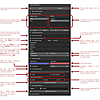
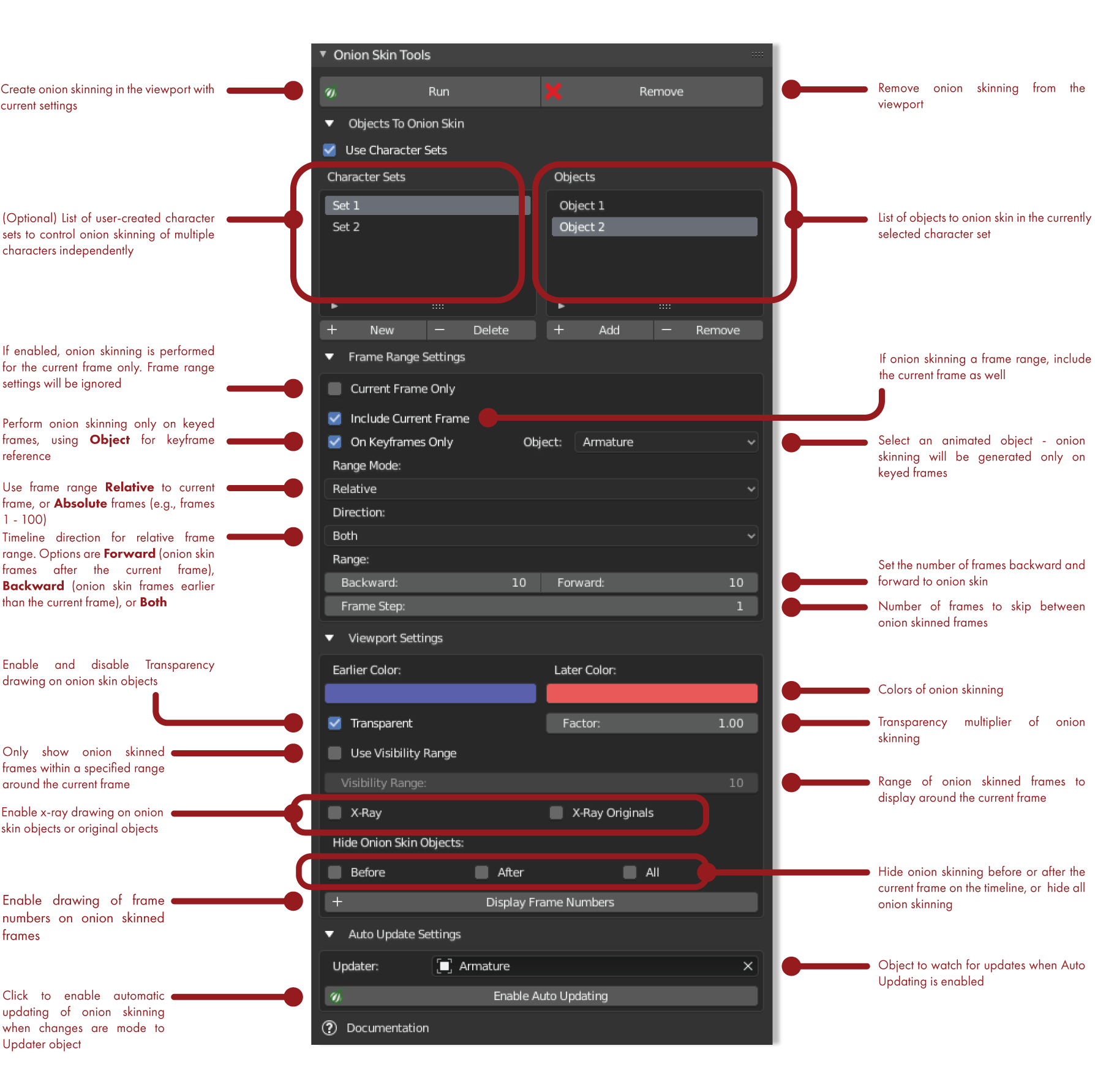
    Also, as someone with ADHD: thank you, thank you, thank you for your fantastic streamlined documentation. Like everything else about this addon, it just makes sense. It is very short, simple, concise, with clear instructions and an annotated picture of the menu item. I read through it once and was ready to go.

    Overall, I seriously cannot recommend this enough to anyone who animates in Blender. Joel is certainly a creator to keep an eye on. To you, Joel: you have most definitely earned yourself a loyal supporter! I am enthusiastic to see what other wonderful things you will create in the future.

    To everyone else: Let this addon take off your blindfolds!

    • Joel

      about 9 years ago

      Ellie, I'm very pleased to hear you're getting so much out of the addon! I already have the groundwork laid for some new features and enhancements, so I'll be letting you know soon when the new version is available for download. In the meantime, please do let me know if there's anything you come across that needs improving. And thank you so much for your kind words!

  • Ky
    over 1 year ago

    Fantastic and very helpful addon! Using 4.2.8, the auto updating sadly didn't work, but I found that adding the 'Run' button to my quick favourites to make it an easy keyboard shortcut to mostly make up for it. It would be nice if this addon came with dedicated keyboard shortcuts for some of the main functions, or at least the option for the user to map them.

    The thing that took a star off for me was the rather irritating automatic enabling of backface culling every single time it runs. There doesn't seem to be any reason for this as far as I can tell, and there's no option to turn it off. As I need to be able to see the underside of the surfaces I'm working on with my current animation project, I wound up unzipping the addon files and adjusting the code myself to disable the backface culling (line 590 of run.py, change True to False, for anyone else with this issue).

    Otherwise though, this addon is exactly what I needed, and I can definitely see myself using onion skinning well into the future of my animation projects.

  • Chris
    over 2 years ago

    Drops my viewport frames when active by a significant amount. Any workaround?

    • Joel

      over 2 years ago

      Hi there! There isn’t really a workaround per se for frame rates dropping when the onion skinning is active and viewport updating is still enabled. I’ve added a button at the bottom of the UI to disable viewport updating of the onion skinning when the frame changes; this updating is what causes the drop in fps, so using this button to temporarily disable it should get you your fps back.

  • J Estra
    over 5 years ago

    I noticed that this is similar to animextras, what's the difference between the two?
    https://github.com/iBrushC/animextras

    • Joel

      over 5 years ago

      Hi Jude! I'm gonna give you the TL;DR up front :D I'm not sure. Mine was developed first, I believe my ideas have generally been better, and I do my best to respond to questions, problems, and feature requests.

      To be honest with you, I hadn't noticed the addon in the link you provided. It looks like development on that addon started in November of last year; that seems to be when the first commits were made to the repository. I'm willing to risk sounding just a tad cocky here ;) I developed my addon four years ago and made it available here; to my knowledge, at that time there was only one previous attempt at doing something similar in Blender and that project had long since been abandoned, so I decided to fill that gap in Blender's functionality. The idea was basically to port the premise of a tool I'd used in Maya over to Blender - the idea of 3D DAC onion skinning did not originate with me, I humbly admit. Not long after, I began to see some fairly cynical and honestly unnecessarily nasty comments about my effort over on the BA forum and some users began making some similar but clumsy addons publicly available to compete. That's fine with me; it's the nature of things. Four years later, there are several similar addons here on the Blender Market, as well as some public repositories apparently. That's the way of the world - ideas spread rapidly!

      So I'm not a salesman; I'm an artist and a tinkerer. I like to come up with neat tools that help people, and I try to treat people with dignity and respect; when users of my addons need help, I try to reply quickly and get fixes or viable feature requests out to them nearly as fast. Someone may, or may not, also get that from other developers; I can't be sure what others are about, but I know what I'm about. My apologies for the long reply! It was a good question and I felt it deserved a thorough answer :)

  • Kat Curry
    over 5 years ago

    I was delightfully surprised to see it work in 2.92 as there was a caution against that. The auto update did not seem to work, and the frame number text was bunched up and unreadable. Happy to report no crashing on repeated re-running of various ranges in my scene. Despite the frame text and the auto-update issue, it's still incredibly useful as it is! Thanks so much for putting the effort in to build it! :-)

    • Joel

      over 5 years ago

      Hi Kat! I'm sorry to hear you're having issues with the auto-update function. I'm not sure what you mean when you say that it doesn't seem to work. I'm not seeing any issues with it; it seems to work just fine for me. Can you elaborate on the issue you're experiencing and send me a message so we can get it sorted out?

      I had posted a warning about using the addon with 2.91.2 (the "update" version that came out after 2.91.0), but not with 2.92. 2.91 and 2.92 are fully supported, but 2.91.2 never was. There were show-stopping issues with that particular version of Blender. I forgot that was still up on the product page :) I've just removed that.

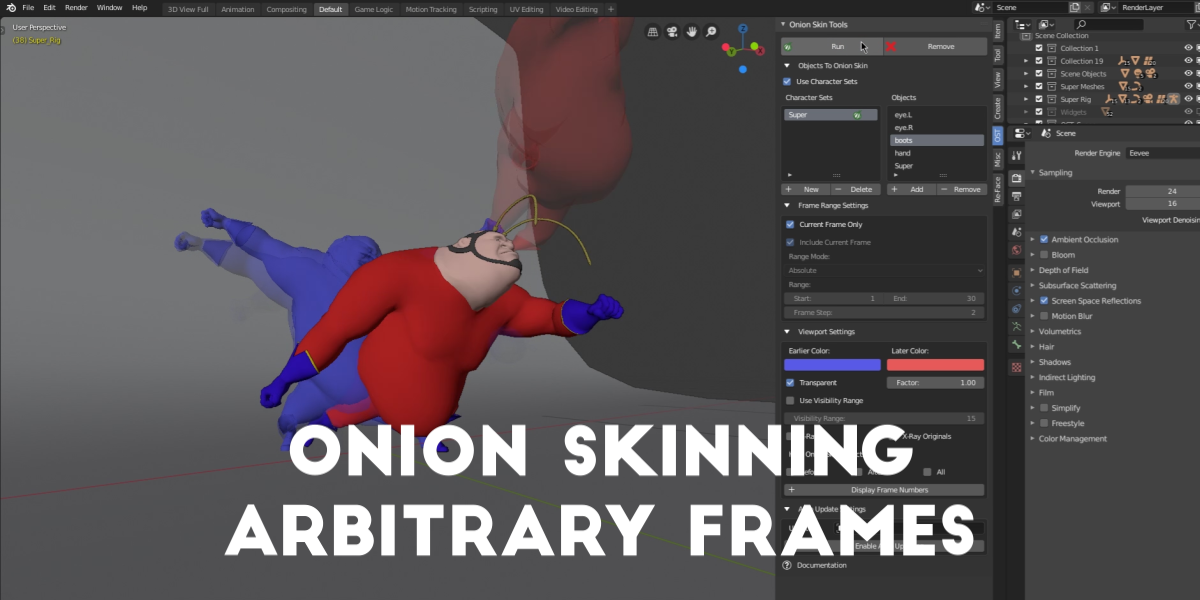
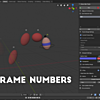
      Just to touch on the frame number function - that was primarily designed to be used with arbitrarily onion-skinned single frames (say, key poses), to give a visual reminder of what frame numbers those onion-skinned poses are on.

  • Martin Naydenski
    about 6 years ago

    Hi Joel, Thanks for the cool onion skin the tool.
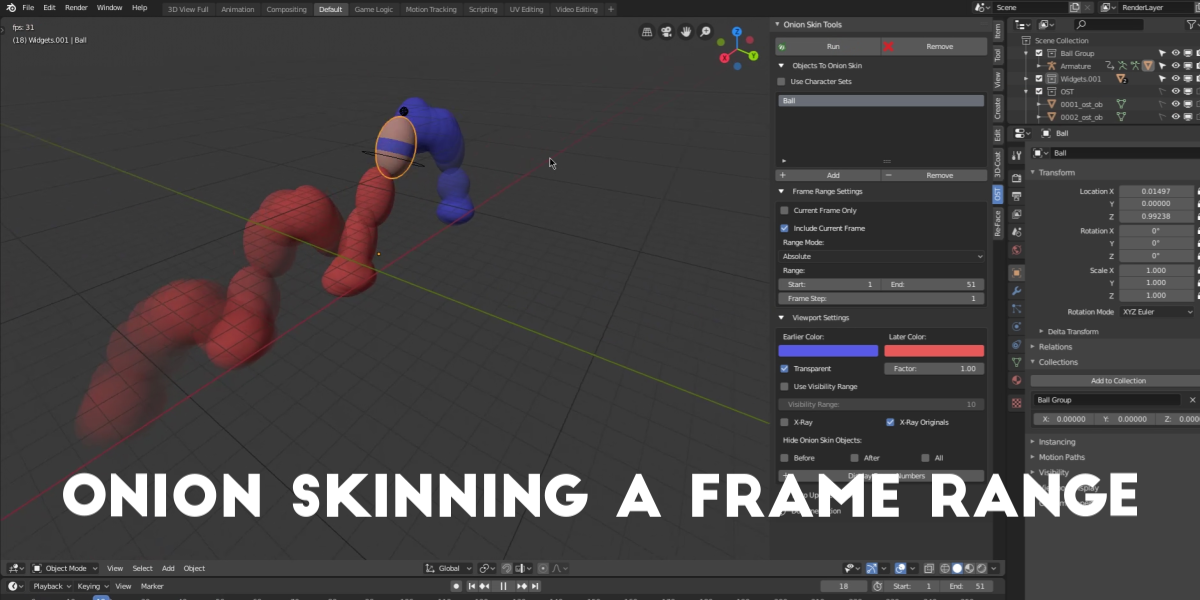
    There is just one annoying thing. Animators sometimes want to work seeing onion skin for only keyframes. And your tool supports it BUT you can only select 1 object for which it checks the keys... when in many real cases I assume this would be an Armature object in which case it renders the option useless because Armatures have lots of bones and lots of keys on them, therefore - if you are focused on one of the legs for example with the "keyframes only" option turned on - it shows onion skins for each frame because there are lots of keys on the whole rig. Would be great if you can pick Armature, and then another list menu will let you pick specific bones/controls.
    Thanks!

  • Christian Lazo
    about 4 years ago

    Hello. This doesn't work in the latest version of Blender 3.2.2. Do you have any solution?

  • Alex
    over 8 years ago

    Looks cool and all ,but the AutoUpdate doesn't work makes blender 2.77a 2.78 and 2.79 crash

    • Joel

      over 8 years ago

      Hi, I'm sorry you're having trouble with it. I haven't run into this issue myself or heard about it from anyone else. I'm looking into the issue but I'll need some help tracking down the source of the trouble you're having.

$10

Have questions about this product?
Login to message

Details
Sales 2000+
Rating
30 ratings
Published about 9 years ago
Blender Version 3.4 - 5.0
Extension Type N/A
License GPL
Discover more products like this

animation