 Andrew Luzhetskyi
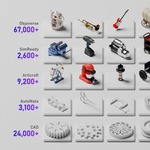
100,000+ free 3D models.
One click from your scene.
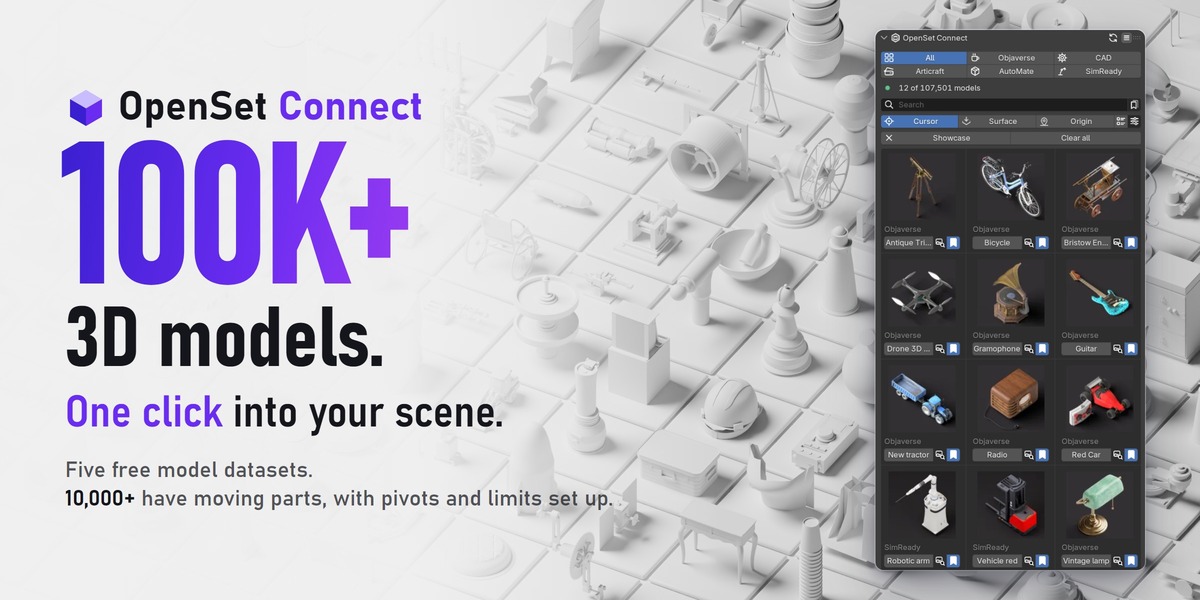
OpenSet Connect puts five free model datasets in a Blender sidebar panel. Browse them with thumbnails, click one, and only that model is downloaded and added to your scene.
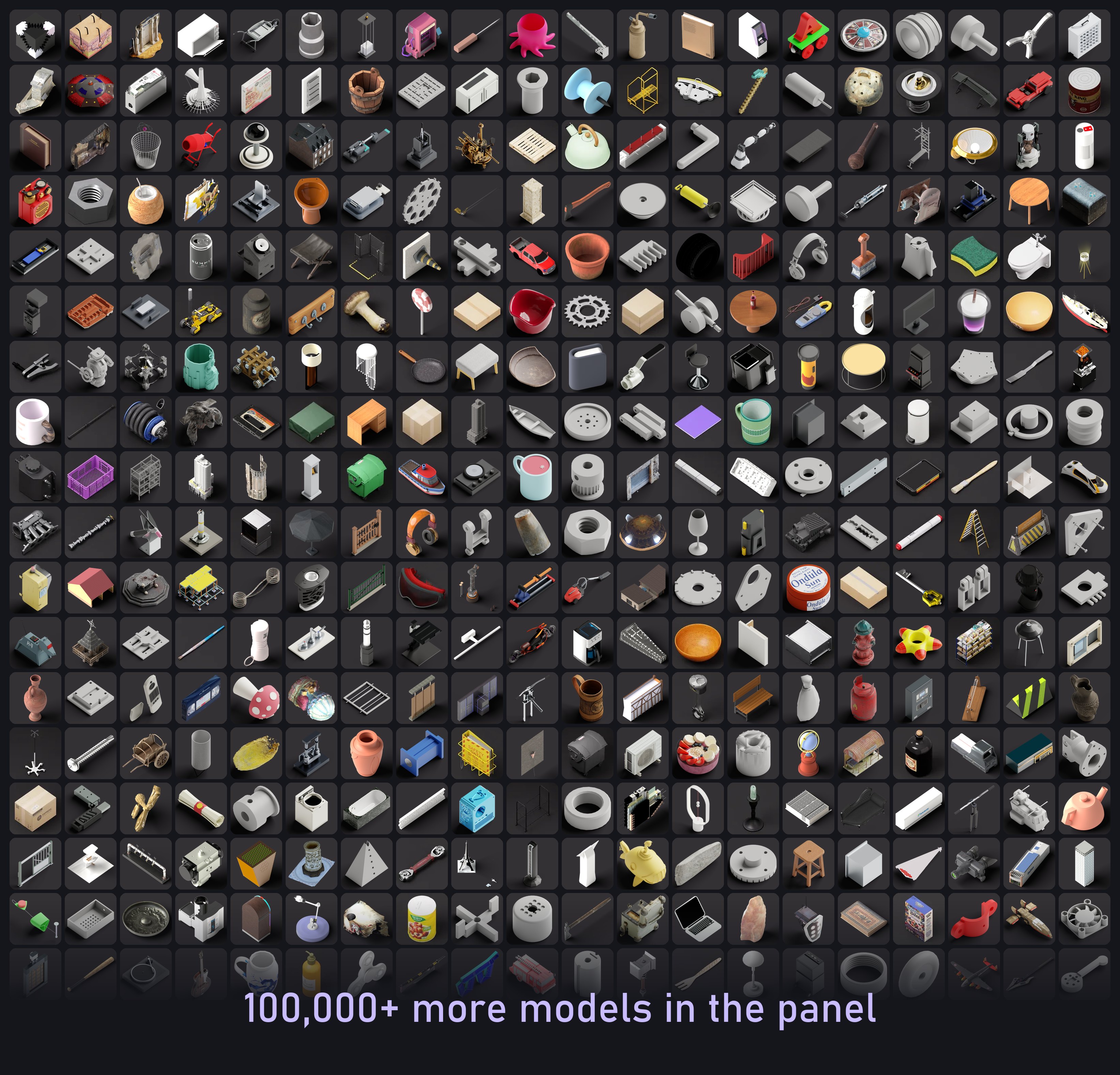
360 real thumbnails from the catalog, picked at random from all five datasets. Every model has one in the panel.
 |
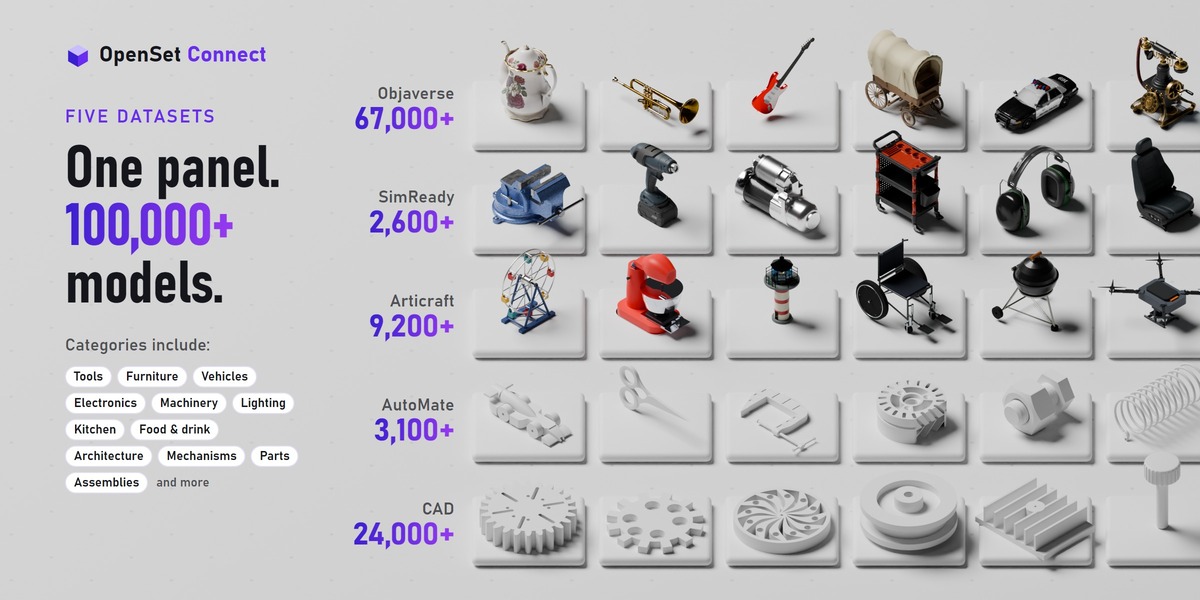
Five datasets Objects, vehicles, machines, parts and props, sorted by category. |
 |
Real textures Objaverse and SimReady come as their authors made them, with their own materials. |
 |
One click Click a name and it's in your scene. |
 |
Models stay online. Only what you import is downloaded. |
No huge download first. All five datasets together are more than 700 GB. OpenSet Connect downloads only the model you import, so you never store the whole library on your computer.
You set the size limit. Imported models are kept for quick reuse, up to a size limit you set (500 MB by default). When it is full, the models you have not used for the longest are removed first. A model over 50 MB shows its size and asks before its first download.
Importing needs an internet connection, with Blender's Allow Online Access turned on. Browsing, search and thumbnails work offline: they come with the add-on.
No tracking. The add-on only downloads models; it never uploads your files.
 |
Five datasets in one panel |
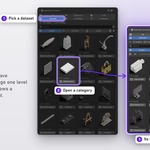
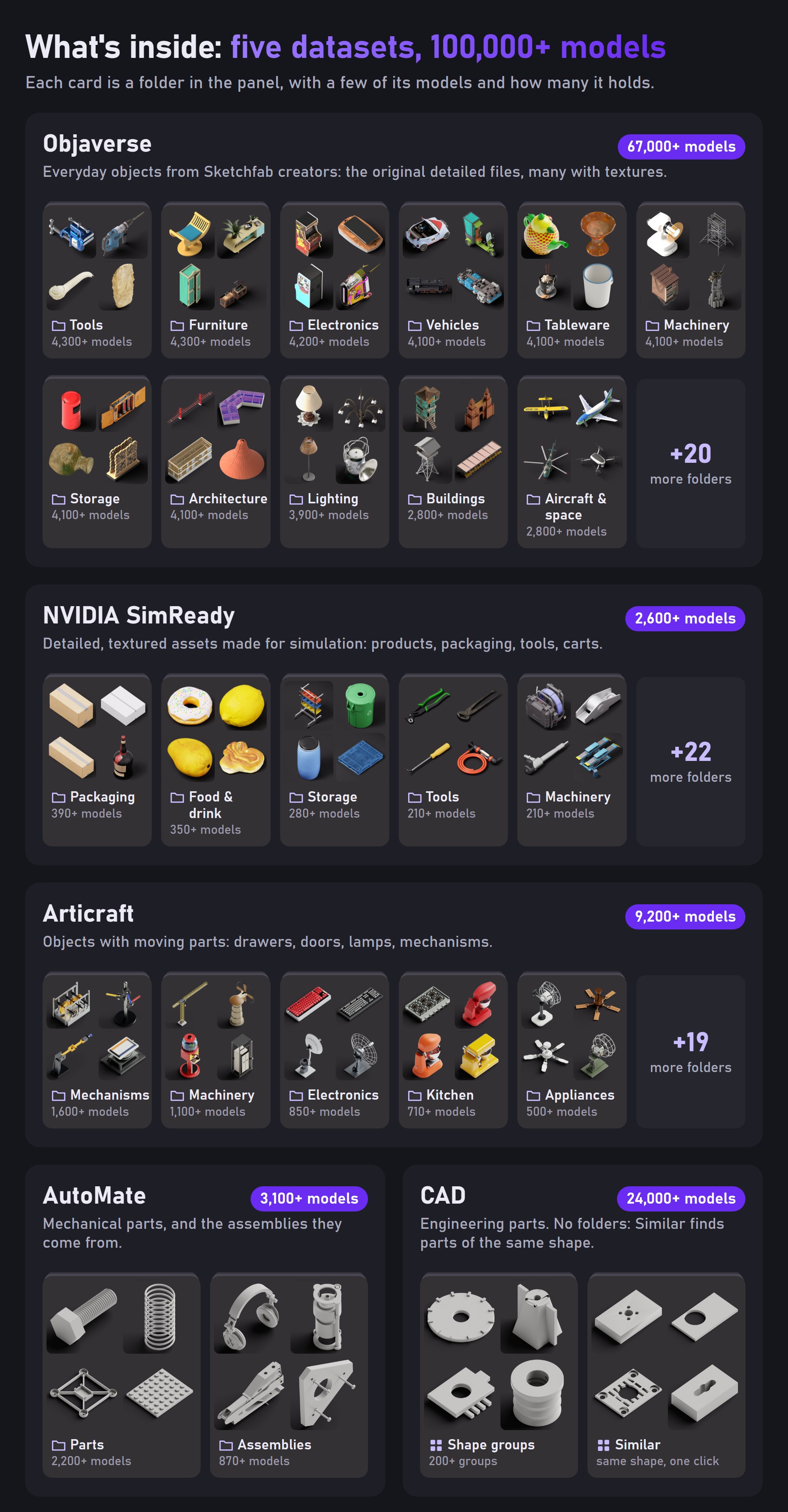
The panel holds all 100,000+ models: each dataset has its own tab, All shows them together, and every folder shows its picture and model count. The main folders of each dataset:
Quality
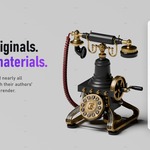
Detailed originals.
Real materials.
Objaverse and SimReady models are the original files, as their authors made them, many with their own PBR textures.
|
Textures come with the model |
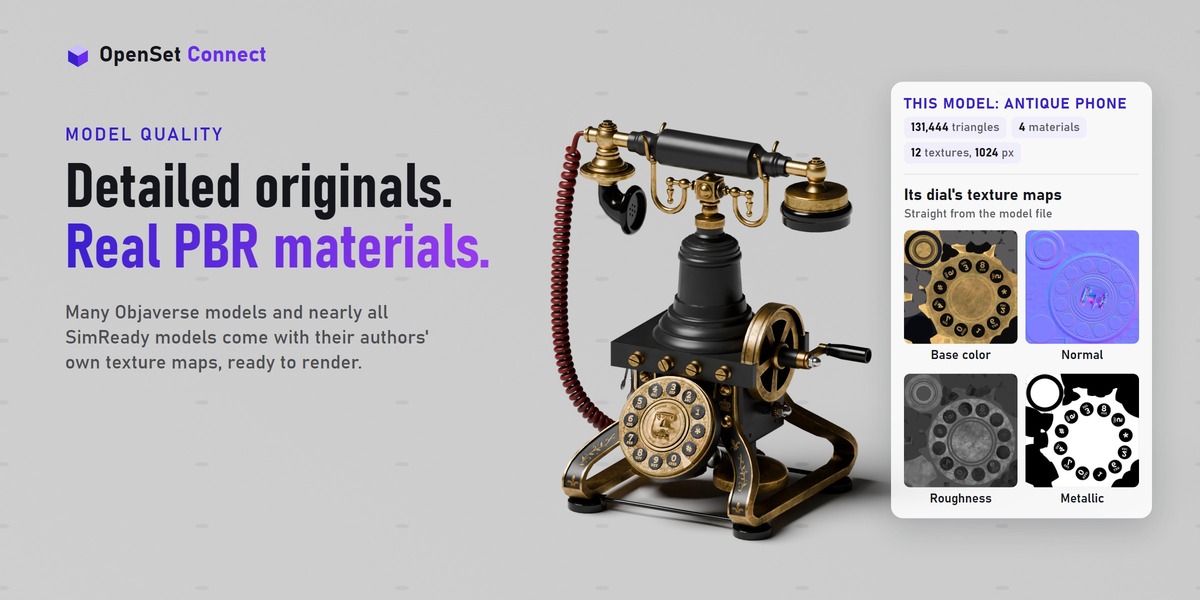
Objaverse models import with Blender's glTF importer and keep their authors' PBR materials: base color, metallic and roughness, normal maps, and on some ambient occlusion and emission. Almost every SimReady asset includes image textures.
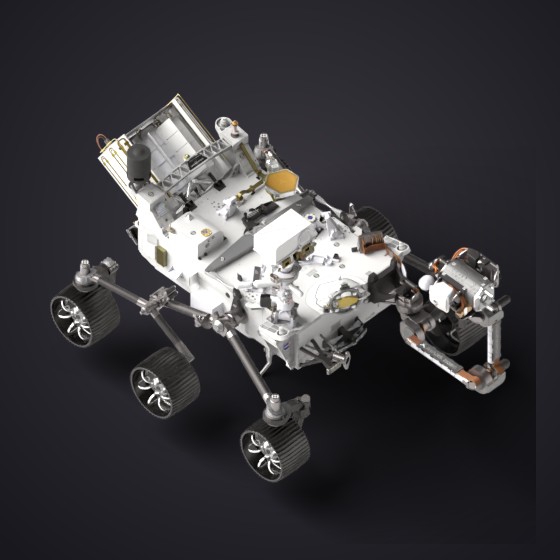 Mars rover 199,302 triangles, 48 materials |
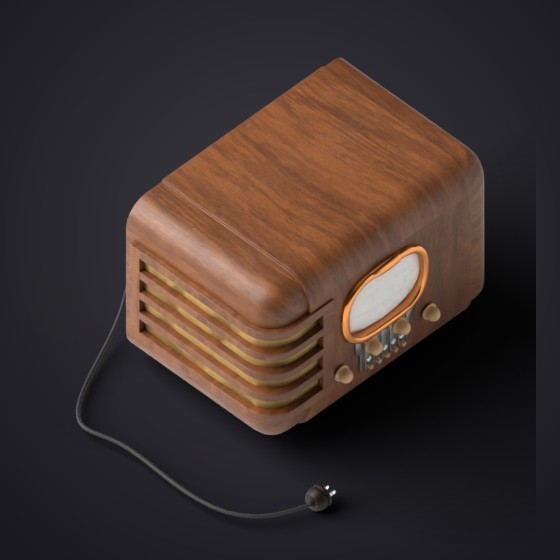 Radio 202,402 triangles, 12 materials |
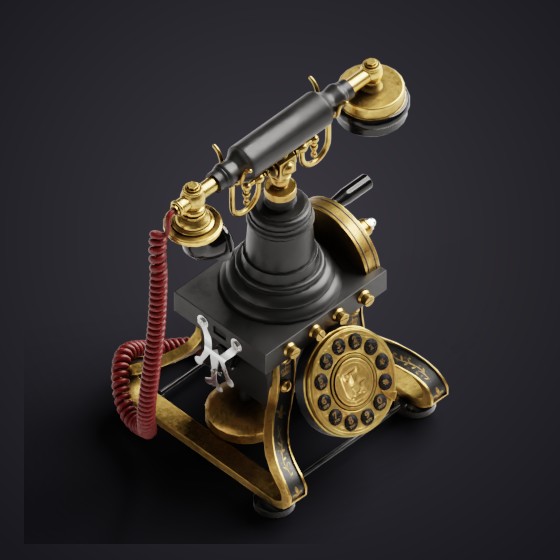 Antique telephone 131,444 triangles, 4 materials |
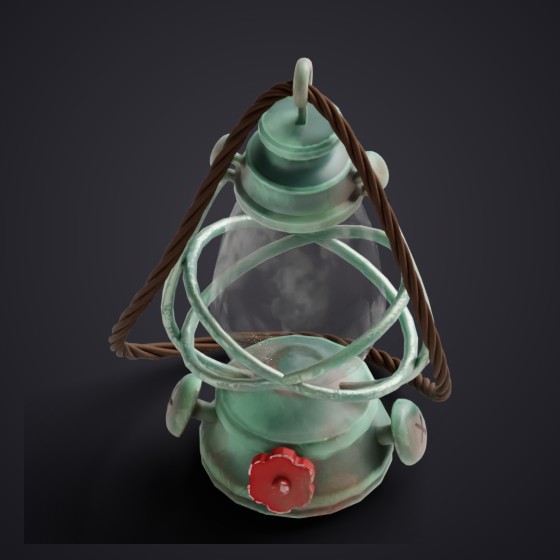 Oil lantern 46,445 triangles, 2 materials |
Four Objaverse models from the catalog, rendered with their own materials. Triangles of the imported mesh; textures and sizes read from each model file.
 |
Please read: detail varies by dataset |
Objaverse and SimReady are the original files. Objaverse models are as their authors made them: some simple, some very detailed. The median is about 11,300 faces, and 48% have fewer than 10,000. SimReady assets are detailed and textured, and bigger downloads: 35.7 MB for a typical one.
CAD, Articraft and AutoMate are Sandflow rebuilds. They are simple shapes with flat colors, no image textures and no UVs: about 550 to 2,600 triangles for a typical model (median of a 15-model sample per dataset).
The thumbnails show each model as it is, so what you see in the panel is what you get.
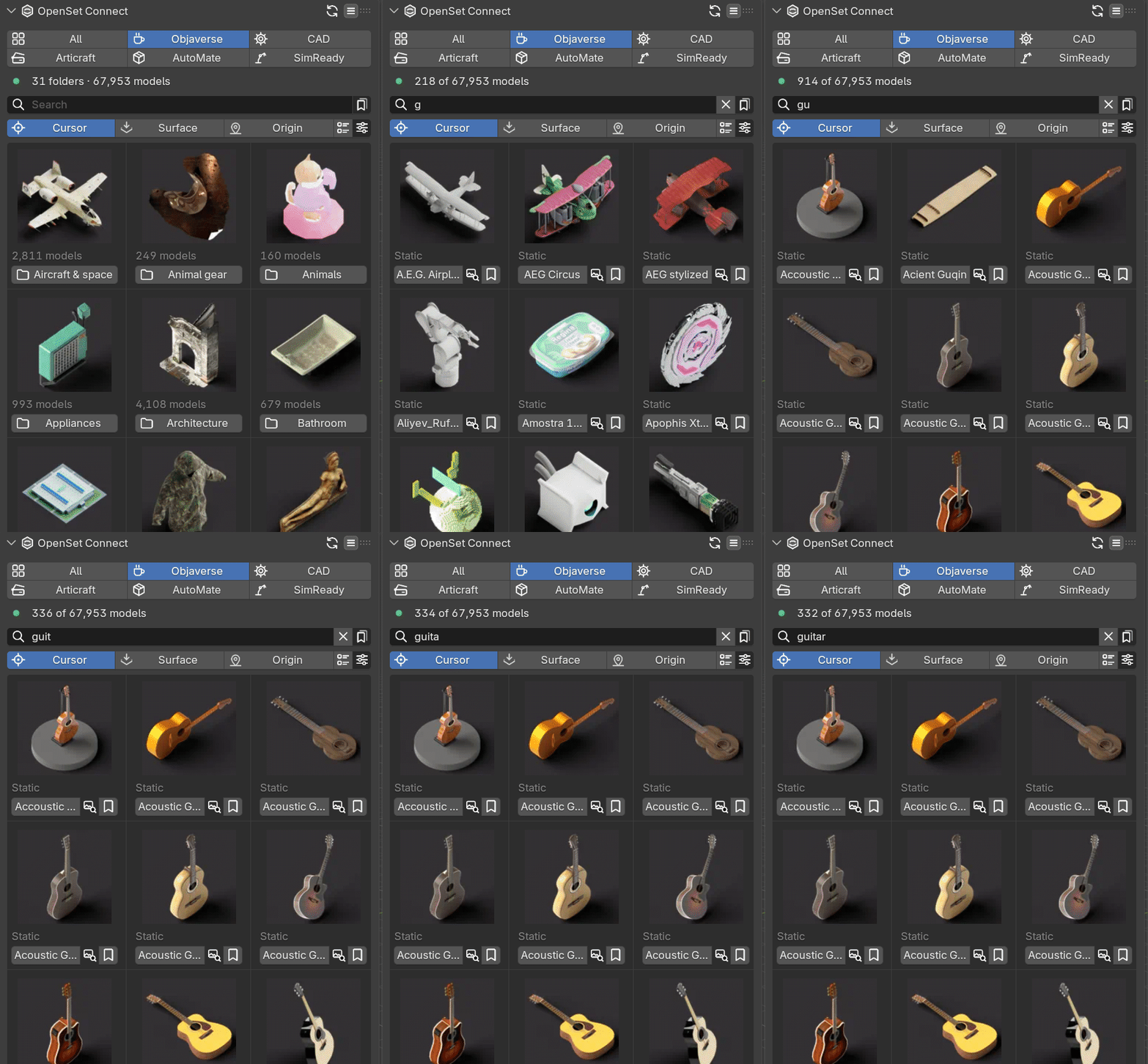
 Find it fastType a word to search names and categories across all five datasets. Dataset tabs and folders narrow it down, and the breadcrumb takes you back. 100,000+ of the thumbnails were rendered for this add-on, in one look on one dark background, so the grid is easy to scan. |
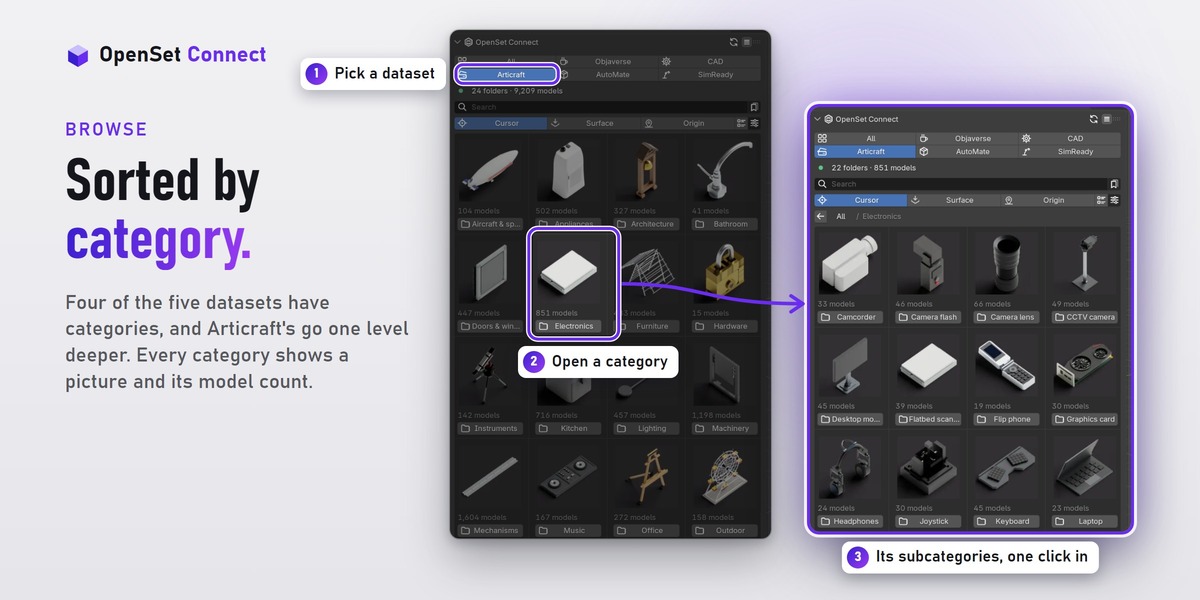
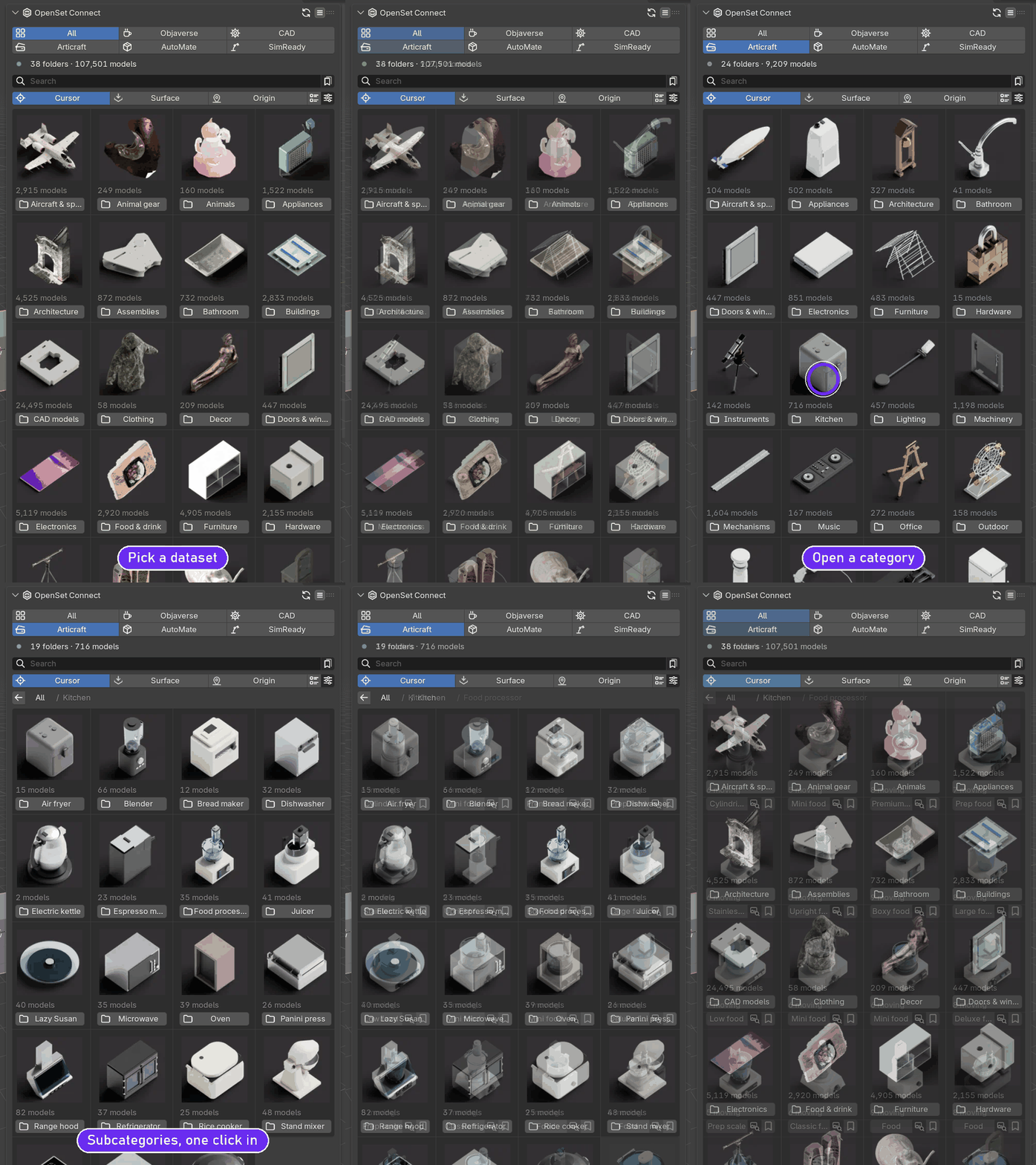
 Sorted by categoryFour of the five datasets have categories (CAD lists its models directly), and Articraft's go one level deeper: its Kitchen holds Food processor, Toaster oven, Range hood and 16 more. Every category shows a picture and how many models it holds, and the back arrow takes you up a level. |
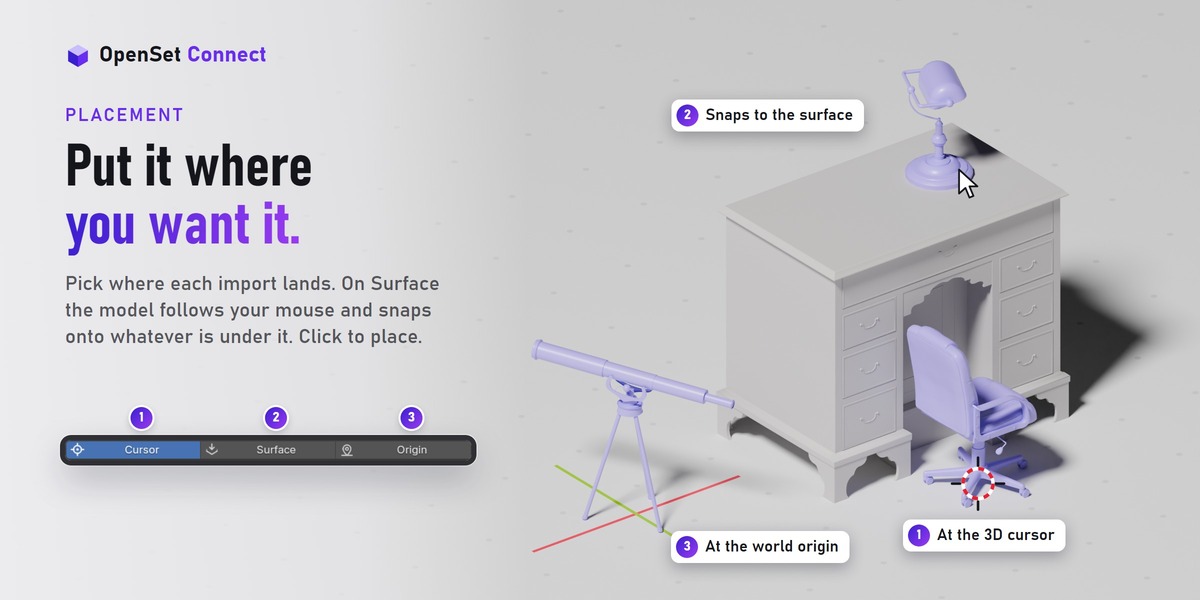
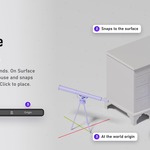
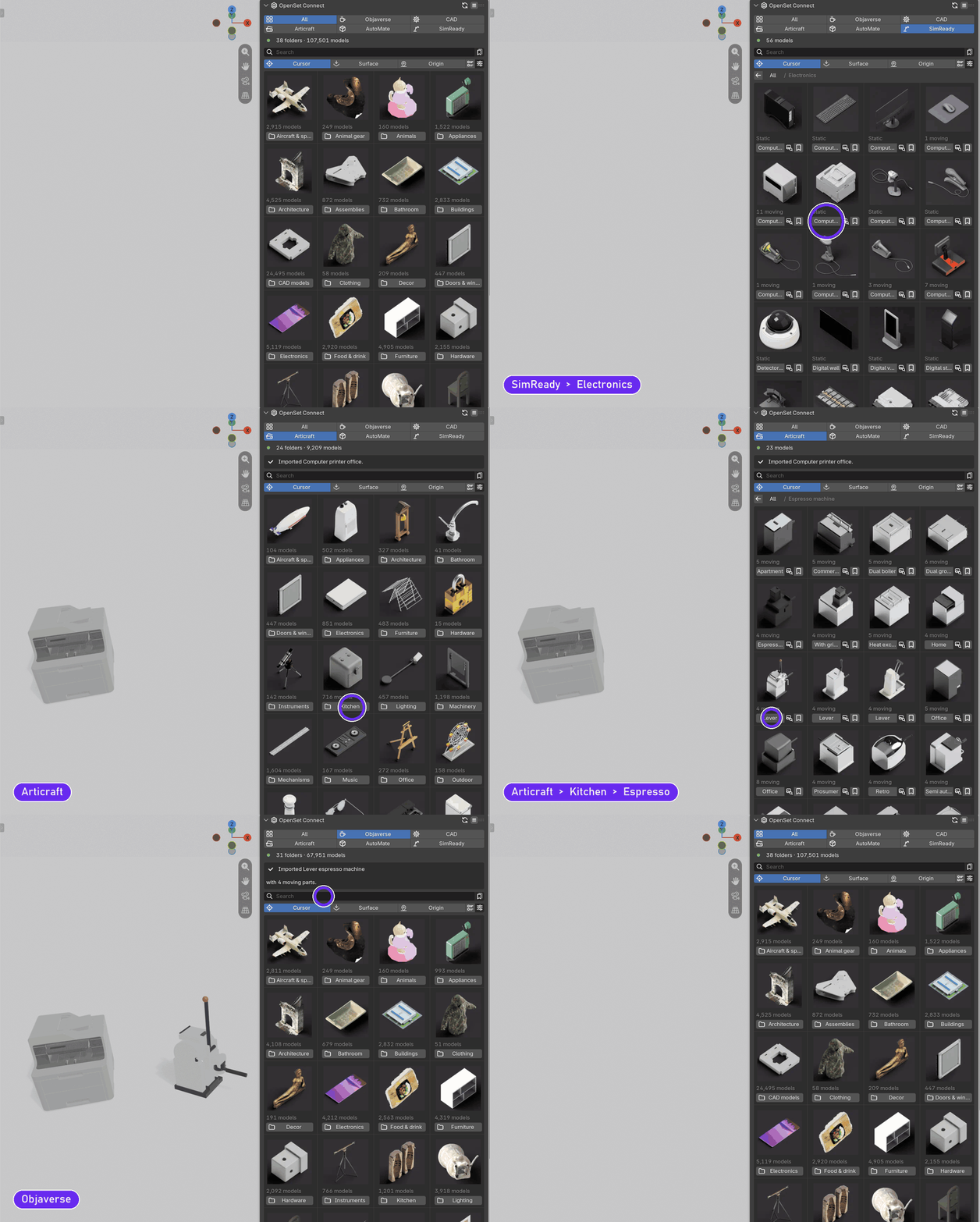
Pick a model and it's in your sceneClick the name under a thumbnail and the add-on downloads only that model and brings it into your scene. The panel tells you when it is in, and how many moving parts came with it. Three buttons above the grid choose where it lands: Cursor at the 3D cursor, Origin at the world origin, or Surface: the model follows your mouse over the scene, snapped onto whatever it touches, and a click places it. |
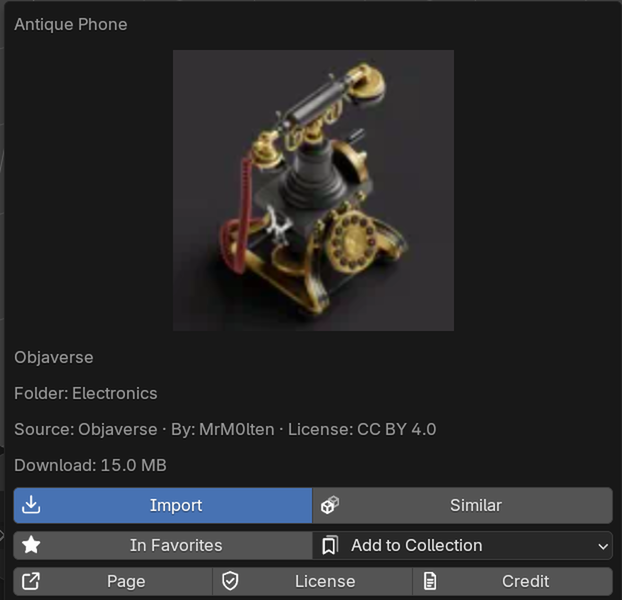
 Creator, license and size at a glanceThe info button next to a model's name opens a bigger picture with its folder, creator, license and download size. Import, Similar, Favorites and your collections are right there too. |
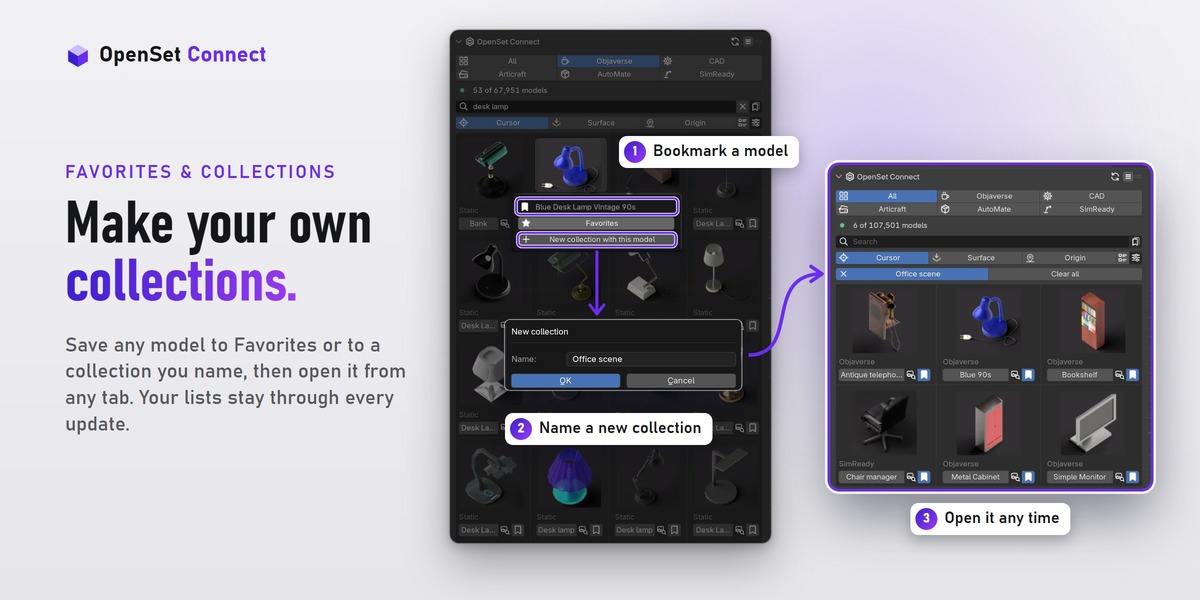
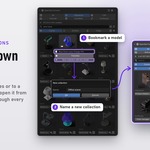
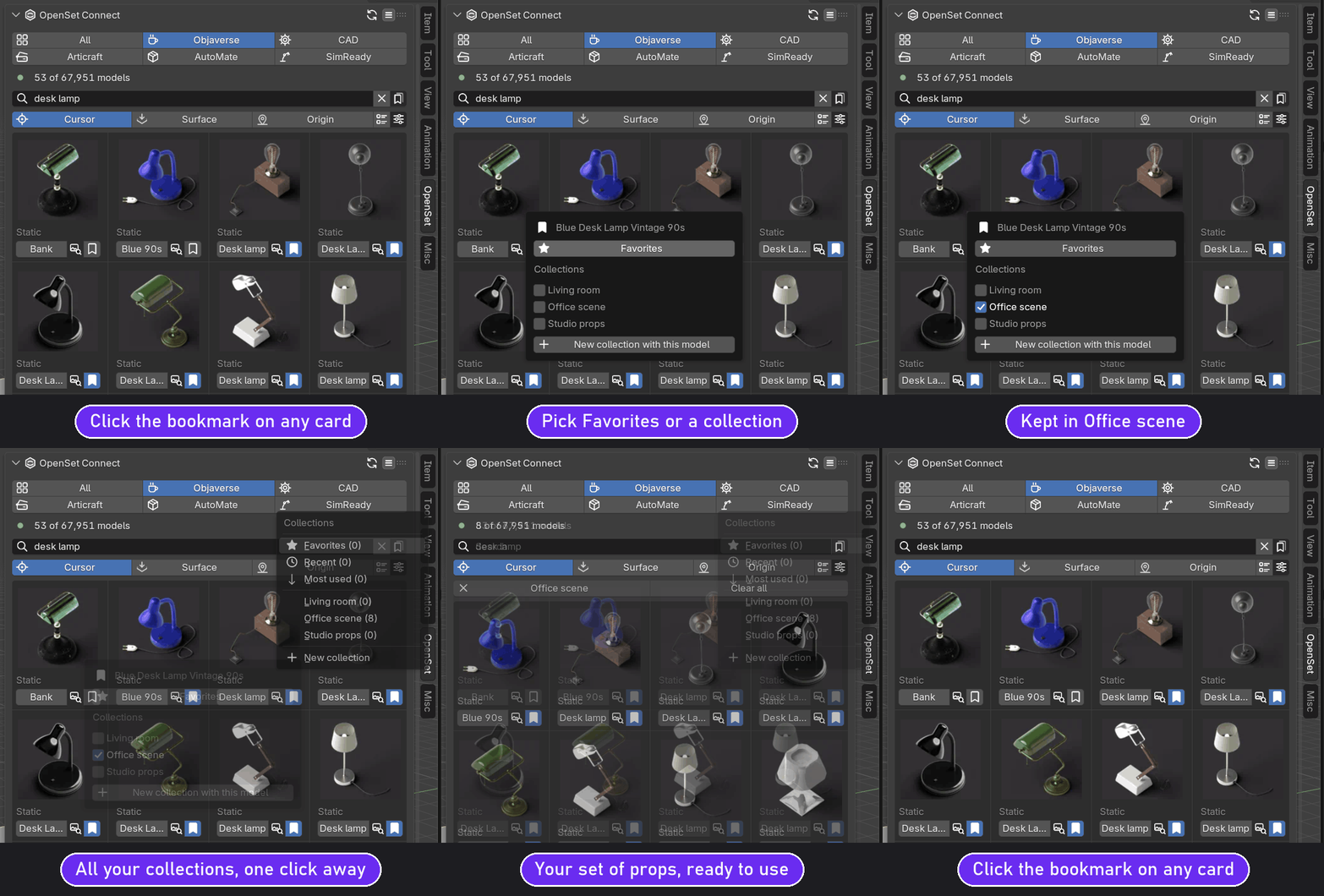
 Favorites and your own collectionsClick the bookmark on any card: add the model to Favorites, tick one of your collections, or start a new one with it. The bookmark button above the grid opens a list, so a set of props for one project is two clicks away. Recent and Most used fill themselves. They all survive updates, and even an uninstall and reinstall. |

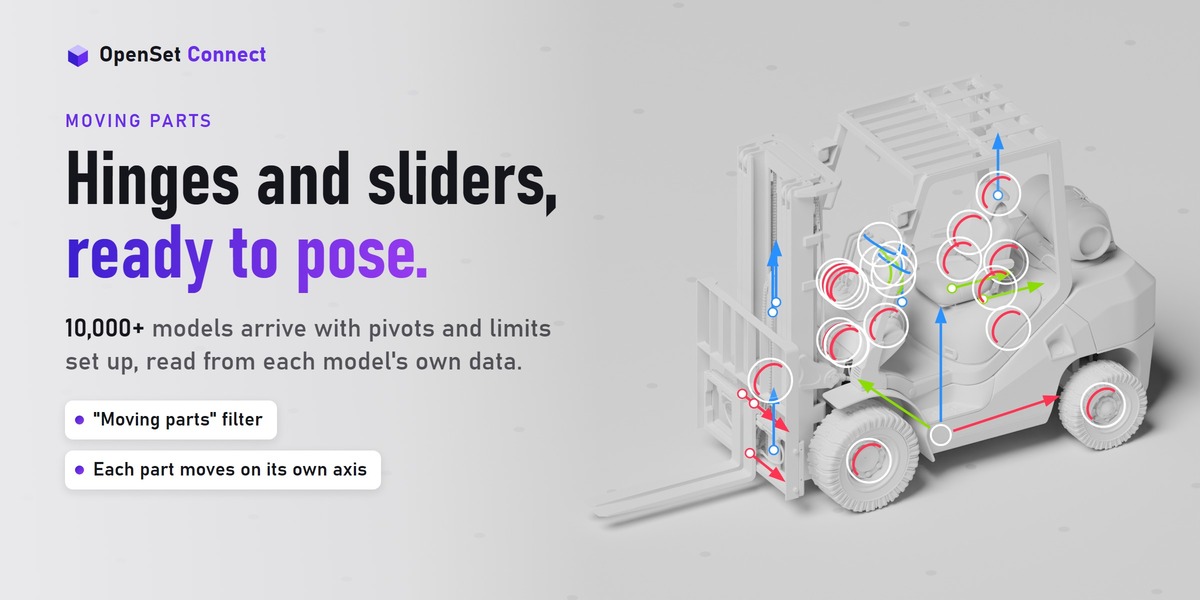
MOVING PARTS
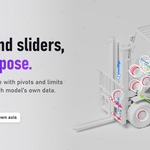
Hinges and sliders, ready to pose.
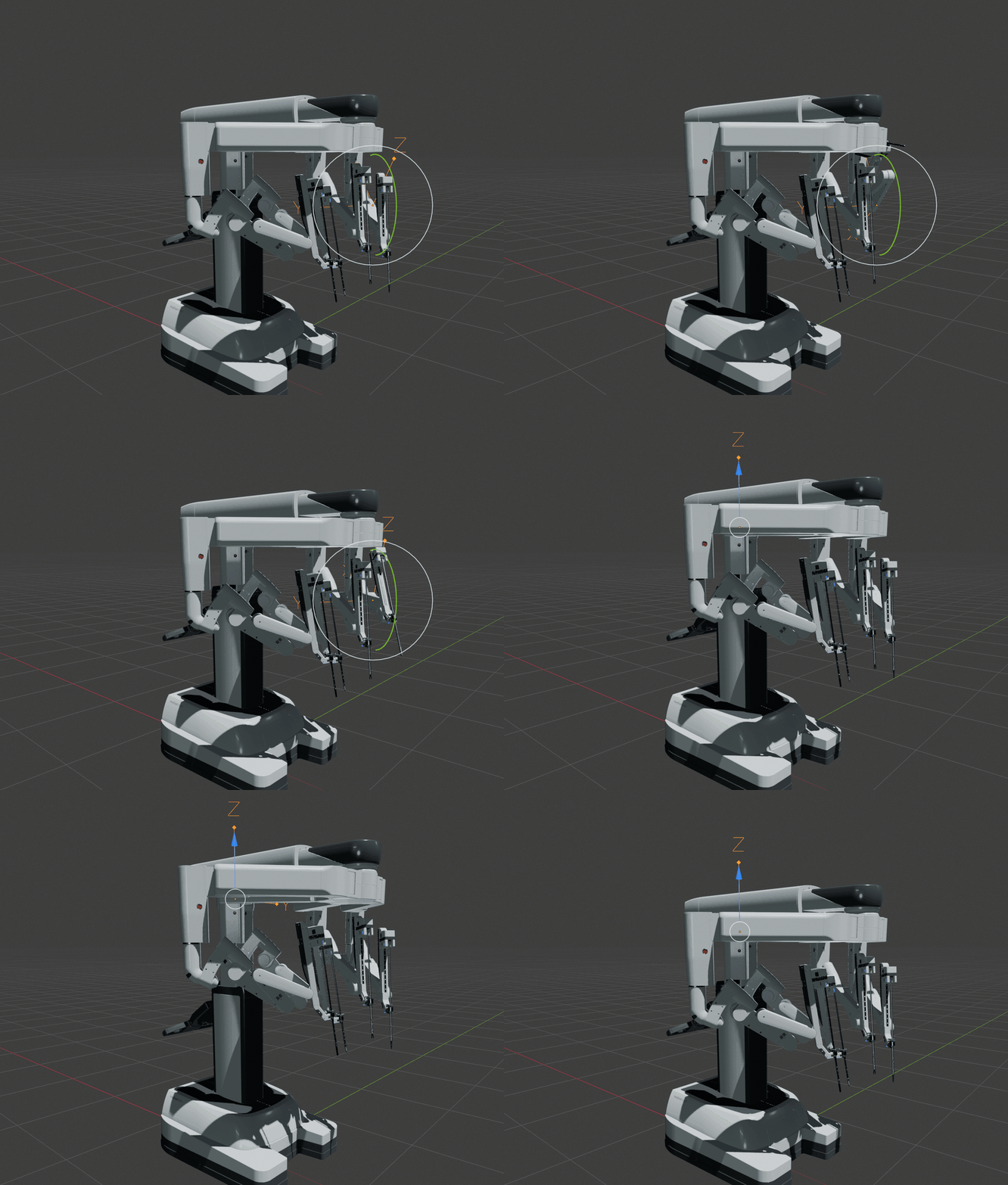
10,000+ models come with moving parts. OpenSet Connect rebuilds each joint as a pivot with limits.
 |
Pose a model in seconds |
Select a pivot and turn or slide it. Each part moves only on its own axis, within the limits from the data. Moving parts are in Articraft (9,100+ models), AutoMate (860+) and SimReady (670+).

USING THE MODELS
Credits and licenses, kept for you.
Every model keeps its credit line and license. OpenSet Connect writes it down, so you never lose it.
 |
What the licenses mean |
The models are free, and almost all of them may be used in paid work. Most ask for one thing in return: name the creator when you share your work.
| License | Models | Paid or client work? | What you must do |
|---|---|---|---|
| CC BY 4.0 | Most | Yes | Credit the creator |
| CC0 | About 610 | Yes | Nothing (a credit is welcome) |
| CC BY-NC 4.0 | About 1,400 | No, personal work only | Credit the creator |
A plain summary, not legal advice. Each model's license text decides.
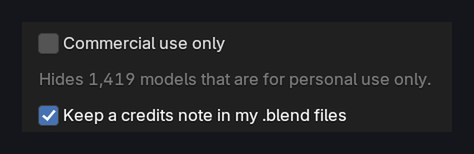
 One switch hides personal-use modelsTurn on Commercial use only and the personal-use models (about 1,400) disappear from the panel. |
|
Credits ready to paste |
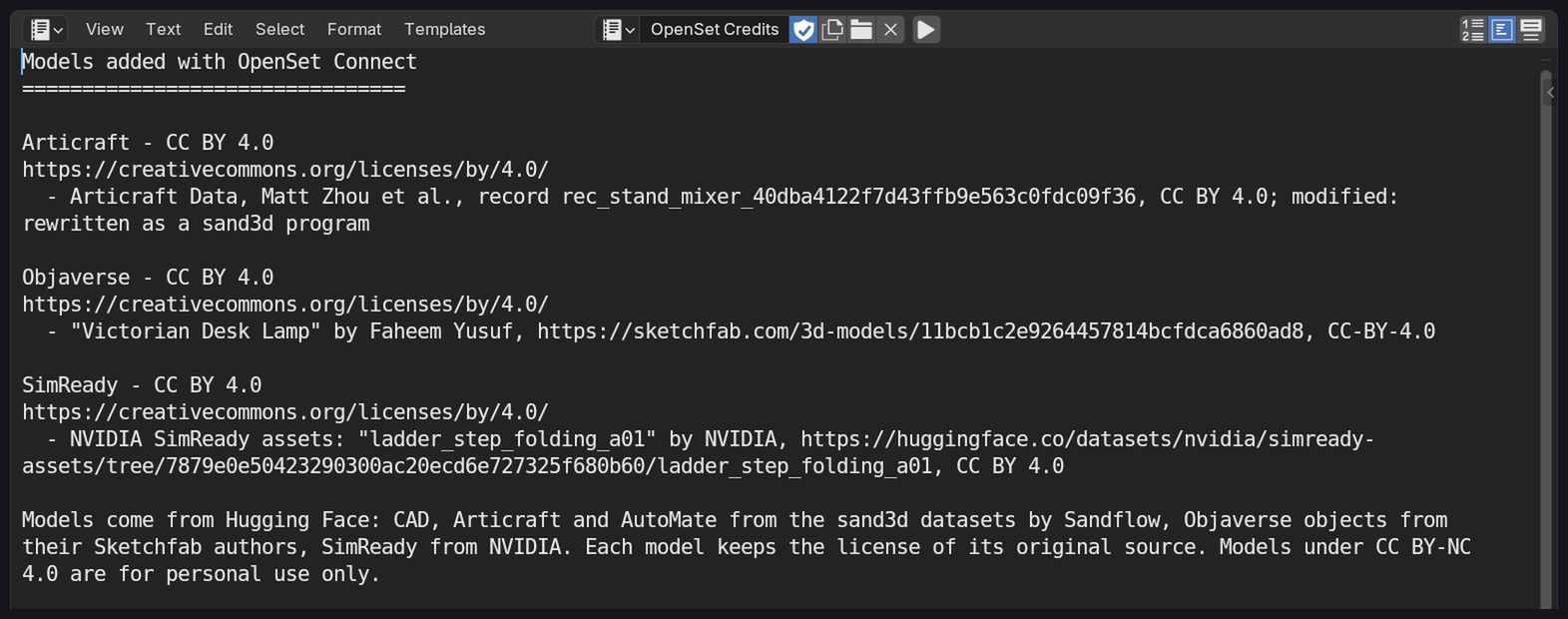
Each imported model carries its credit line. Copy scene credits copies the credits for every OpenSet model in your scene, and an OpenSet Credits note in your .blend file lists them too.
Technical details
| Blender | 5.1 or newer. |
| Systems | Tested on Windows. Mac and Linux: no compiled parts, not tested yet. |
| Renders in | Cycles and EEVEE: models import as normal Blender objects with normal materials. |
| Model files | Objaverse: GLB. CAD, Articraft and AutoMate: USD. SimReady: a USD folder with its textures. |
| Import | Blender's own glTF and USD importers, then OpenSet Connect sets up the moving parts. |
| Add-on size | About 158 MB installed: the index and thumbnails, so browsing works offline. |
| Downloads | Only the models you import, kept up to a size limit you set (500 MB by default). |
| Needs | An internet connection to import, with Blender's Allow Online Access on. |
A note from me
OpenSet Connect is a one-person project. I built it for my own scenes, because these free datasets are full of good models and were hard to use from Blender. It saves me a lot of time, and I hope it saves you some too.
I test every release myself, but I am not a professional developer, so I may have missed something. If you find a bug or want a feature, please message me here on Superhive. I have a full-time job, but I read every message and do my best to reply quickly.
Andrew
You are buying the add-on, not the models. The models are free datasets published on Hugging Face by Sandflow, the Allen Institute for AI and NVIDIA. OpenSet Connect is not affiliated with, endorsed by, or sponsored by any of them. The add-on is GPL-3.0-or-later.
Models shown on this page:
"Perseverance" by rdkpradeep1990 (CC BY 4.0)
"Radio" by itamargouveia (CC BY 4.0)
"Antique Phone" by MrM0lten (CC BY 4.0)
"Lamp" by jennybilots (CC BY 4.0)
"Elegant victorian porcelan teapot" by dendromery (CC BY 4.0)
"Trumpet" by Charlie Tinley (CC BY 4.0)
"Elec for Faceband" by seungmeelee (CC BY 4.0)
"XYZ_HW6_1" by linuxsol (CC BY 4.0)
"2001 Crown Victoria Police Interceptor Game Prop" by 8sianDude (CC BY 4.0)
"Cycle Helmet" by markchester (CC BY 4.0)
"Светильник A6509SP-3AB Arte Lamp" by fedomo.ru (CC BY 4.0)
"robotic_system_a01" and "vehicle_forklift_red_c01" by NVIDIA, SimReady (CC BY 4.0)
The thumbnails on this page show models by their creators under CC BY 4.0 or CC0. Every model's credit is in the add-on.
