 DC Labs


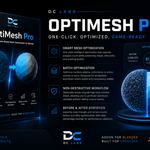
OptiMesh Pro
The Complete Game Asset Pipeline Inside Blender
Optimize, generate LODs, UV unwrap, bake textures, create colliders, analyze assets, and export to multiple game engines—all without leaving Blender.
By Divine Chukwu
Version: 1.0.0
Blender Compatibility: 3.6+
Category: Object Tools
Build Production-Ready Game Assets Faster
Creating game-ready assets often means jumping between multiple tools and repeating the same tedious tasks for every model.
OptiMesh Pro brings the entire optimization pipeline directly into Blender, allowing artists, indie developers, studios, and marketplace creators to prepare assets for Unity, Unreal Engine, Godot, Sketchfab, and Fab in minutes instead of hours.
From a freshly modeled mesh to a fully optimized, UV-unwrapped, baked, collider-equipped export, OptiMesh Pro handles the repetitive work so you can focus on creating.
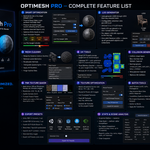
Core Features
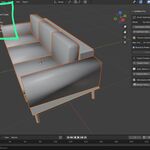
Smart Optimization
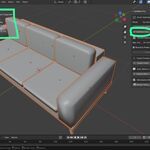
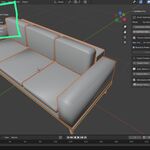
Reduce polygon counts while preserving important visual details.
Decimate by ratio or target polygon count
Preserve sharp edges
Preserve UV seams
Mobile, Indie, AA, and Hero presets
Scene-wide or selected-object optimization
Live poly budget monitoring
Automatic LOD Generation
Create engine-ready Level of Detail meshes instantly.
Generate LOD0–LOD3
Configurable reduction ratios
Auto-organized collections
Multiple LOD count options
One-click cleanup of generated LODs
Mesh Cleanup Tools
Prepare assets for production and export.
Merge duplicate vertices
Remove loose geometry
Recalculate normals
Triangulate meshes
Apply modifiers
Purge orphan data
UV Workflow Tools
Simplify UV preparation.
Smart UV Project
Lightmap UV generation
Texel density analysis
UV channel cleanup
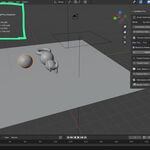
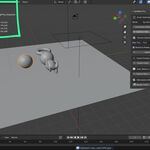
Collision Generation
Generate colliders compatible with major game engines.
Supported collider types:
Box
Convex Hull
Sphere
Capsule
Automatic naming conventions for:
Unreal Engine
Unity
PBR Texture Baking
Bake production-ready texture maps.
Supported passes:
Diffuse
Roughness
Normal
Ambient Occlusion
Emission
Export resolutions:
512px
1K
2K
4K
Texture Optimization
Improve memory usage and performance.
Resize oversized textures
Force power-of-two dimensions
Pack and unpack textures
Texture size auditing
Batch Production Tools
Handle large asset libraries efficiently.
Batch rename
Find & replace
Material consolidation
Origin correction
Transform application
One-Click Export Presets
Export directly to:
Unity (FBX)
Unreal Engine (FBX)
Godot (GLTF/GLB)
Sketchfab/Fab (GLB)
Additional support:
Draco compression
Embedded textures
Batch export all presets
Statistics & Analysis
Track optimization progress.
Before/after snapshots
Per-object analysis
Triangle counts
UV statistics
Material statistics
Poly budget monitoring
Marketplace Media Tools
Create professional marketplace content.
Thumbnail rendering
Turntable animation rendering
Automatic turntable rig creation
Configurable resolutions and samples
Perfect For
Game Developers
Environment Artists
Technical Artists
Asset Marketplace Sellers
Indie Studios
Freelance 3D Artists
Unreal Engine Creators
Unity Developers
Godot Developers
Supported Export Targets
Unity
Unreal Engine
Godot 4
Sketchfab
Fab
Generic GLTF Workflows
Requirements
Blender 3.6 or newer
Cycles Renderer (for texture baking)
Windows, macOS, or Linux
Why OptiMesh Pro?
Most optimization workflows require multiple addons, external tools, and repetitive manual steps.
OptiMesh Pro combines optimization, cleanup, UV workflows, baking, collider generation, analysis, rendering, and export into a single integrated Blender addon.
Spend less time preparing assets and more time creating them.