 blenderVfxMaster


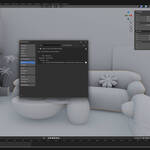


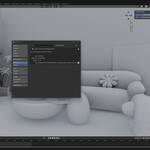

Outliner: Follow Active Object (Smart)Auto-scroll Blender's Outliner to your active object - intelligently. No more manual scrolling.
Your Outliner now follows your selection automatically - but smartly. The addon skips scrolling when objects are close together in the same collection branch, avoiding the jarring 'constantly jumping' experience.
Smart navigation
|
||||||||||||||||
|
Overview
Stop hunting in the OutlinerTired of scrolling the Outliner to find your active object? This addon does it for you - automatically, but with a brain. It detects when nearby objects in the same collection branch don't need a scroll, so the Outliner stays still when it should.
Designed for animators, modelers, and anyone working with complex scenes where finding objects in the Outliner is painful.
 |
||||||||||||||||
|
Features
What you get
|
||||||||||||||||
|
Benefits
Why this addon?- Less Mouse Mileage - Save the constant Outliner scrolling.
- Smarter Than Auto-Follow - Nearby objects don't trigger jarring scrolls.
- Supports Blender Foundation - A portion of revenue goes to the Blender Foundation.
- Lifetime Updates - Free updates within the current major version.
|
||||||||||||||||
|
Compatibility
Compatibility- Blender: 3.0+
- OS: Windows / macOS / Linux
|
||||||||||||||||
|
Installation
Quick Start1. Install via Blender Add-ons - Edit > Preferences > Add-ons > Install.
2. Enable the addon - Check the Outliner: Follow Active Object box.
3. Find the panel - 3D View Sidebar (N) > Outliner Follow tab.
4. Toggle on - Tick the Enable checkbox - that's it.
|
||||||||||||||||
|
Support
Support & Updates- Email and ticket support via Superhive inbox (typically 48 h response)
- Community chat for real-time help
- Free lifetime updates within the current major version
|
||||||||||||||||
|
Tags
blender, outliner, navigation, productivity, ux, addon
|
||||||||||||||||
|
2026 Outliner: Follow Active Object (Smart)
|
|
Community
Support Blender FoundationWe believe in giving back to the community that makes our work possible. Every month, we dedicate a portion of our plugin's revenue to support the Blender Foundation. Thank you for helping us contribute to the future of open-source creativity.
|