 JESUS
JESUS


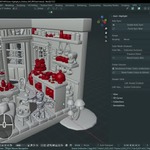
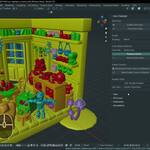
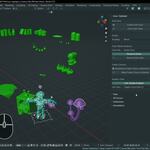
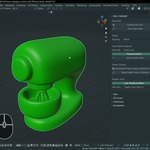
Quick Start — English
Prerequisites
- Blender 4.x or newer; addon installed and enabled.
- Work in the active 3D Viewport and the correct View Layer.
Quick usage
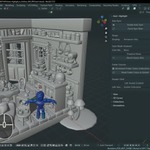
- Enable Auto Sync: toggle in panel → Outliner follows active selection.
- Scope: set when sync triggers (NONE / MIXED / OBJECTS_ONLY / ARMATURES_ONLY).
- Force Sync: button collapses & focuses Outliner immediately (requires Auto Sync ON).
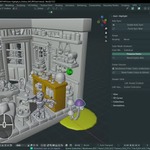
- Double‑Click Isolate: enable left-double and pick action (ISOLATE or LOCALVIEW); double‑click an object to isolate, double‑click empty to restore.
- Folder Colorize: Randomize / Reset collection colors from the panel.
Color Mode — quick rules
- INDIVIDUAL: select an object (active) — addon paints that object only.
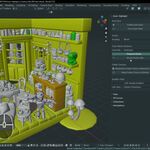
- COLLECTION_EXCLUSIVE: active object's collection is used; all objects in that collection are painted.
- GLOBAL: paints all objects that belong to collections which define a color (batched, non‑blocking).
- To see object colors in the Viewport: be in Object Mode and use a viewport shading that displays object color. If your material reads Object Color, Material Preview/Rendered will show the change; for Solid shading open the viewport shading popover and set Color to "Object".
- Preserve Paints: when ON, previously applied colors are kept when changing selection; when OFF, prior painted entries may be reverted.
Notes: GLOBAL uses timers and batches — give it a few seconds on very large scenes. If colors don't appear, verify collections have color_tag/collection.color or overrides.
Uso Rápido — Español
Requisitos
- Blender 4.x o superior; addon instalado y activado.
- Trabajar en el Viewport 3D activo y en la View Layer correcta.
Uso rápido
- Enable Auto Sync: activarlo para que el Outliner siga la selección activa.
- Scope: definir cuándo dispara (NONE / MIXED / OBJECTS_ONLY / ARMATURES_ONLY).
- Force Sync: colapsa y centra el Outliner inmediatamente (requiere Auto Sync ON).
- Double‑Click Isolate: activar doble clic izquierdo y elegir acción (ISOLATE o LOCALVIEW); doble clic sobre un objeto aísla, doble clic en vacío restaura.
- Folder Colorize: Randomize / Reset para colorear colecciones.
Color Mode — reglas rápidas
- INDIVIDUAL: selecciona el objeto activo — el addon pinta solo ese objeto.
- COLLECTION_EXCLUSIVE: usa la colección del objeto activo; pinta recursivamente sus objetos.
- GLOBAL: pinta todos los objetos pertenecientes a colecciones que tengan color (proceso por lotes, no bloqueante).
- Para ver los colores en el Viewport: estar en Object Mode y usar un modo de shading que muestre color por objeto. Si tu material usa Object Color, Material Preview/Rendered mostrará el cambio; en Solid, abre el popover de shading y ajusta Color a "Object".
- Preserve Paints: si está ON mantiene colores aplicados al cambiar selección; si está OFF, se pueden revertir colores previos.
Nota: GLOBAL ejecuta operaciones en batches con timers — espera unos segundos en escenas muy grandes. Si no ves color, comprueba que las collections tienen color_tag / collection.color u override.
$15.99$11.19
Have questions about this product?
Login to message
Discover more products like this
productivity Scene Management outliner Isolate collections outliner-colors viewport-sync Batch processing asset management Workflow double click blender