P2O Converter
 3Z Axis


Documentation & FAQ
📖 Installation
- Open Blender Blender
- Go to Edit → Preferences → Add-ons
- Click Install
- Select the P2O Converter ZIP file
- Enable the add-on checkbox
The add-on will appear in the Particles Properties Tab.
🚀 Quick Start Guide
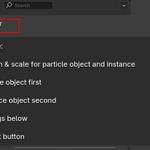
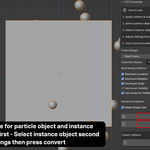
Step 1 — Select Particle Object
Select the object that contains your particle system.
Step 2 — Select Instance Object
Select the object used as the particle instance.
⚠️ Important:
The particle system object must remain the active object.
Step 3 — Configure Settings
Choose:
- Frame range
- Particle amount percentage
- Keyframing options
- Visibility behavior
- Collection name
Step 4 — Convert
Press:
Convert Particles to Objects
The add-on will automatically generate animated objects with keyframes.
⚙️ Settings Explained
Particle Amount
Controls how many particles will be converted.
Example:
- 100% = all particles
- 50% = half the particles
- 10% = lightweight preview
Useful for testing large simulations quickly.
Keyframe Location
Adds position keyframes for all generated objects.
Keyframe Rotation
Adds rotation animation matching particle movement.
Keyframe Scale
Adds scale animation from particle size.
Keyframe Visibility
Creates visibility keyframes using Blender visibility settings.
Use Scale for Visibility
Instead of hiding objects, scales them close to zero when particles die.
Benefits:
- Better compatibility with FBX exports
- Better compatibility with game engines
- Cleaner animation playback
Recommended for most workflows.
Make Single User
Creates unique object data before applying transforms.
Useful when:
- Using linked meshes
- Preparing assets for export
- Avoiding shared mesh issues
📦 FBX Export Workflow
Recommended Export Process
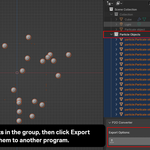
- Convert particles
- Select generated objects
- Click Export FBX
- Use Blender FBX export settings
- Import into external software
Works well with:
- Unreal Engine
- Unity
- Autodesk Maya
- Houdini
-
$4
-50% Performance Boost The system is now 50% faster compared to the previous version. This improvement significantly enhances overall performance, providing a smoother and faster experience when working with complex scenes. -Particle Sampling Feature A new particle_percentage option has been added, allowing you to convert only a specified percentage of particles instead of converting all particles. This helps speed up the process and save resources, making the tool more efficient for large projects. -Caching System Optimization The cache_particle_data function has been rewritten to gather data for all frames at once before starting the conversion process. This reduces update lag during operation. -large numbers of particles Supports Handling Large Scenes: Now optimized for converting extremely large numbers of particles and handling large file sizes smoothly
Have questions about this product?
Login to message
| Sales | 10+ |
| Published | over 1 year ago |
| Blender Version | 3.0 - 4.5 |
| Extension Type | N/A |
| Render Engine Used | Cycles |
| License | GPL |

Discover more products like this
Game Engine Export Keyframe animation particle converter blender addon simulation to object motion graphics FBX Export vfx tools blender tools Unreal Engine real-time export convert particles particle bake Asset Pipeline animation tools instance animation object instancing particle system bake particle animation Object animation