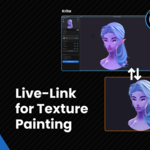
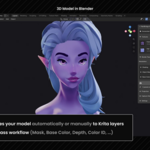
PaintBridge Krita

MadCanvas in Materials and Shading


Item Rating

This item has an average rating of 3 from 9 ratings by the community.

45%
12%
0%
23%
23%

Purchase this item to leave a review!

  • Raul Duana
    2 days ago

    This has made my work so much easier!
    The dev is very helpful and answered all my questions right away.
    Only thing I would like is a video tutorial.

  • Chris Greenwell
    24 days ago

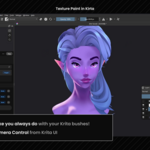
    This is a must have addon for texturing , works really well and is complete gamechanger to have all Kritas tools , brushes and plugins useable for your workflow and painting directly on the model. Highly recommend.

  • jiho
    29 days ago

    It really works, haha, five stars are deserved.

  • Necropanik
    about 1 month ago

    It works as exactly featured in the video but make sure to activate the mirror tool in Krita in order to better see the mirrored side. The bigger plus side is the fact that it works with Ucupaint addon making it highly versatile for switching in between both particularly for PBR textures.

  • Kmoch Dominik
    about 1 month ago

    I've been using it for a few days, so far no problems. However I have yet to test this addon with more complex models - when I do so, I will update my review accordingly.

    • MadCanvas

      about 1 month ago

      Thank you for your support!

      If there is anything I can help you with, feel free to reach out to me.

      Happy painting!

  • Bowser
    24 days ago

    It is a good software but im having a LOT of issues with painting on the 2d UV in Krita all of the brush strokes I've done get completely scattered and aren't even remotely close to where they're supposed to be placed. the strangest part is, for a split second after i save it it shows up correctly and then scatters. How would i fix this??

    • MadCanvas

      23 days ago

      Hi Bowser!

      I have looked into this and this might actually be a bug that I accidentally introduced with the latest update. Can you update to the latest version (The addon can be directly updated from the blender panel).

      If the bug persits, would you kindly consider reaching out to me via DM or mail?

      Thank you for reporting this.

      Have a great day!

      MadCanvas

  • jose tardon
    about 1 month ago

    Blender 5.2 and Krita 5.3 won't connect. Blender keeps waiting for the connection and it never happens. The plugins are installed in both.

    • MadCanvas

      about 1 month ago

      Hey there!

      I am sorry to hear that there are connection issues.
      One possible cause is that the connection is not established from both sides.

      I just sent you a mail with further informations to help.

  • pepo
    about 1 month ago

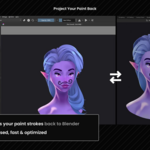
    Just by making a single line or dot in Krita, when I project it back to Blender, the whole mesh gets colored. I don’t know if it’s an error or not since there isn’t a more specific tutorial about this. Hopefully, in the future, there will be a more detailed explanation.

    • MadCanvas

      about 1 month ago

      Hey, thanks for trying PaintBridge, and sorry it did not work as expected!
      This isn't a bug, just which layer is being projected.

      PaintBridge always projects the active layer in Krita. So if the captured viewport layer or the base color layer is selected, the whole painting gets sent to the mesh. Add a new transparent layer or use the empty paint layer, paint your dot on that. Then only your painted dot lands on the model.

      Thank you!

  • ZT
    about 2 months ago

    I'm using Krita 5.3 and Blender 5.2. It does allow you to paint and project the texture back into Blender.However, if you make a slight misoperation, the alignment or camera angles between Blender and Krita can get messed up. As a result, the background gets projected back as well, causing massive errors in the painted texture.Furthermore, Krita's layer handling is quite buggy. When I paint on a specific layer and project it back, it bakes onto the Base Color, but the artwork on the Krita layer doesn't get cleared. This causes the images to keep overlapping and stacking up.Overall, this plugin still feels like a half-baked product. I'm giving it 1 star for now because these are severe issues that can ruin a user's workflow. I will consider updating my review once these bugs are fixed.

    • MadCanvas

      about 2 months ago

      Thanks for your honest and detailed feedback!

      I am sorry you had such an experience, but it really helped me improve the add-on!
      The alignment issue is fixed in 1.0.3, released today. There’s a new setting in Blender’s PaintBridge panel called “Lock to Captured View” (on by default), under Projection Settings.

      So now the painting will be always locked to the view it was captured from, even if the Blender camera moves afterward.

      For the layer stacking: there’s already a “Clear layer on project” checkbox in the Krita panel. Enable it and the Krita layer clears itself right after each bake to Base Color. I kept this off by default so users won't be confused that their layer just cleared.

      Would appreciate you giving 1.0.3 a try. And I am happy to help directly if anything’s still off after updating.

      Happy painting!

      MadCanvas

  • Displaying 9 ratings
$15.99$9.59

Have questions about this product?
Login to message

Details
Sales 200+
Rating
9 ratings
Published about 2 months ago
Blender Version 4.0 - 5.2
Extension Type N/A
Render Engine Used Blender-Internal, Cycles, Eevee
License GPL