MadCanvas


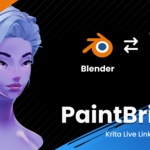
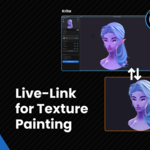
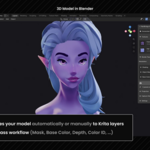
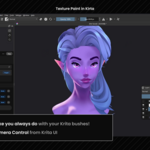
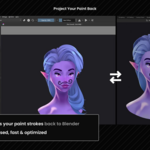
Blender ↔ Krita
Capture your scene.
Paint in Krita.
Project it back.
PaintBridge Krita is a live link between Blender and Krita.
Built for artists who want Krita's brush engine and layer stack inside their 3D workflow, live viewport included.
How It Works
Texture Paint in Krita.

Features
Everything in one panel.
Auto-Capture
Captures automatically or manually to layers in your active Krita document.
Automatic Paint Projection
Sends paint back to Blender. ROI-based and optimized, no full-texture transfers.
Live Viewport Streaming
See Blender's viewport live, right inside the Krita panel.
Full Camera Control from Krita
Orbit, pan, zoom and snap to axis directly from Krita via the panel gizmo.
Texture Browser
Browse all material texture slots, send your textures over to Krita smoothly.
Capture History
Snapshots viewport state per capture, up to 30 entries.
Color Management
Automatic sRGB ↔ Linear conversion on both capture and projection.
Direct WebSocket Transfer
Memory-to-memory, no temp files. Configurable from 512px up to 8K.
UDIM Support
Paint across UV tiles, strokes spanning tile borders project correctly.
Mirror Projection
Projects symmetrically across X, Y or Z through the object's local origin.
2D UV Edit
Edit the flat texture directly.
You can also edit a texture the classic way, on its flat UV layout. PaintBridge makes that more convenient: Open from panel, Ctrl + S in Krita, Blender picks it up automatically.

Multi-Pass Capture
Ten passes. One click.
All sent to Krita as separate layers.

Base ColorFlat material colors
Object MaskTransparency mask
NormalsSurface direction
DepthDistance from camera
Ambient OcclusionContact shadows
ShadingLight & shadow
Color IDMaterial ID map for masking
Vertex ColorAttribute, vertex paint
ViewportYour current viewport
WireframeMesh wireframe
Vs. Blender Quick Edit
Same idea. More control.
PaintBridge replaces file handoff and temp files with a direct WebSocket connection and ROI-based transfer. It still builds on the same projection operators.
| Quick Edit | PaintBridge Krita | |
|---|---|---|
| Connection | Temp files on disk | ✓WebSocket, memory-to-memory |
| Transfer | Full image every time | ✓ROI-based, changed pixels only |
| Passes | Viewport only | ✓10 passes incl. depth, normals, AO |
| Bit depth | 8-bit only | ✓8-bit up to 32-bit float |
| Camera control | Switch to Blender | ✓Orbit, pan, zoom, live viewport preview, from Krita |
| Capture history | None | ✓Capture settings are recoverable |
Limitations
- Local only. Krita and Blender must run on the same machine.
- Does not work with Blender 5.1.0 (due to issue #156370)
Requirements
Blender
4.0 or newer
Krita
5.0 or newer
Platform
Windows, Mac, Linux
Blender 5.1.0 specifically is not supported, an offscreen rendering bug in that release breaks render pass capture. It's fixed in the next 5.x release; every other Blender 5.x version works fine.