PaintBridge PS
 MadCanvas


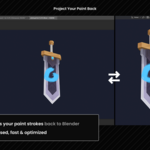
Can I paint directly on the model in real time?
Not in real time. The workflow is capture → paint → project. Because Photoshop writes a lot to disk internally, smooth live viewport navigation isn’t possible. It works best with Blender open on a second monitor.
Which Photoshop version should I use?
Photoshop 2023 v24.4 or newer with the UXP plugin is strongly recommended. It includes the full feature set: camera control, auto-capture, and silhouette masking. The Legacy JSX fallback works on CS6 and up but has a very reduced feature set.
Do I need a Creative Cloud subscription?
No. The manual install method works without Creative Cloud. Just rename the .ccx to .zip, extract it, and drop it in the UXP plugins folder. Full instructions are in the Documentation section above.
Why does it not work with Blender 5.1.0?
Due to a bug regarding offscreen rendering, Blender 5.1.0 is not supported. All other Blender 5.x versions are supported, because the bug was fixed with the next release.
For more Information see Blender Issue #156370:
https://projects.blender.org/blender/blender/issues/156370
Does it work with Blender 3.x?
Blender 4.0 or newer is required.
Discover more products like this
bridge NPR handpainted livelink 3d painting projection psd stylized Texturing TexturePainting Export photoshop