PaintStack
 MarkSeam


How it works:
Before installing! This addon is verified to work only in Blender 5.1 and support for older version will not be provided.
Setup: Select a mesh object with a
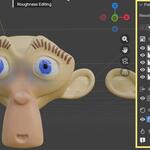
UV map and switch to Texture Paint mode. Open the N-panel and find the
PaintStack tab. Click "Initialize PaintStack Material" to set up a
node-based material on your object.
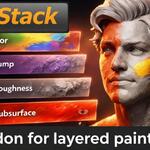
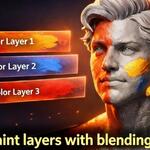
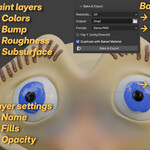
Adding layers: Use the + buttons in each section to create layers:
Masked
layers include both a color image and a grayscale mask image. Toggle
between painting color and mask with the edit target buttons. When
editing masks, your brush automatically switches to grayscale mode.
Transparent layers use a single RGBA image. Toggle between Paint and Erase modes to add or remove alpha.
Bump layers store height information for normal map generation.
Roughness and Subsurface layers paint directly to their respective material channels.
Painting:
Select a layer from the stack to make it active. The corresponding
texture node is automatically selected in the shader editor, and
Blender's canvas is set to that layer's image. A colored banner at the
top of the viewport shows which layer type and target you're currently
editing.
Behind the scenes: PaintStack automatically
builds and maintains the shader node tree. Each layer gets prefixed
texture nodes (PS_L0_Color, PS_L0_Mask, etc.) that feed into mix nodes
with your chosen blend mode and opacity. Bump layers connect through
Bump nodes to the Principled BSDF's Normal input. When you reorder
layers or change settings, the node tree rebuilds to match.
Resolution: Choose
1K, 2K, 4K, or 8K when creating new layers. Each layer can have a
different resolution. Existing layers keep their resolution if you
change the setting later.
Persistence: All layer images
are packed into the .blend file with fake user flags. When you save and
reopen your project, PaintStack rebuilds the node tree from your saved
layer data. No external image files are required.
Export:
When you're ready to bake, set your export resolution and output
directory. PaintStack composites visible layers using NumPy, applying
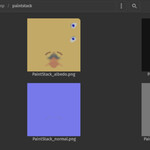
your blend modes and opacity settings. It generates standard PBR maps
(albedo, normal, height, roughness, subsurface) that you can use in any
renderer or game engine.
Note on baking:
PaintStack uses fast, direct pixel compositing with simple mathematical
calculations. This provides quick exports that closely match your layer
stack, but the output may not be 100% identical to a full procedural
material bake from Blender's cycles/EEVEE renderer. PaintStack is
primarily designed for layer-based texture painting—the bake feature is a
convenience tool for export. For production-grade baking with complex
procedural materials, consider using dedicated baking addons or
Blender's native bake system.
Have questions about this product?
Login to message
| Blender Extension Compatible | Yes |
| Published | 7 months ago |
| Blender Version | 5.1 |
| Extension Type | Add-on |
| Render Engine Used | Eevee |
| License | GPL |

Discover more products like this
Layered mask painting material painting PBR texture export layers roughness subsurface albedo Texture Painting normal map bump map