Palette_one
 AmuroSakura



English Documentation
Introduction
palette_one is a workflow-enhancing extension for Blender 5.0 that allows users to register node setups as presets. It streamlines the creative process by providing a centralized management system for Shader, Geometry, and Compositor nodes directly within the N-panel.
Key Features
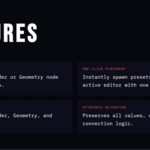
Efficient Registration: Save complex node trees with custom names for instant reuse.
One-Click Deployment: Place saved presets into the active editor with a single click.
Full Data Retention: Maintains all node connections, input values, and color data.
Integrated UI: Designed to fit seamlessly into the Blender N-panel sidebar.
Installation
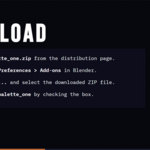
Download the palette_one.zip file.
In Blender 5.0, navigate to Edit > Preferences > Get Extensions.
Click the menu icon (three lines) in the top-right corner and select Install from Disk.
Select the ZIP file and ensure the extension is enabled.
Instructions for Use
Registering a New Preset
Select the nodes you wish to save in the Node Editor.
Open the palette_one tab in the N-panel (press N if hidden).
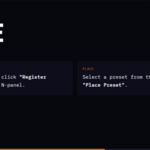
Click Register Selected Nodes, enter a unique name, and save.
Placing a Preset
Choose a preset from the list in the palette_one panel.
Click the Place Preset button.
The nodes will appear at the center of your current view.
Technical Specifications
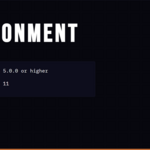
Minimum Version: Blender 5.0.0.
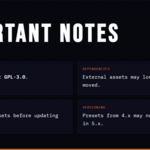
License: SPDX:GPL-3.0-or-later.
Permissions: Requires "files" permission to manage local preset data.
日本語ドキュメント
はじめに
palette_one は、Blender 5.0 用のワークフロー効率化エクステンションです。ノードの構成をプリセットとして登録し、Nパネルから直接管理・呼び出しを行うことで、シェーダーやジオメトリノードの再利用性を劇的に向上させます。
主な機能
効率的な登録: 複雑なノードツリーに名前を付けて保存し、いつでも再利用できます。
ワンクリック配置: リストから選択してクリックするだけで、アクティブなエディターにノードを展開します。
完全なデータ保持: ノード間の接続状態、入力値、カラーデータなどを正確に保持します。
統合されたUI: Blender の標準的な Nパネル(サイドバー)に最適化されたデザインを採用しています。
インストール方法
palette_one.zip ファイルをダウンロードします。
Blender 5.0 を起動し、編集 > プリファレンス > エクステンションを入手 を開きます。
右上のメニューアイコンをクリックし、ディスクからインストール を選択します。
ZIPファイルを選択し、エクステンションが有効になっていることを確認してください。
使用手順
新しいプリセットの登録
ノードエディター上で保存したいノードを選択します。
Nパネル(表示されていない場合は Nキー)の palette_one タブを開きます。
Register Selected Nodes をクリックし、名前を入力して保存します。
プリセットの配置
palette_one パネルのリストから使用したいプリセットを選択します。
Place Preset ボタンをクリックします。
現在のビューの中央にノードが配置されます。
技術仕様
最小動作バージョン: Blender 5.0.0。
ライセンス: SPDX:GPL-3.0-or-later。
権限: プリセットデータの保存および読み込みのため、「ファイル」へのアクセス権限が必要です。
Have questions about this product?
Login to message
| Blender Extension Compatible | Yes |
| Published | 7 months ago |
| Blender Version | 5.0 |
| Extension Type | Add-on |
| Render Engine Used | Cycles, Eevee |
| License | GPL |