 MeshMind



Smart Material Painter – Documentation
🧩 Overview
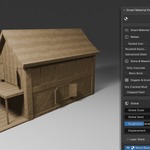
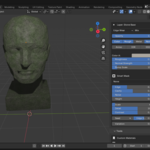
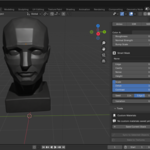
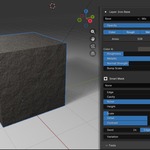
Smart Material Painter is a Blender addon designed to automate and optimize material application. It removes the need for manual material assignment by intelligently analyzing your mesh and applying clean, consistent materials in seconds.
This tool is built to speed up workflows, reduce repetitive tasks, and help you achieve professional-looking results with minimal effort.
⚙️ Installation
-
Download the addon
.zipfile - Open Blender
- Go to Edit → Preferences → Add-ons
- Click Install
-
Select the downloaded
.zipfile - Enable Smart Material Painter from the addon list
🚀 Getting Started
Basic Workflow
- Select your object in the viewport
- Open the Smart Material Painter panel (usually in the N-panel or assigned tab)
- Click “Apply Smart Materials”
- Instantly preview results on your model
That’s it. No setup required.
🧠 How It Works
The addon analyzes your mesh based on:
- Surface angles
- Edge sharpness
- Geometry structure
It then divides the model into logical regions and applies appropriate materials accordingly.
This ensures materials are placed in a way that looks natural and clean without manual intervention.
🎛️ Features & Controls
1. Smart Surface Detection
Automatically detects different surface types based on geometry.
What it affects:
- Where materials are applied
- How surfaces are separated
2. Intelligent Material Assignment
Applies materials differently depending on surface type.
Example:
- Flat areas → uniform materials
- Edges → contrasting or detail materials
3. One-Click Material Application
Applies materials across the entire selected object instantly.
No manual selection required.
4. Multi-Material Support
Handles multiple materials within a single object.
Useful for:
- Complex meshes
- Mechanical assets
- Environments
5. Non-Destructive Workflow
The addon does not permanently alter your base mesh.
You can:
- Reapply materials
- Adjust settings
- Experiment freely
6. Adjustable Controls
After applying materials, you can tweak:
- Material Intensity – Controls strength of material appearance
- Variation Strength – Adds or reduces randomness
- Distribution Balance – Adjusts how materials are spread
- Edge Sensitivity – Controls how edges are detected
7. Built-In Material Presets
Pre-configured materials ready for immediate use.
Benefits:
- No need to build node setups
- Consistent results across projects
8. Reapply System
Allows you to quickly update results without restarting.
Workflow:
- Change settings
- Click apply again
- Instantly see new result
9. Clean Material Organization
Automatically organizes material slots for clarity.
Result:
- Easier editing
- Cleaner workspace
10. Performance Optimization
Designed to run efficiently without slowing down Blender.
🎯 Best Use Cases
- Hard surface modeling
- Game asset creation
- Environment design
- Concept art
- Rapid prototyping
💡 Tips for Best Results
- Apply on clean geometry for optimal detection
- Use edge sensitivity settings to refine details
- Combine with your own materials for custom looks
- Reapply multiple times to explore variations quickly
⚠️ Limitations
- Extremely messy or non-manifold meshes may affect accuracy
- Organic models may require manual adjustments for best results
- Results depend on geometry quality
🛠️ Troubleshooting
Materials not applying
- Ensure object is selected
- Check if addon is enabled
- Try reapplying
Results look incorrect
- Adjust edge sensitivity
- Check mesh topology
- Reapply with different settings
Performance issues
- Try applying on lower-poly version first
- Reduce variation settings
🔄 Updates & Support
For updates, improvements, or bug fixes, refer to your download platform.
If you encounter issues:
- Reinstall the addon
- Restart Blender
- Check for updated versions
✅ Summary
Smart Material Painter is built to eliminate repetitive work, speed up your workflow, and give you clean results instantly.
Use it to:
- Save time
- Stay in creative flow
- Finish projects faster
 Included
Includes 12 months of
- Support from MeshMind
- Product updates
Extend this product’s Support Period +12 months: 50% of product price
Have questions before purchasing?
Login to message

Discover more products like this
advanced PBR texturing bake textures game development material painting material preset blender-smart-mask