PCM_Clean – Advanced Point Cloud Cleaning & Optimization for Blender
 Marco Sibaldi


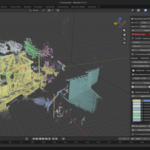
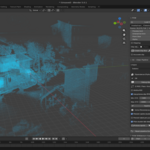
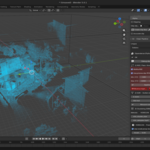
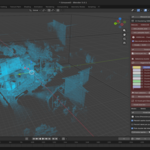
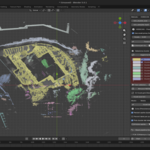
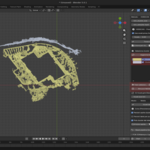
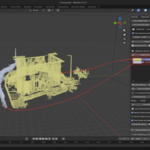
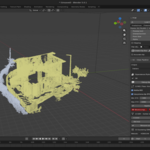
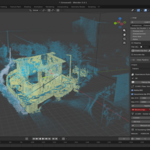
PCM_Clean
Complete technical-professional manual
Cleaning, segmentation and preparation of point clouds for building restitution
PCM Pipeline – Blender 5.x
GENERAL PREMISE
Why work directly on point clouds in Blender?
In professional building surveying and reconstructing, the choice of tools determines not only the efficiency of the workflow but also the integrity and fidelity of the final result. For a long time, orthophotos have been the de facto operational standard for rendering laser scanner or LiDAR data. This approach, while practical, relies on an intrinsic simplification. Three-dimensional data is projected onto a two-dimensional plane. While this allows for operation on less powerful hardware and traditional CAD software, it also results in a significant loss of information. Depth, spatial stratification, deformations, and the actual geometric relationships between elements are flattened, forcing the technician to continually interpret the data, which can distance them from the measured reality.
The point cloud, on the other hand, is the primary data of the survey. Each point represents a real measurement in space, a direct testimony to the geometry of the surveyed object. Choosing to work directly within the point cloud means maintaining complete control over the information, without reducing or prematurely interpreting it. It means treating the survey not as a static image, but as a living, three-dimensional environment, explorable, sectionable, and verifiable in every detail. This approach, although it may appear more complex in the initial phase, proves more direct, honest and technically reliable, ensuring that the return graphics are based on real data and not on a representation of it.
Why Blender
The choice of Blender as the operating environment for managing point clouds is neither accidental nor dictated solely by graphics needs. Blender, a free and open-source software, offers a unique combination of power, flexibility, and accessibility that makes it ideal for this purpose. Its ability to handle complex 3D scenes, combined with a highly customizable visualization system and full extensibility via the Python API, provides the perfect foundation for building a professional workflow.
In particular, Blender excels at enabling immersive interaction with point clouds. Transparency can be dynamically varied to visualize the layering of elements, isolate specific portions of the relief, create dynamic sections in real time, and change viewpoints without ever losing touch with the three-dimensional information. Although it wasn't designed as a surveying software, its open architecture allows, through the development of specific plugins like the PCM pipeline, to transform it into a powerful and versatile tool for architecture and engineering, democratizing access to advanced workflows that would otherwise require expensive, proprietary software.
The Role of PCM Plugins and Artificial Intelligence
Working efficiently with large point clouds in Blender wouldn't be possible without dedicated tools. The PCM (Point Cloud Motor) plugin pipeline was developed precisely to fill this gap, transforming Blender into a professional workspace for architectural surveying. PCM_Core, in particular, is the heart of this pipeline: a lightweight, high-performance engine designed specifically for importing, visualizing, and basic point cloud management.
The development of PCM_Core was inspired by the analysis of existing tools, with special thanks to Jakub Uhlík for his PCV plugin, which pioneered the use of point clouds in Blender. PCM is not a copy, but a reimplementation with a specific focus on the needs of construction professionals. Artificial intelligence (specifically ChatGPT) played a significant role in its development, used as a programming assistant for algorithm analysis, code writing and validation, and documentation structuring. It is important to emphasize that AI does not intervene on the data, does not interpret the cloud, and does not replace the technician: its role was confined to the development phase to improve the quality and robustness of the software. The result is a transparent, verifiable system free of blind automation, where every operation remains under full user control.
0. RELEVANT BEST PRACTICES
The quality of the graphic restitution depends critically on the quality of the upstream survey. No software can correct systematic errors or gaps in acquisition. The following are general best practices, valid regardless of the processing software, but essential for proper use of the PCM pipeline.
| Type of Relief | Fundamental Best Practices |
| Interiors with SLAM | - Pianificare i percorsi prima di iniziare per coprire tutte le aree. - Mantenere una velocità di camminata costante e fluida. - Chiudere sempre i loop (tornare al punto di partenza) per permettere all'algoritmo di correggere la deriva. - Insistere su spigoli, soglie, finestre e altre discontinuità geometriche. - Evitare rotazioni brusche o movimenti a scatti. |
| Exteriors with SLAM | - Mantenere sempre riferimenti verticali stabili nel campo visivo dello scanner. - Evitare di attraversare ampi spazi aperti privi di geometria (es. piazze vuote). - Seguire le facciate mantenendo una traiettoria il più possibile parallela. - Chiudere sempre i percorsi attorno all'edificio. |
| Static Laser Scanner | - Ensure a minimum overlap of 30-40% between one scan and the next. - Be careful with highly reflective surfaces (glass, shiny metal) or completely absorbent surfaces (dark fabrics). - Perform an initial quality check and pre-alignment directly in the field, if possible. |
A good survey is the first and most important step towards a correct and reliable return.
1. OVERVIEW OF THE PCM_Clean PLUGIN
The PCM_Clean Plugin is the preprocessing module of the PCM pipeline. It intervenes on the data imported from PCM_Core to:
•eliminate statistical noise
•isolate functional portions
•separate architectural elements through clustering
•reduce density while maintaining geometry
PCM_Clean always works in conjunction with PCM_Core, which handles point cloud import and visualization.
2. WHAT IS PCM_CLEAN FOR?
PCM_Clean prepares the cloud for:
•plans;
•sections;
•elevations;
•CAD exports.
Operational functions:
•Cleaning (outlier removal)
•Segmentation (clustering)
•Simplification (voxels)
•Consolidation (commit)
Result: metrically reliable basis (±2–5 mm depending on the voxel). In addition to cleaning and simplifying operations, PCM_Clean generates performance-optimized output via the Proxy + Full system.
3. COMPLETE WORKFLOW
Follow sequentially for best results.
1.Import with PCM_Core
2.Initial cloud analysis
3.Create WORK cloud (ROI)
4.Outlier Removal (SOR)
5.Clustering (DBSCAN or HDBSCAN)
6.Cluster Management
7.Voxelization
8.PCM output generation (Proxy + Full)
9.Commit as new PCM_Cloud
10.Architectural interpretation
4. PCM_CLEAN TECHNICAL PIPELINE
4.1 WORK Cloud and ROI
The WORK cloud is an editable copy of the selected portion.
Mode:
•Prisma Clip (manipulable bounding box)
•XYZ pass-through filters
The original remains unchanged.
4.2 Outlier Removal – SOR (Statistical Outlier Removal)
Robust algorithm for Gaussian noise. For each point pi, calculate the average distance to the k nearest neighbors. A point is eliminated if its distance exceeds the statistical threshold.
SOR Parameters – Complete Technical Table:
| Parameter | What it controls mathematically | If I increase | If I decrease | Real effect on sharp edges | Effect on planar surfaces | Impact on time |
| k neighbors | Number of points for average distance calculation | More global analysis | More local analysis | k high can smooth out thin edges | Migliora uniformità | ↑ leggero |
| α (Std multiplier) | Statistical threshold T = μ + ασ | More permissive | More aggressive | α low can eliminate points on the edge of the wall | α high leaves micro noise | Negligible |
Interpretazione operativa:
•k 20–30 → dense interiors
•k 40–50 → noisy facades
•std mul 1.5 → conservative
•std mul 2.0 → standard
•std mul 2.5 → aggressive
4.3 Clustering – DBSCAN / HDBSCAN
Clustering – DBSCAN Parameters – Complete Table:
| Parameter | Mathematical meaning | If I increase | If I decrease | Real effect | Risk |
| eps | Density radius | Larger clusters | More fragmented clusters | Can join wall + furniture | Fusion not wanted |
| min_samples | Minimum density | Delete small clusters | Generate noisy clusters | Delete thin items | Loss of handrails |
Real geometric effect:
•eps too high: joins walls and nearby objects, can erase indentations.
•eps too low: wall divided into multiple clusters, difficult to isolate elements.
Clustering – HDBSCAN Parameters – Complete Table:
| Parametro | Funzione | Se aumento | Se diminuisco | Effetto su facciate | Impatto tempo |
| min_cluster_size | Dimensione minima cluster | Cluster più grandi | Più frammentazione | Migliora isolamento muri | Medio |
| min_samples | Severità rumore | Più conservativo | Più permissivo | Migliora rimozione vegetazione | Medio |
| voxel proxy | Temporary downsample | Faster | More precise | Loses micro details | High |
4.4 Cluster Management
•Automatically color (hue by ID).
•Select/delete via panel (multi-select).
•Merge noise: Clusters <min_pts auto-eliminated.
•Local Labels: Recluster post-edits.
Tip: Isolate "walls" (large, planar clusters) by sections.
4.5 Voxelization
Tabella Voxel completa:
| Voxel size | Geometric effect | Edges | Metric precision | Recommended use |
| 0.005 m | Almost unchanged | Excellent | ±2 mm | Sections |
| 0.01 m | Light smoothing | Good | ±5 mm | Interiors |
| 0.02 m | Smussamento visibile | Medi | ±10 mm | Prospectuses |
| 0.03 m | Loss of detail | Scarce | ±15 mm | Preview only |
4.6 OUTPUT PCM (PROXY + FULL)
PCM_Clean generates two versions of the point cloud:
•Full: full version used for measures, sections, graphic restitution.
•Proxy: lightweight version used for viewport navigation, large scene management.
5. CASE STUDIES
•Case A – Interiors: ROI single room, SOR k=30 α=2.0, DBSCAN eps=0.03, Voxel 0.008. Output: Clean plant ready for tracing.
•Case B – Facades: ROI parallel facade, HDBSCAN, Voxel 0.015.
•Case C – Stairwell section: Vertical ROI, Moderate SOR, Voxel 0.01.
Tabella comparativa riassuntiva:
| Case | k | α | eps / HDB | Voxel | Obiettivo |
| Interior | 30 | 2.0 | eps 0.03 | 0.008 | Plant |
| Facade | 40 | 2.5 | HDBSCAN | 0.015 | Prospectus |
| Section | 24 | 1.8 | DB/HDB Hybrid | 0.01 | Section |
6. BUILDING REFUND – OPERATIONAL FLOW
PCM_Clean prepares; uses Blender for processing.
Plant:
•Room ROI
•Voxel 0.005–0.01
•Snap to Vertex
•Mesh/curve tracing
•Export DXF
Sections:
•Vertical Clip
•Preserve Edges (Small Voxel)
•with Ruler Tool
Elevations:
•HDBSCAN for vegetation
•Orthogonality check
•Average Voxel
7. LIMITATIONS AND WARNINGS
•Does not fix SLAM errors
•Does not replace meshing
•Work on slices <5M points
•Re-cluster after changes
•GPU recommended for >10M points
8. CREDITS
•Development: Marco Sibaldi
•Inspiration: PCV – Jakub Uhlík
•Development Support: ChatGPT (OpenAI)
9. TECHNICAL BIBLIOGRAPHY
•Ester et al., 1996 – DBSCAN
•Campello et al., 2013 – HDBSCAN
•McInnes et al., 2017 – hdbscan
•Rusu & Cousins, 2011 – Point Cloud Library
•Blender 5.x Python API
$40
Have questions about this product?
Login to message
| Blender Extension Compatible | Yes |
| Published | 7 months ago |
| Blender Version | 5.0 |
| Extension Type | Add-on |
| Render Engine Used | Cycles, Eevee |
| License | GPL |
Discover more products like this
blender point cloud point cloud processing lidar point cloud clustering point cloud scan to bim 3d-scanning scan to cad lidar processing point cloud cleaning architecture survey hdbscan