PDFs as Planes
 Marc Mintel


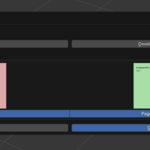
PDF as Planes is an import add-on that brings PDF pages into Blender as image-textured mesh planes. Great for referencing floor plans, documents, illustrations, or any multi-page design.
Features
-
📄 Import all or selected pages from a PDF
-
🎯 Optionally align planes to world or view
-
🖼 Auto-generate image materials with alpha
-
🧩 Choose between real page dimensions or uniform scale
-
🧰 DPI setting for resolution control
-
➕ Adjustable spacing between planes
-
⚙️ Built-in dependency installer (PyMuPDF or pdf2image)
-
🧽 Temporary files auto-cleanup
Installation
-
Download the .zip from Blender Market
-
Go to Edit > Preferences > Add-ons, click Install, select the ZIP
-
Enable the add-on in the list
-
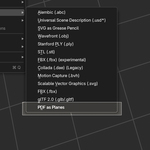
Access it under File > Import > PDF as Planes
-
Or use the panel in 3D View > Sidebar > PDF Tools
Dependencies
You need PyMuPDF or pdf2image.
-
You can install PyMuPDF directly from inside Blender with one click
-
Manual instructions are also included in the add-on UI
-
No config needed – it just works once installed
Usage
-
Go to File > Import > PDF as Planes
-
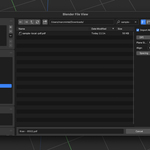
Choose a PDF file
-
Select your options (page range, DPI, scale, spacing, alignment)
-
Click Import
-
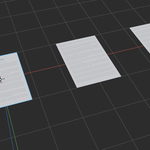
The result: one plane per page with a correctly sized material applied
Troubleshooting
-
If no PDF library is found, use the “Install PyMuPDF” button in the PDF Tools panel
-
Restart Blender if installation doesn’t activate PyMuPDF immediately
-
On some systems, pdf2image requires poppler-utils – check manual setup instructions

Discover more products like this
pdfs as planes document import PDF import PDF documents PDF to Blender