 Mohd Khurram


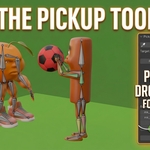
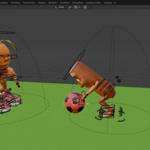
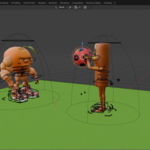
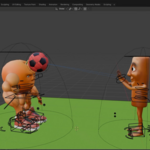
Pickup Tool
Fast Object Pickup & Animation Workflow
Create object pickup, carrying, dropping, and baked animations with minimal setup. Attach objects to characters, animate naturally, and convert the motion into clean keyframes.
Animate object interactions faster.
Pickup Tool is a powerful and easy-to-use Blender addon that helps you create object pickup, carrying, dropping, and baked animations with minimal setup.
Instead of manually creating constraints, parenting objects, and baking animations, Pickup Tool automates the entire process through a simple interface.
The addon is ideal for animators and content creators who need a quick and reliable way to animate props such as boxes, tools, weapons, collectibles, furniture, and other interactive objects.
Everything you need for prop animation.
Easy Target Selection
Quickly choose the object you want to interact with using the Set Target button.
Clear target information is displayed directly in the panel.
One-Click Pick Up
Instantly attach an object to the selected target.
Create pickup interactions without complex constraints or manual setup.
One-Click Drop
Easily release objects from the target.
Perfect for throw, drop, place, and interaction animations.
Animation Baking
Convert pickup and drop motion into keyframes.
Create clean animations ready for editing or exporting.
Custom Bake Range
Set custom start and end frames for baking.
Bake only the animation range you need.
Simple User Interface
Clean and beginner-friendly layout.
All tools are available in a single panel.
Fast Workflow
Reduce setup time and focus on animation.
No need for complicated parenting or constraint management.
Simple pickup animation workflow.
Create a complete pickup and drop interaction with just a few steps.
Convert interactions into keyframes.
Once your pickup and drop animation is complete, use the custom bake range to convert the motion into editable keyframes.
Create clean baked animations that are ready for further editing, reuse, or export to your preferred animation pipeline.
Perfect for interactive object animation.
Pick up. Animate. Bake.
Spend less time setting up constraints and more time creating animations.