Pillow It!
 Boars In Rome


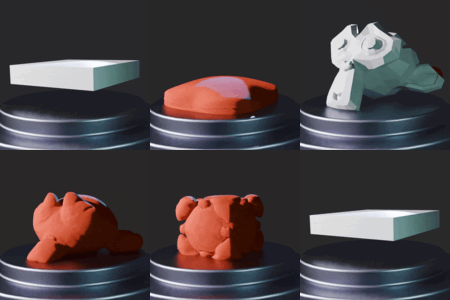
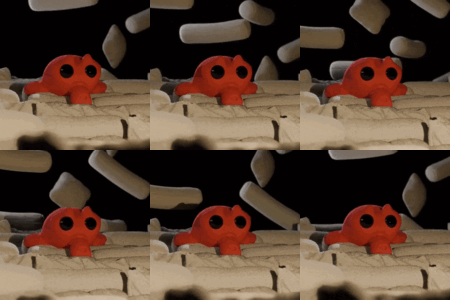
Click here for the full documentation
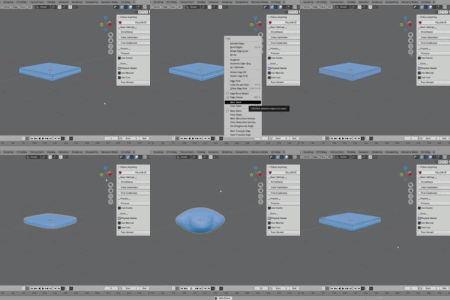
How to use
- Mark seams. This is where the add-on will cut along
- Change the settings to your liking
- Pillow It
Basic Functionality
- Smoothness - Smoothness is used to determine how many iterations of the “smooth vertices” function are applied to the mesh. This function flattens the angles of the selected vertices (in this case, the whole mesh)
- Initial Subdivision - This setting determines how much detail is added before running the operation. The type of subdivision is “simple.” The value should depend on how complex your mesh is
- Final Subdivision - This setting determines how much detail is added after the operation. The type of subdivision is “Catmull-Clark”, so it will smooth your mesh.
Physics
- Pressure - Simulates the amount of pressure applied from the inside of your mesh.
- Use Gravity - Enables Gravity
Extra
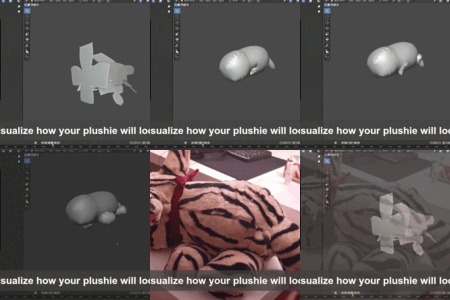
- Physical seams - If this setting is enabled, the add-on will cut your mesh based on the edges that have been marked as seam and sew them together. Keep this off if you need clean topology, or if you plan on exporting your meshes to game engines.
- Use material - This setting automatically creates a material called “Mat_Cloth,” with some preset settings for cloth shading. If you already have a material named “Mat_Cloth,” the add-on will automatically detect it and assign it.
- Use fuzz - This setting will add a hair particle system to your model.
- Fuzz Amount - This setting determines the amount of fuzz in the particle system. The value is multiplied by 200
$8.50$7.23
 Included
Includes 12 months of
- Support from Boars In Rome
- Product updates
Extend this product’s Support Period +12 months: 25% of product price
Have questions before purchasing?
Login to message
| Blender Extension Compatible | Yes |
| Sales | 10+ |
| Dev Fund Contributor | |
| Published | 3 months ago |
| Blender Version | 4.0 - 5.2 |
| Extension Type | Add-on |
| Render Engine Used | Arnold, Blender-Internal, Blender-Game-Engine, Cycles, Eevee, Freestyle, Luxrender, Mental-Ray, Octane, Vray, Yafaray |
| License | GPL |