Pimp My Cam - Autofocus
 Octopus Elbow





PimpMyCam Add-on Documentation
Overview
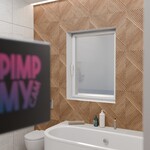
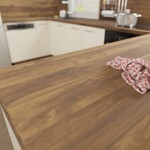
PimpMyCam enhances your Blender camera with automatic autofocus, dynamic sensor width adjustment, and a natural "human walk" motion effect. This add-on saves you from tedious manual keyframing by intelligently detecting scene objects and smoothly animating camera focus and movement to create a realistic, handheld-phone-like filming experience.
Installation
To install PimpMyCam:
-
Download the add-on ZIP file from Superhive.
-
In Blender, navigate to Edit > Preferences > Add-ons.
-
Click Install, select the downloaded ZIP file, and confirm.
-
Enable the add-on by checking its box in the Add-ons list.
-
Click Save Preferences to keep it active on future Blender launches.
How to Use
-
Select the camera you want to enhance.
-
Enable Depth of Field (DOF) on the camera.
-
Open the N-panel in the 3D Viewport where the PimpMyCam UI is located.
-
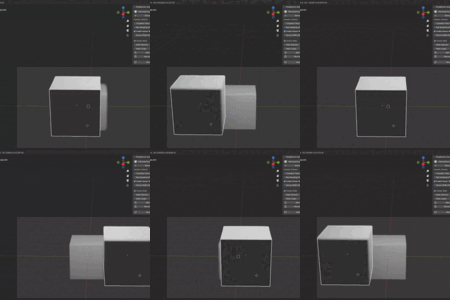
Click Add Autofocus to Selected Camera — the add-on immediately starts automatic focus control without needing to add or configure individual objects.
Settings Explained
-
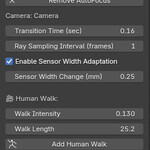
Transition Time: Adjust how quickly focus shifts between objects. Lower values create fast focus changes; higher values produce smoother, slower transitions.
-
Ray Sampling Interval: Defines how often (in frames) the add-on samples objects' distances to update focus. Higher values simulate a more natural, sometimes “laggy” autofocus like on real phones.
-
Sensor Width Adaptation: Enable this option to automatically adjust the sensor width (field of view) alongside focus changes, enhancing realism. Use the slider below to control the intensity of sensor width shifts.
-
Human Walk Effect: Add a natural camera shake that mimics human walking by clicking Add Human Walk. Adjust Walk Intensity and Walk Length to customize the movement. Use Remove Human Walk to disable it.
Have questions about this product?
Login to message
| Blender Extension Compatible | Yes |
| Published | about 1 year ago |
| Blender Version | 3.0 - 4.2 |
| Extension Type | Add-on |
| Render Engine Used | Cycles, Eevee |
| License | GPL |
Discover more products like this
autofocus blender auto focus realistic autofocus handheld autofocus handheld-look camera