Pipeline Manager
 active clay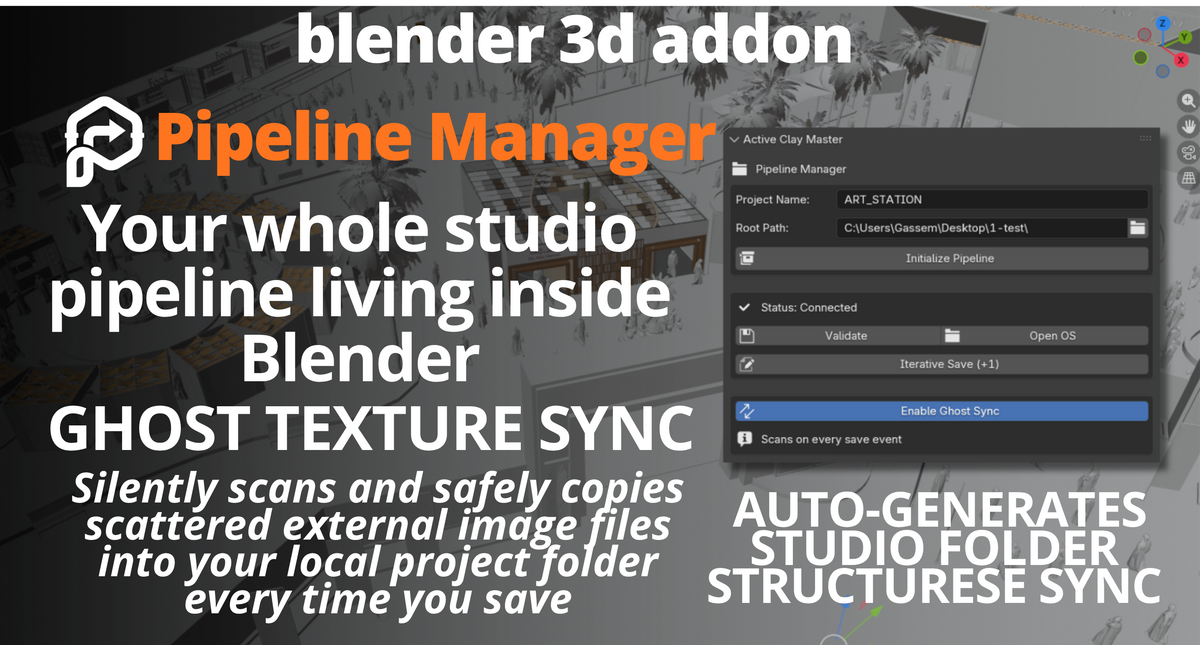
Installation
Download the provided
.zipfile containing the add-on andblender_manifest.toml.Open Blender 5.1.2 and navigate to Edit > Preferences > Get Extensions.
Click the drop-down arrow in the top right, select Install from Disk, and choose the
.zipfile. Enable the add-on.
Initializing a New Project
Open the Sidebar in the 3D Viewport (
Nkey) and navigate to the Active Clay tab.Under the Pipeline Manager panel, define your Root Path (where you want the project saved on your hard drive) and type a Project Name.
Click Generate & Link Project. Your folder structure is instantly created, your
.blendfile is saved, and your rendering output paths are set.
Using Ghost Texture Sync
This feature is completely automatic. Once a project is initialized, simply add textures to your materials from anywhere on your computer. When you save your file (Ctrl+S), the add-on will automatically duplicate those external images into your 02_Assets/Textures folder and relink the file paths to ensure your project is completely self-contained.
-
$12
-
$30
Have questions about this product?
Login to message
| Blender Extension Compatible | Yes |
| Published | 3 months ago |
| Blender Version | 4.2 - 5.2 |
| Extension Type | Add-on |
| Render Engine Used | Cycles |
| License | GPL |