 one99addons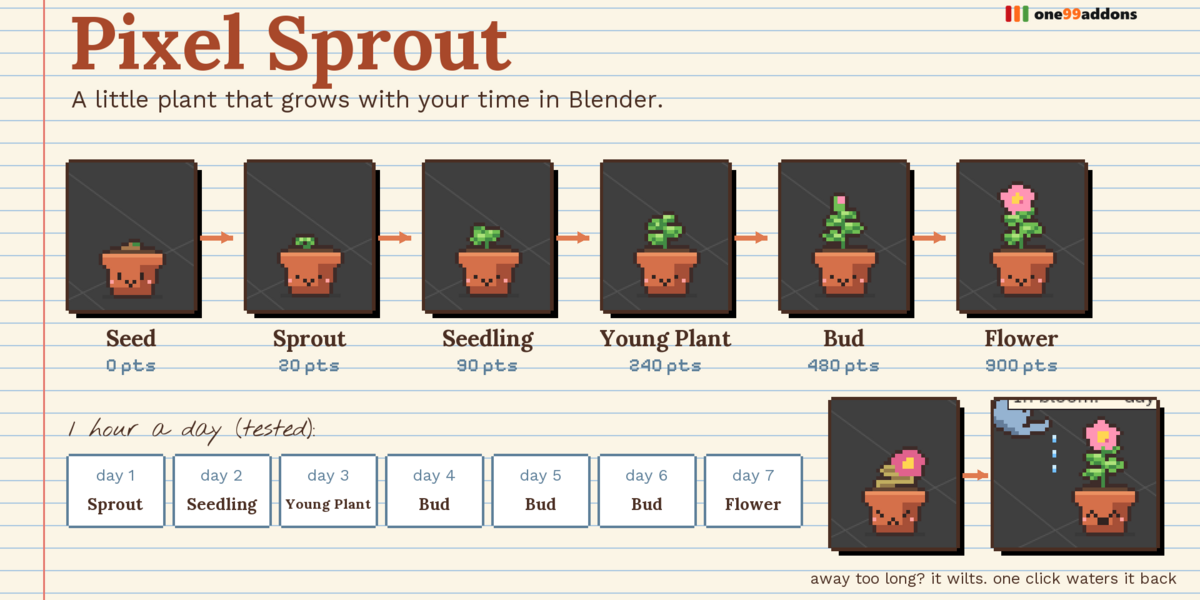
🌱 Pixel Sprout
A little pixel plant that grows with your time in Blender and your days in a row.
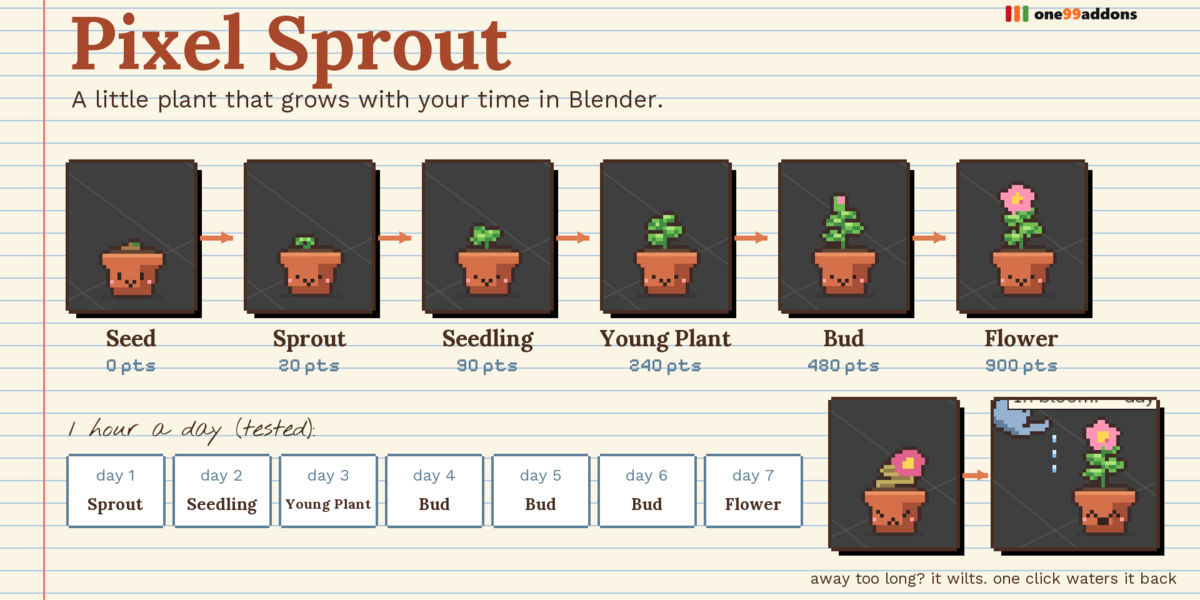
A smiling terracotta pot lives in the corner of your 3D Viewport. It grows through 6 stages as you work and come back day after day.
The problem
Learning Blender, or finishing a long personal project, is about showing up regularly. Streaks work in language apps; Blender has nothing like it.
What it does
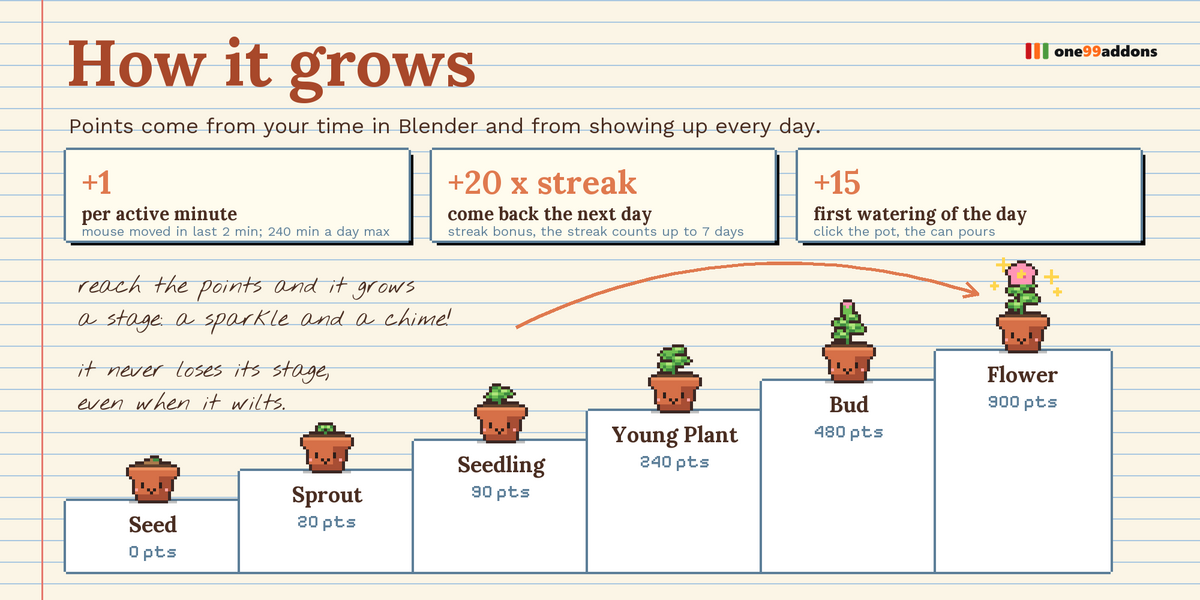
- Grows with your time. Every active minute in Blender gives 1 growth point (up to 240 a day).
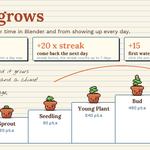
- Streak bonus. Coming back the next day adds 20 points x your streak (up to 7 days). Days in a row make it grow much faster.
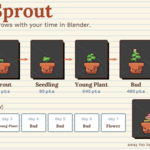
- Six stages. Seed, Sprout (20), Seedling (90), Young Plant (240), Bud (480), Flower (900 points), with a sparkle and a chime at each level up.
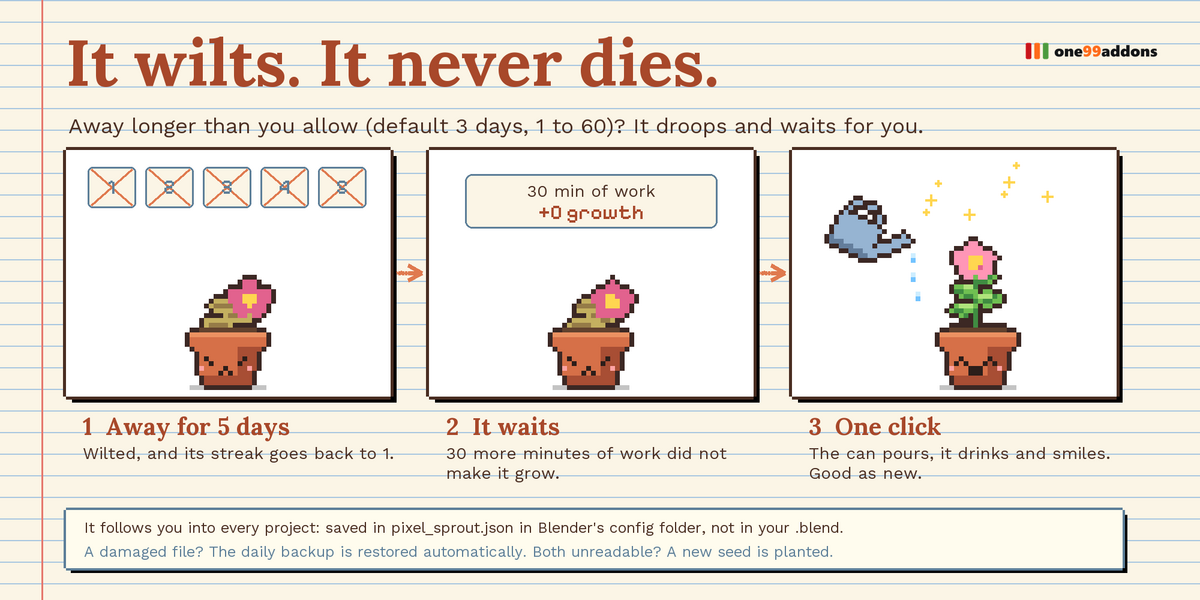
- It wilts. It never dies. Away longer than you allow (default 3 days) and it droops and stops growing, but it never loses its stage.
- Water it. Click the pot: the watering can pours and the plant drinks and smiles. The first watering of each day gives +15 points.
- Hover it. Read its stage, progress and streak.
Settings
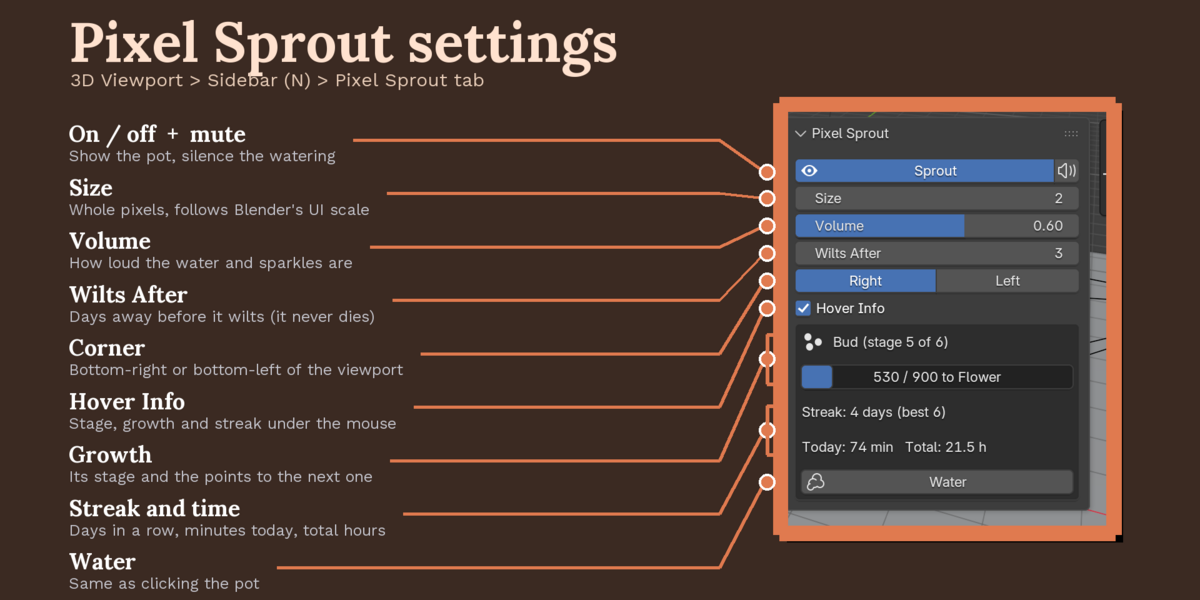
Settings and stats are in 3D Viewport > Sidebar (N) > Pixel Sprout tab, with a quick toggle in the Window menu.
- Sprout / Mute: hide the pot (it keeps growing), silence it.
- Size 1 to 6: whole pixels, multiplied by Blender's UI scale.
- Volume: watering, sparkle and revive sounds.
- Wilts After: days away before it wilts (default 3, 1 to 60).
- Corner: bottom-right or bottom-left of the biggest 3D Viewport.
- Hover Info: stage, growth and streak under the mouse.
- Growth box: stage, progress bar, streak and best streak, minutes today, total hours, and a Water button.
Good to know
- Real example, one hour a day and one watering a day from a seed: day 1 Sprout, day 2 Seedling, day 3 Young Plant, day 4 Bud, day 7 Flower (1065 points).
- Your plant is saved in Blender's user config folder (pixel_sprout.json, with a daily backup), not in your .blend files, so it follows you across every project.
- 82 hand-made pixel frames and 3 original sounds.
- Light: about 0.05 ms of Python per update. Playback of a 252,000-triangle animation: 18.2 fps with all our pixel pets on, 18.2 fps off.
Tips
- Water it every day: the first watering gives a bonus.
- Short on time? Even a few minutes keeps the streak alive.
- New computer? Copy pixel_sprout.json from the old config folder.
Requirements and install
Blender 5.2 or newer (tested on 5.2.2 LTS, Windows). No internet, no external libraries.
- Download pixel_sprout_v1.0.0.zip (do not unzip it).
- In Blender: Edit > Preferences > Add-ons, open the drop-down arrow at the top right, choose Install from Disk... and pick the zip.
- Tick Pixel Sprout. That's it.
Limits
"Active" means mouse activity in Blender in the last 2 minutes; keyboard-only work does not count. Growth is capped at 240 active minutes a day, so leaving Blender open overnight does nothing. One plant per Blender version's config folder. Dates come from your computer's clock.
More pixel pets
Collect the whole family: Desk Cat, Desk Frog, Desk Axolotl, Desk Bat, Save Hamster, Timeline Snail, Undo Ghost, Desk Duck. They all live happily in the same Blender window.
Made by one99addons.