Pixelator Add-On
 Blender Easy


Pixelator Pro | Technical Documentation
1. Introduction
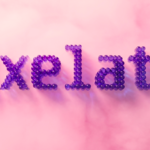
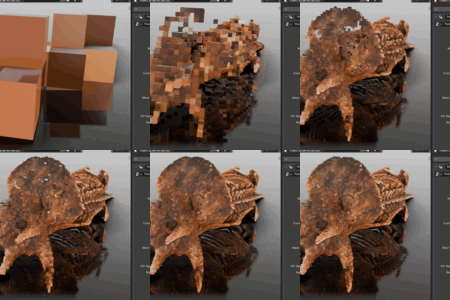
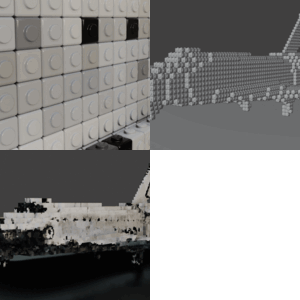
Pixelator Pro is a procedural geometry engine designed to convert 3D surfaces into stylized, pixel-perfect geometry. Unlike 2D post-processing shaders, Pixelator Pro generates real 3D instances, allowing for physically accurate lighting, shadows, and depth-of-field effects.
2. Workflow Overview
The add-on operates on a "Source-to-Canvas" logic:
Source: Your original high-poly meshes.
Collection: Upon initialization, sources are moved to a hidden collection (
Pixel_Source_Data) to keep the scene clean.Canvas: A new mesh is created (
Pixelator_Output) which hosts the Geometry Nodes engine and displays the final result.
3. Interface Breakdown
A. Resolution & Voxelization
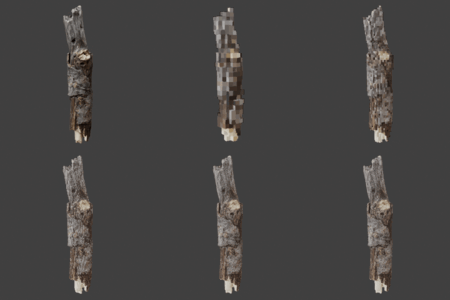
Pixel Scale: Controls the size of the voxels. Smaller values = higher detail.
Voxel Density: Adjusts how tightly packed the voxels are within the volume.
Inflate Mesh: Expands or shrinks the source volume before voxelization—perfect for making "chunky" characters.
Remesh: Re-calculates the topology for a cleaner voxel distribution.
B. Mesh & Instancing
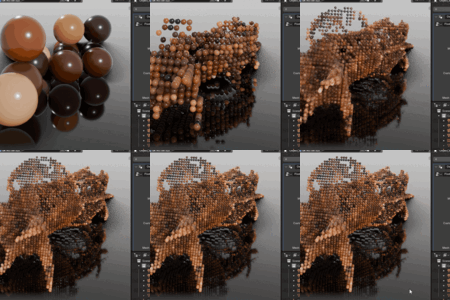
Custom Pixel Mesh: Pick any object from your scene to replace the standard cube.
Use Both: Mixes the default voxels with your custom mesh for varied textures.
Convert to Meshes: Instantiates geometry on faces rather than volume for a "hollow" pixel look.
C. Transform & Randomization
90° Random Rotation: Snaps pixels to 90-degree increments—ideal for adding variety to tiles without breaking the grid.
Free Random: Adds organic jitter to rotation and scale to create a more "hand-made" feel.
D. Optimization (Performance)
Camera Culling: One of the most powerful features. It deletes all pixels outside the camera's field of view (FOV).
Distance Culling: Deletes pixels that are too far away from the camera.
Delete Internal Voxels: Automatically removes voxels that are completely hidden inside the model, significantly reducing polygon count and memory usage.
4. Advanced Tips
UV Mapping: Ensure your source mesh has clean UVs. Pixelator Pro samples the color data from the source UVs and applies them to each pixel instance.
Animation: The system is fully procedural. If you animate the source mesh (even with armatures), the pixels will update in real-time.
Baking: To export your pixel art to other software, simply apply the Pixelator modifier to convert the instances into a single static mesh.
5. Troubleshooting
Empty Result: Ensure your source object has a Mesh data type. Curves or Text must be converted to Mesh before using "Pixelate Selection."
Slow Performance: If the viewport lags, lower the Voxel Density or enable Camera Culling immediately.
Hidden Source: If you need to edit your original model, look for the
Pixel_Source_Datacollection in the Outliner and toggle the "Eye" icon.
 Included
Includes 12 months of
- Support from Blender Easy
- Product updates
Extend this product’s Support Period +12 months: 50% of product price
Have questions before purchasing?
Login to message
| Dev Fund Contributor | |
| Published | 6 months ago |
| Blender Version | 5.0 - 5.1 |
| Extension Type | N/A |
| Render Engine Used | Arnold, Blender-Internal, Blender-Game-Engine, Cycles, Eevee, Freestyle, Luxrender, Mental-Ray, Octane, Vray |
| License | Mit |