 PlugIn3D


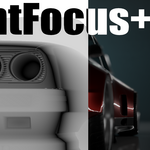
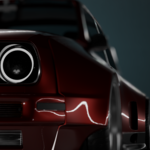
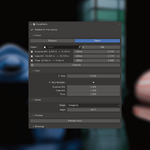

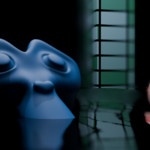
PointFocus+ is a Blender compositor add-on for creating controllable depth-of-field effects with multiple focus points.
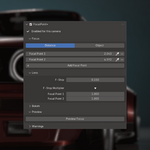
It adds the FocalPoint+ compositor node group, connects it to your scene, enables the Depth pass, and gives you simple controls in the sidebar and Camera Data properties.
Installation
- Open Blender.
- Go to Edit > Preferences > Add-ons.
- Click Install....
- Select the PointFocus+
.zipfile. - Enable the add-on.
- Select a camera and open Camera Data Properties > FocalPoint+.
Basic Use
- Select or assign the active scene camera.
- Turn on FocalPoint+.
- Choose your focus setup.
- Adjust the focus points and F-Stop.
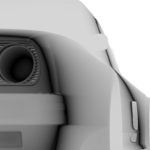
- Use Preview Focus to check the focus mask.
PointFocus+ automatically enables the Depth pass and connects the required compositor node group.
Distance Mode
Distance Mode lets you create manual focus points.
Use this when you want direct control over the focus distance values.
You can add multiple distance focus points and adjust each one from the add-on panel.
Object Mode
Object Mode lets you choose scene objects as focus targets.
The focus distance is calculated from the active camera to each object. This is useful for animated shots because the focus updates when the camera or target objects move.
Supported focus targets include:
- Mesh objects
- Empties
- Lights
- Other scene objects with a transform
Lens Controls
The main F-Stop controls the overall depth-of-field strength.
The full version also includes individual F-Stop controls for each focus target, giving you more control over how each focus point contributes to the final effect.
Preview Focus
Preview Focus temporarily shows the focus mask in the Viewer node.
Turn it off to restore the Viewer node to its previous connection.
Saving Projects
PointFocus+ saves its focus values with the .blend file.
When you reopen the project, your focus points, F-Stop values, and preview settings should remain as they were.
Lite Version
PointFocus+ Lite includes a smaller feature set:
- Distance Mode only
- Up to 2 focus points
- No Object Mode
- No individual F-Stop controls
Uninstall
- Open Edit > Preferences > Add-ons.
- Search for PointFocus+.
- Disable the add-on.
- Click Remove if Blender shows the remove option.
-
$1
Distance-only version with up to 2 focus points
-
$4.99
Unlimited multi-point focus, object-driven focus targets, offsets, per-target F-Stop controls, and advanced compositor focus workflow tools.
Have questions about this product?
Login to message
| Dev Fund Contributor | |
| Published | 2 months ago |
| Blender Version | 5.0 - 5.2 |
| Extension Type | N/A |
| Render Engine Used | Cycles, Eevee |
| License | GPL |
Discover more products like this
blender-compositor animation camera-tools focus control focus depth of field render pass camera focus dof z depth defocus compositor-nodes