 Poly Haven


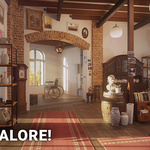
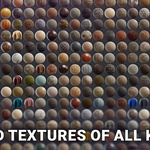
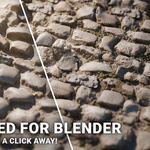
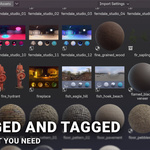

At Poly Haven, we create free high quality 3D models, materials and HDRIs for Blender.
All of our assets are available for free on polyhaven.com (not just free, but CC0 too!). This add-on gives you faster access to them directly inside of Blender, and by purchasing it you'll also be supporting our work to make more assets for everyone!
ℹ️ This add-on is also available for $5 on Patreon.
While all our assets are 100% free to download, with your support we've been able to grow Poly Haven, creating over 1000 new assets and improving the quality of our work.
However, we don't want to sell this add-on forever, we want to focus on free content and open access.
Support us on Patreon with just $5 per month to get this add-on and help unlock it for the entire community. Once we reach 5000 patrons, it will be released for free to everyone. Until then, it's available only through Patreon, or by purchasing it here.


The internet is full of junk these days, so we focus on quality over quantity.
These 2000+ assets were created by more than 100 artists over the last 10+ years.
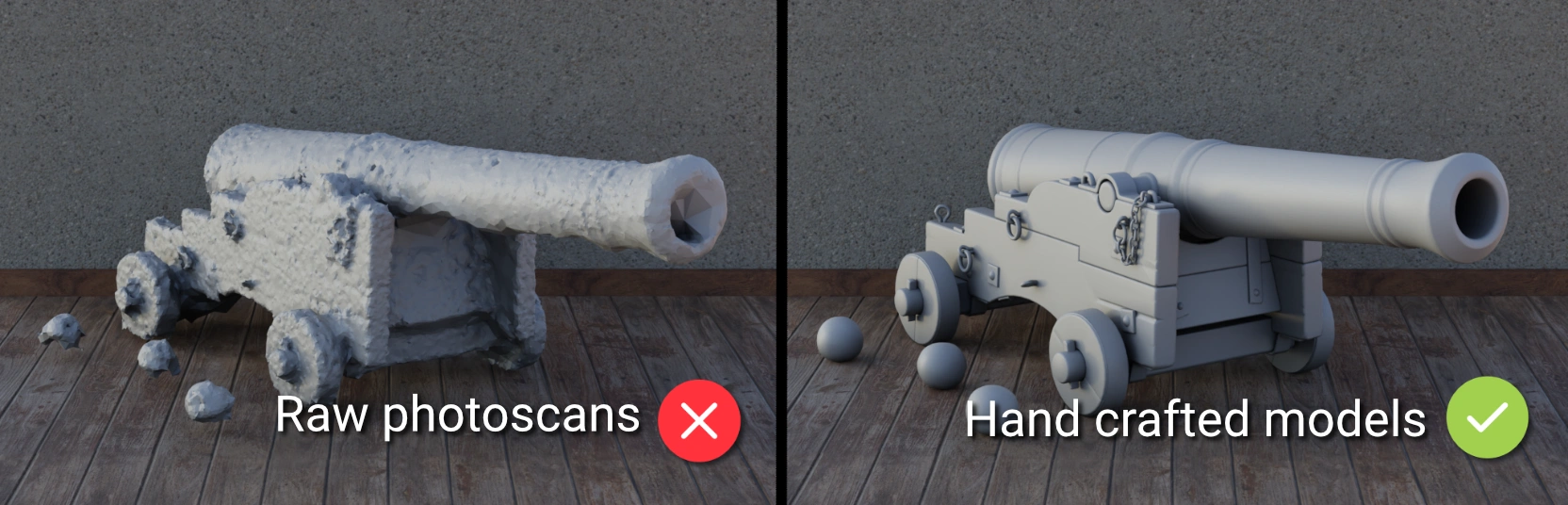
All assets were made by humans with love, using photo-based methods or by modeling them from scratch. Read more about our technical standards.
Unclipped HDRIs

Full PBR Texture Sets

Hand-crafted Models

"Any time I'm looking for an awesome HDRI, Material, or high quality model the first place I always look is on polyhaven.com. I've used it a ton for my Blender projects and it's definitely a site every VFX artist should know about!"
-Fenner Rockliffe, VFX Supervisor at Corridor Digital


We standardize all our HDRIs at 16k resolution, with most new ones being 20k+.
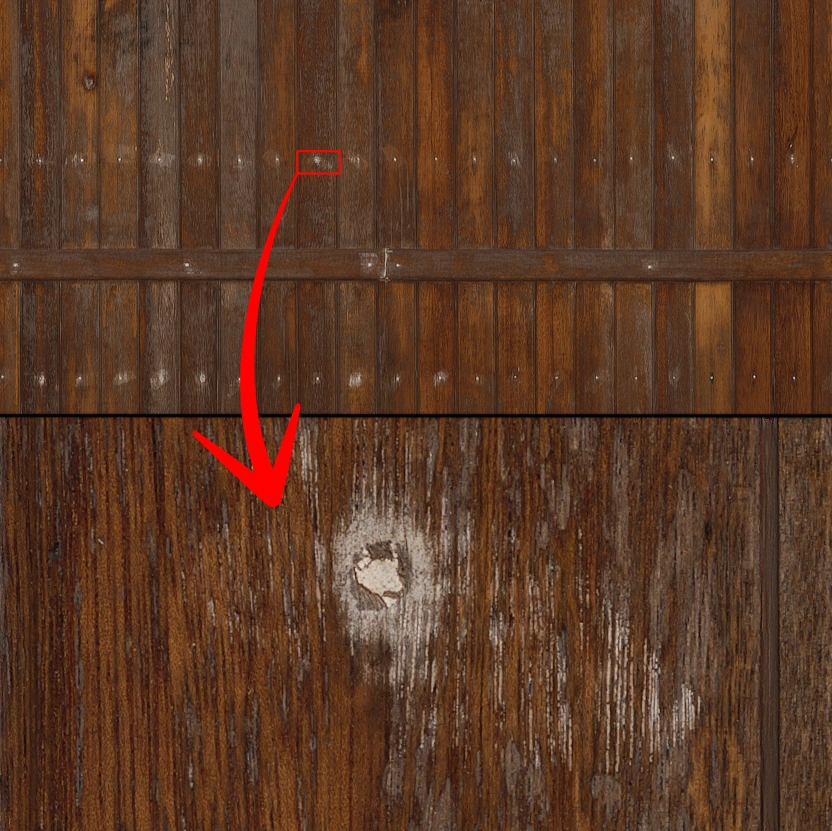
Materials are all at least 8k.
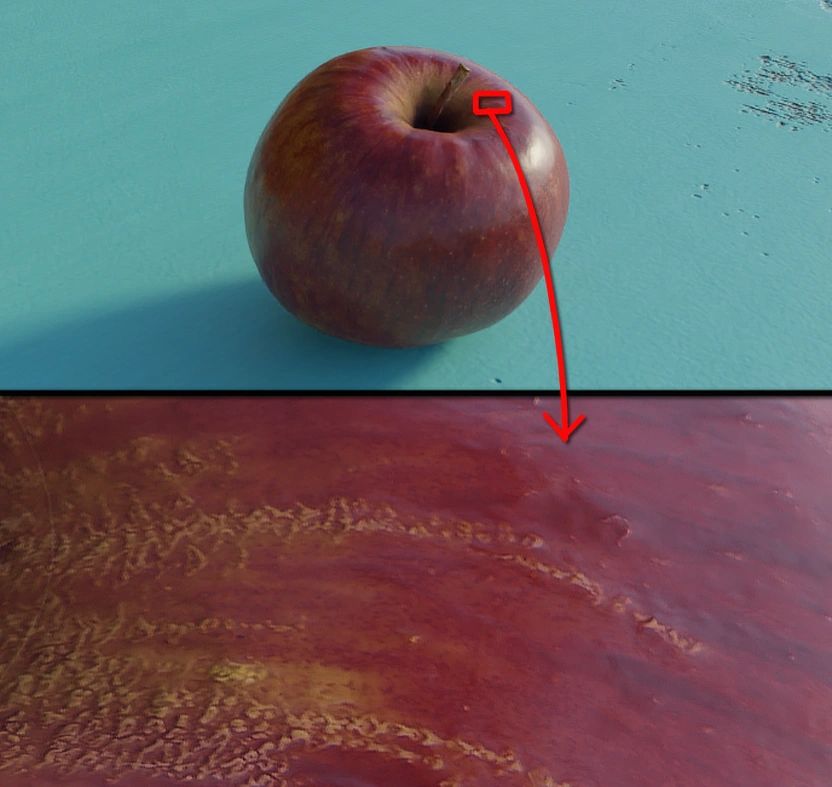
Models are generally 8k too, especially newer uploads.
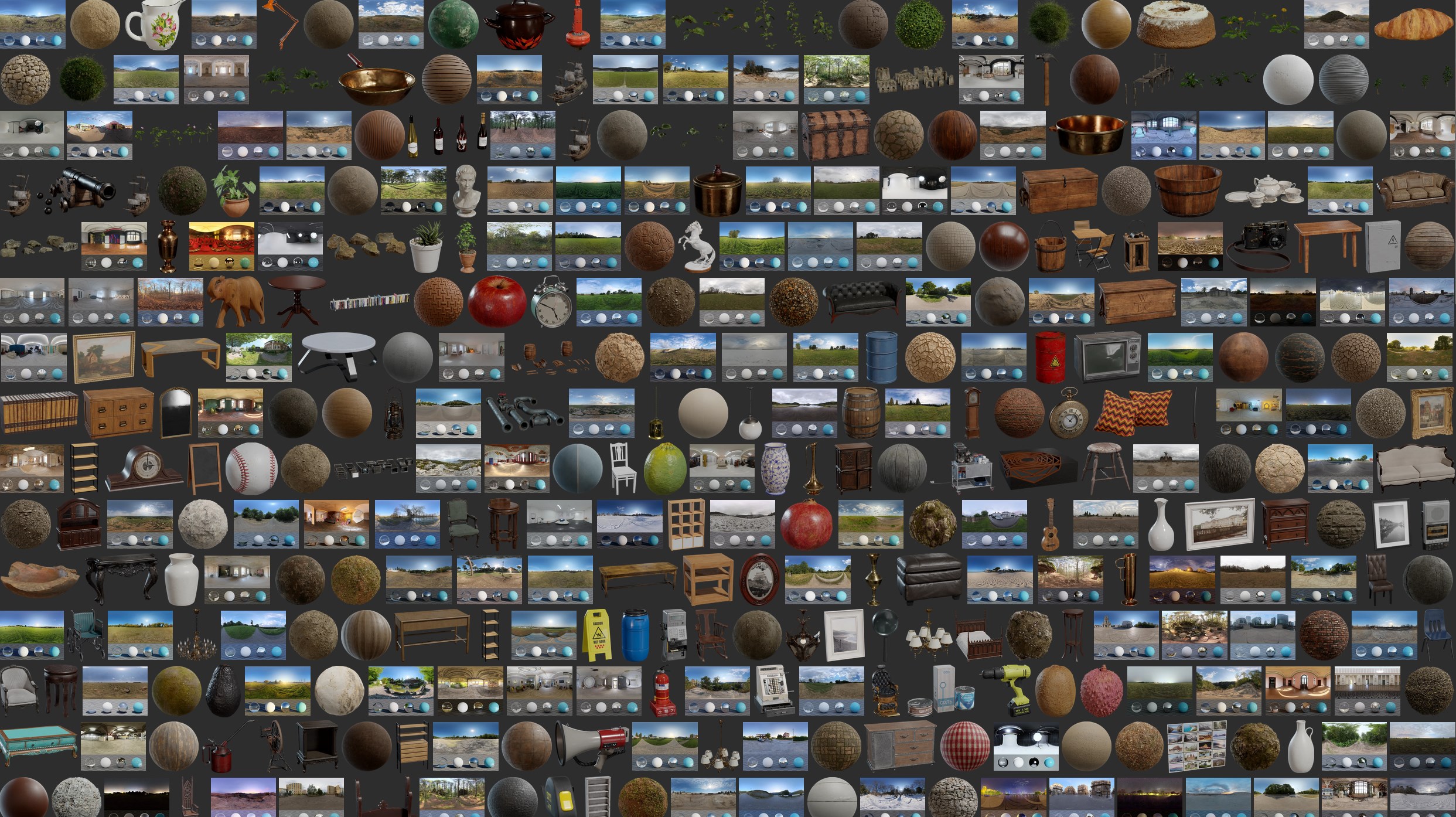
Browse all assets here: https://polyhaven.com/all

"In today's fast paced content creation environment, Poly Haven is a free library of quality content with no strings attached to get your project off the ground!"
-Tudor Bodeanu, Sr. Tech/Product Artist at Unity

Adjustable Resolutions
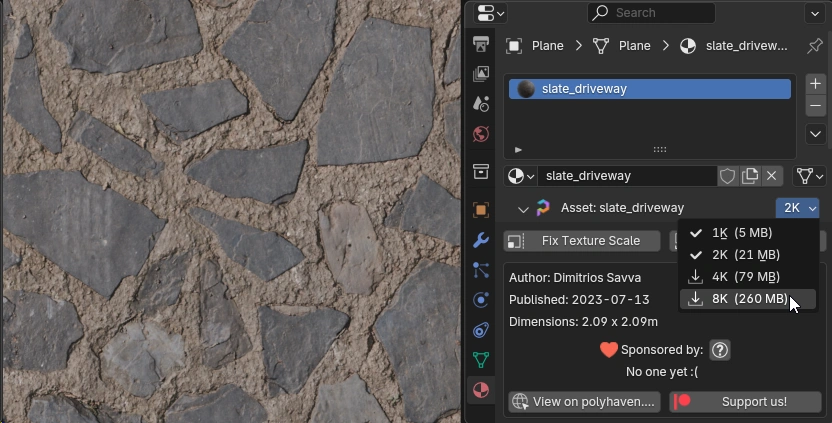
Assets are imported at 1K resolution by default. To increase the resolution, a simple drop-down menu is available:
Auto Texture Scale
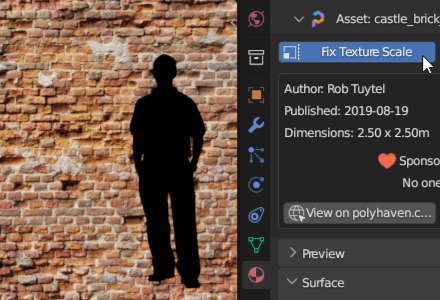
No more eye-balling texture sizes. Simply click the "Fix Texture Scale" button, and the add-on will calculate the correct scale multiplier for the mapping node to get things looking right.
One-Click Displacement
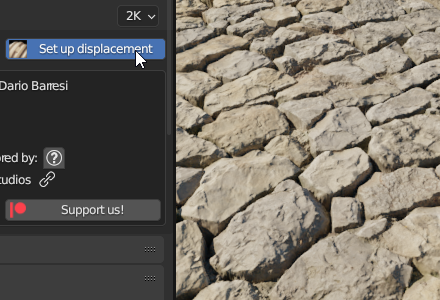
Almost all of our materials are designed to be used with real mesh displacement, using tessellation/adaptive subdivision. There are a few settings to change in Blender and modifiers to set up in order to get this working correctly. Rather than doing that manually, there is a "Set up displacement" button in the material panel.
HDRI Controls
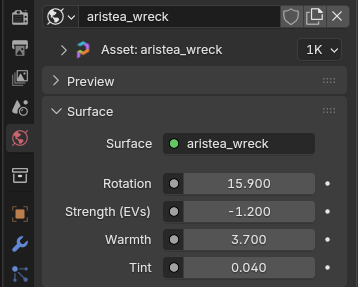
Every HDRI comes set up with an easy-to-use node group that provides simple controls to adjust rotation, brightness, and white balance. No need to dive into the node editor.
LOD Switching
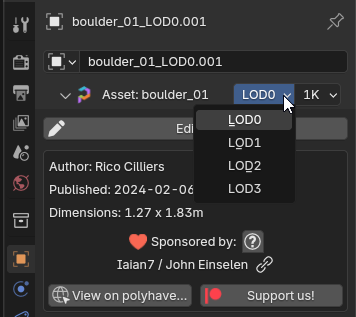
Many of our models come with a selection of LODs (levels of detail) to optimize render performance.
Geometry Nodes
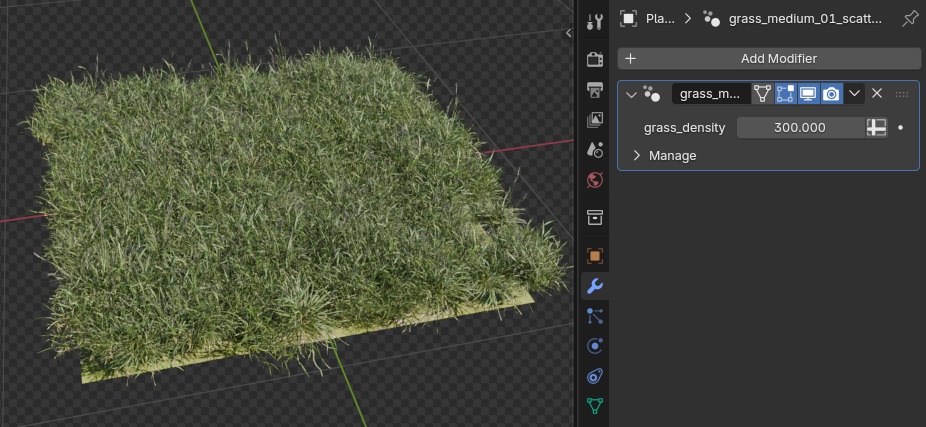
Our grass systems all come with a geometry nodes modifier you can drag onto your terrain mesh. We even have some configurable trees!

After installing the add-on, simply choose a folder where you want to store all of our assets by creating a new Asset Library in your preferences:

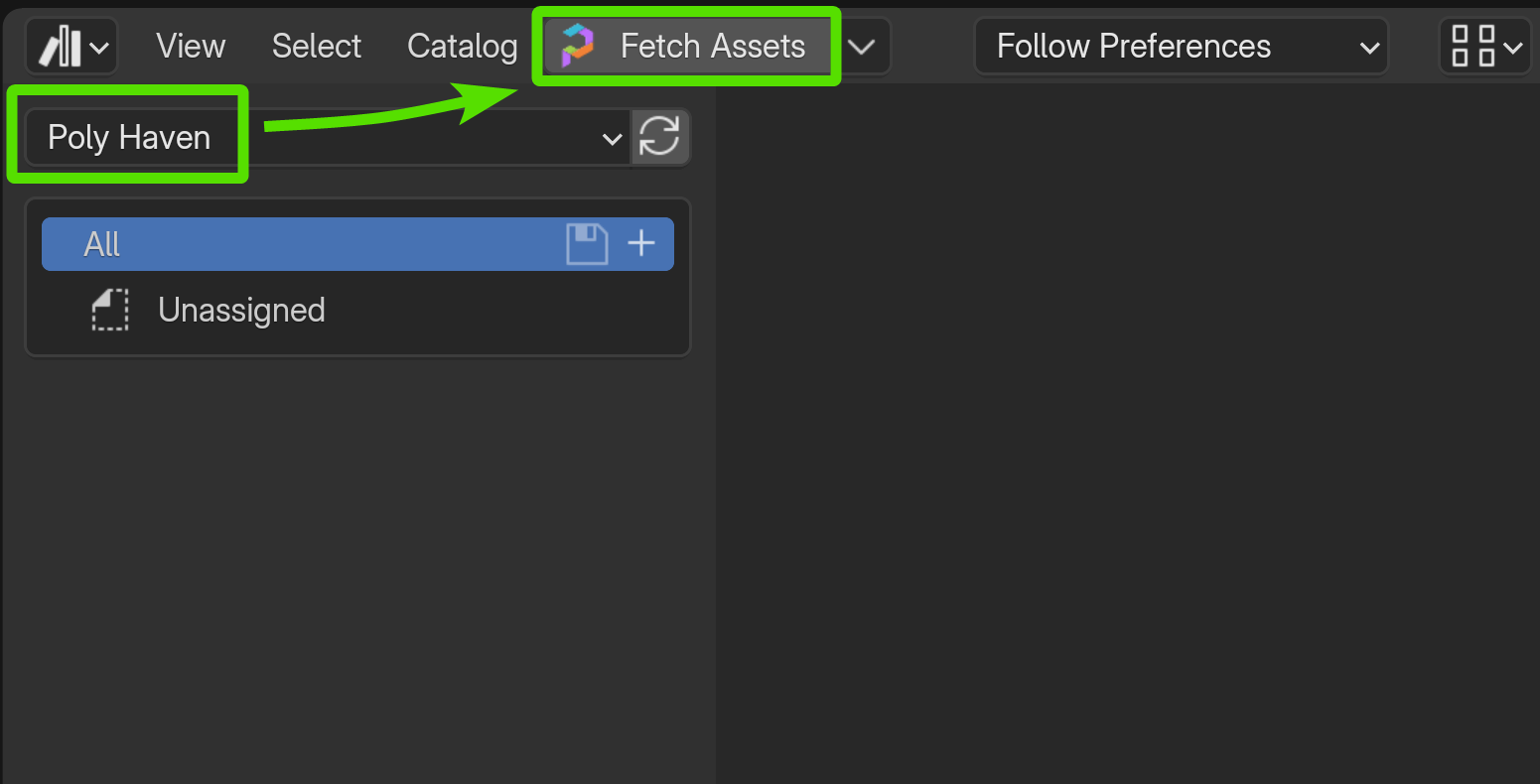
Then in the Asset Browser, you'll find a button to fetch low-res versions of all our assets. Clicking this button will download around 12GB and may take a few minutes the first time.
Then simply drag and drop assets into your scene!
Assets are grouped into catalogs on the left side, so you can easily filter to what you're looking for. Tags areloaded as well, so feel free to try searching too!

2000 is a lot, but we know you want more ;) So we publish a new asset almost every week day.
By purchasing this add-on, you'll also get early access to our assets before they're released to the public.
Any time we upload a new asset, it'll immediately be available to you inside Blender, sometimes months before we share it publicly on polyhaven.com.
Future updates to this add-on will also be free for existing customers.

We believe in open source, shared knowledge, and unrestricted data.
All of our assets can be used for commercial purposes, and even shared around. We publish them under the CC0 license, which is basically copyright-free. Feel free to do anything you like with them!
By purchasing our add-on here, you are directly supporting our vision of the future and helping us pay artists and developers to create free content for everyone.
In the spirit of transparency, we share public finance reports every month, and write regular dev logs about what we're working on.
You're welcome to join our Discord and ask us hard questions, or just hang out!
Known Issues
- In Blender 5.0, by default you may not be able to edit assets or even see the Poly Haven panel. This is because the default import method was changed from "Append" to "Pack", and packed assets cannot be edited. To fix this, simply change your import method back to "Append" in the header of the Asset Browser, or change your preferences. Read more here.
- Some users in China and Turkey are having connection errors when trying to download assets. Please check the troubleshooting guide for help.
Changelog
v1.2.3
2026/07/20
- Fix ImportError when updating in-place
v1.2.2
2026/07/14
- Fix compatibiliy with Blender 5.2 (asset library prefs have moved)
- Added a new announcement/news panel in the asset browser so that we can notify you about upcoming changes (e.g. the move to an extension, which will require your action). Currently unused.
v1.2.1
2025/11/26
- Fix "Set up displacement" button in Blender 5.0
- Display warnings if import method is not "Append" (required for assets to be editable)
2025/11/06
The price of purchasing this add-on on Superhive has been increased from $30 to $69 $49, reflecting the growth of the library from 1000 to over 2000 assets in the last 3 years since launch.
This is also part of a strategy to encourage potential customers to support us more sustainably on Patreon instead, where the add-on is available for $5 per month.
Getting the add-on through Patreon also helps us towards our funding goals, and at 5000 patrons this add-on will be released for free. Read more about liberating this add-on.
v1.2.0
2025/08/07
- Now requires Blender 4.5+ (Older version still available for download)
- Replace old particle system assets (grass, ground cover) with Geo Nodes assets - just drag and drop them onto your terrain!
- Similarly, tree assets now include the geometry node collection, as well as static (more lightweight) versions, usually with LODs.
- Fix memory/resource leak in the download process.
v1.1.11
2025/03/28
- Reduce API calls by using a local asset list cache for up to 7 days. Clicking "Fetch Assets" will always bypass the cache to check for new assets.
v1.1.10
2024/11/25
- Fix compatibility with Blender 4.3.
v1.1.9
2024/08/30
- Added LOD switcher next to the resolution dropdown, for assets that have LODs available.
- Support EEVEE's new displacement, while still retaining an option to use the previous behavior (displacement modifier) in case you want to see it in the viewport.
- When a new version of this add-on is available, show a notification box in the sidebar of the asset browser.
- When running Blender in the background (e.g. command line rendering), don't try to check for new assets.
- When switching asset resolutions, some users were confused that the image datablock names in Blender did not change (only the file path). Now, the image names are updated to match the filename to avoid confusion.
- If clicking "Fix Texture Scale" on an object that doesn't have any UVs, we now show a helpful error message rather than a scary python code.
- When duplicating model assets, the resolution displayed should now remain in sync for all copies when changing resolution on any one of them.
v1.1.8
2024/07/10
- Add compatibility with Blender 4.2 (EEVEE Next replaced old EEVEE engine)
v1.1.7
2024/03/28
- Fix compatibility with Blender 4.1
- Remove the "Use alternative CDN" option, as this is now automatically tried if the primary CDN fails.
v1.1.6
2023/10/02
- Fix compatibility with Blender 4.0 beta
v1.1.5
2023/08/22
- Various error catches and stability improvements.
- Add "Revalidate All Assets" button to user preferences in case this can't be accessed in the Asset Browser due to crashing.
v1.1.4
2023/08/15
Fix error when switching resolution on certain tree assets.v1.1.3
2023/07/02
- Compatibility with Blender 3.6 and its new relative asset paths.
v1.1.1
2023/03/08
- "Fix texture scale" button now supports non-square textures.
v1.1.0
2023/03/02
- Changed HDRI controls:
- Rotation now in degrees instead of radians.
- Strength now in EVs instead of multiplier for more intuitive scale.
- Added Warmth and Tint sliders.
- Improved "Fix texture scale" button behavior to take UV area used into account. Should be much more reliable now!
- Add an "Edit Asset" button to the panel for 3D models (just below the resolution switcher). This does the same as Ctrl-A>Make Instances Real.
- Added documentation link to our new wiki.
- Asset library name is no longer case sensitive.
v1.0.8
2023/01/11
- Fix issues setting up displacement in Eevee
v1.0.7
2023/01/10
- Support texture displacement in Eevee using regular subdivision and displacement modifier.
- Add a Revalidate Files button in the Fetch Assets dropdown to force check all assets are OK. This can be used to fix broken paths and ensure integrity of existing assets.
- When fetching new assets, also check for asset changes and updated metadata.
- Check for new assets in the background after opening Blender (just to indicate the number of available assets, this does not actually fetch any new assets automatically).
Note: Assets downloaded before Dec 2022 may appear to re-download, since before this we did not store a global asset hash to detect changes easily. Any existing files (e.g. textures) will be skipped so the bandwidth used will be minimal, only blend files, thumbnails and metadata will be re-downloaded.
With these new revalidation and update checking features, it's important to note that you should not modify asset files directly. If you want to edit asset files, we recommend copying your new version to another asset library to avoid your changes being overwritten when the add-on detects the file contents are not the same as the version on our server. This only refers to editing the asset files themselves within the library folder, you are still able to edit objects/etc. after dragging them into your scene without worry.
v1.0.6
2022/09/26
- Fix error with resolution switching if the user accidentally adds some blank image nodes to the tree.
- Add a little warning about catalog filter if user clicks item in "recently downloaded" list twice.
- Fix relative path issue when switching resolutions if asset library is on a mapped network drive.
v1.0.5
2022/09/05
- Block "Fetch Assets" button if not using a compatible version of Blender. Trying to do so breaks things, so rather we don't rely on Blender to warn the user about this after installing the add-on.
- List recently downloaded assets after fetch.
v1.0.4
2022/08/31
- Draw correct panel for models that were made real.
v1.0.3
2022/08/30
- Fix resolution switch of models after "Make Real".
- Fix mysterious relative file paths issue when switching resolutions (most often on Mac)
- Force all asset image paths to be relative - normally they are, but this just ensures consistency and allows the entire library to be moved around.
v1.0.2
2022/08/29
- Add preference to use alternative CDN (may fix connection errors).
v1.0.1
2022/08/26
- Catch some connection errors and show them
- Add a preference to disable SSL verification for some users who are having SSL related errors. It's not recommended to use this unless for a last resort.
v1.0.0
2022/08/24
Initial release