 Mesajemba


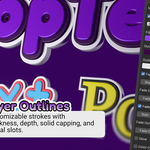
1) A reorganized panel
- The order is now Presets → Setup → Pose → Animation → Material → Advanced, with Animate Characters at the bottom.
- Animation groups Animation In, Idle and Animation Out in the order they play: arrive, loop, leave.
- Material now holds everything about materials. That means the Fill, Outline and Outline 2 pickers (moved out of Setup), plus Animate Material (fade, glow, color cycle, formerly Material Animation).
- Setup is now only about shape: extrusion, bevel, pivot and the outlines.
- Idle, Animation In/Out, Outline, Outline 2 and Animate Material each have their enable checkbox in the header.
- Every main section has a small icon.
- Sections open and close the standard Blender way, and Blender remembers which ones you left open.
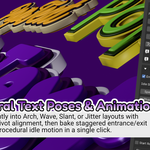
2) Pose Guide (live preview)
- Turn on Show Pose Guide in the Pose section and you’ll see a wireframe box for every letter, with a small cross marking its pivot point.
- The boxes move, tilt and resize as you change the pose sliders, so you can see the result before you apply it.
- It’s just a helper. It never renders, you can’t accidentally select it, and it switches itself off when you click Apply Text Pose.
- If you retype the text or change the font, press the small refresh button next to the toggle.
3) Pose now starts neutral
- There’s a new None pose style, and it’s the default. Position, Rotation and Scale Jitter all start at 0.
- Pick Random, Arch, Wave or Slant and the sliders start at sensible values, so you see an effect right away.
- Applying a pose with None simply splits the text into individual letters, which is handy when you only want to animate.
4) Animation In and Out have on/off switches
- Each has a checkbox in its header, off by default, just like Idle.
- If you click Animate Characters with nothing enabled, you now get a warning instead of a silent do-nothing result.
5) Things to know when upgrading
- Presets saved earlier still load with Animation In and Out switched on, so they behave as before.
- Scenes saved with an older version will show Animation In and Out unchecked, so you need to tick them again.
- Text that never had its Pose Style changed will now show None.
Have questions about this product?
Login to message
| Blender Extension Compatible | Yes |
| Dev Fund Contributor | |
| Published | 2 months ago |
| Blender Version | 5.2 |
| Extension Type | Add-on |
| Render Engine Used | Cycles, Eevee |
| License | GPL |