 POWERBLOW




- Supported Blender versions: 4.2, 4.5, 5.0, 5.1, 5.2, 5.3 (Older versions are not guaranteed to work.)
- Operating System: Windows 10 / 11 (64bit)
- CPU: x86_64(Intel / AMD)
- ARM64 Windows (e.g. Snapdragon)
- macOS (Intel and Apple Silicon M1/M2/M3)
- Linux
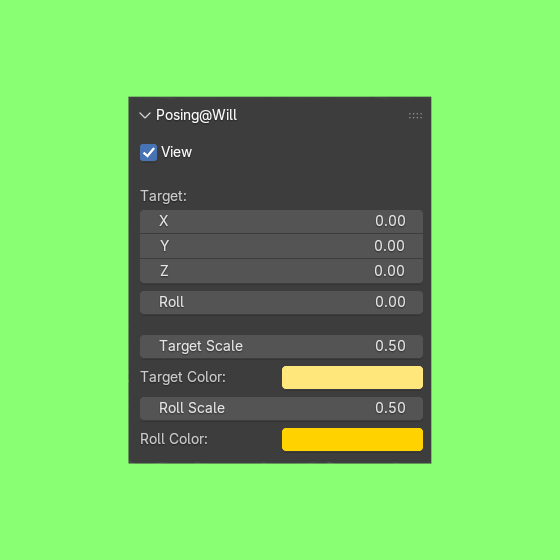
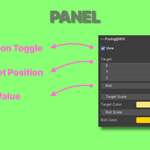
View - Toggles the add-on on and off.
Target - Adjusts the position of the "Target". The rotation will align the tail of the bone to this position.
Roll - Adjusts the roll of the bone (from -180 to 180).
Target Scale - Adjusts the size of the displayed "Target".
Target Color - Adjusts the color of the displayed "Target".
Roll Scale - Adjusts the size of the displayed "Roll".
Roll Color - Adjusts the color of the displayed "Roll".
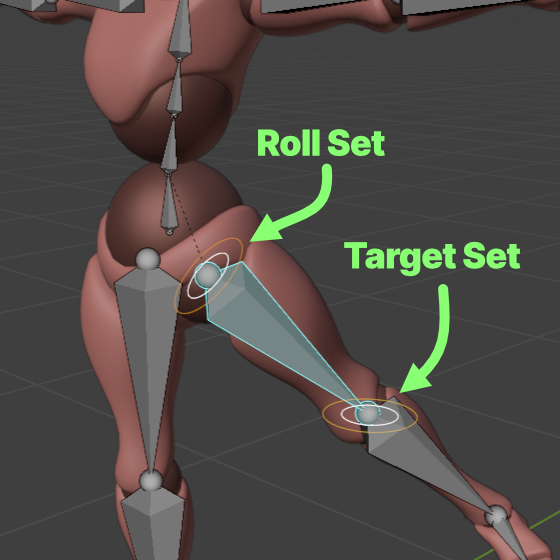
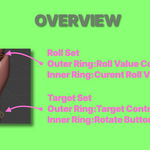
Target Set (movable)
- Initially placed at the bone tail, but can be repositioned freely.
- Outer Ring - Target Controller
- Innter Ring - Rotate Button
Roll Set (fixed at the bone head)
- Does not rotate bone.
- Outer Ring - Roll Value Controller
- Innter Ring - Roll Value Reset Button
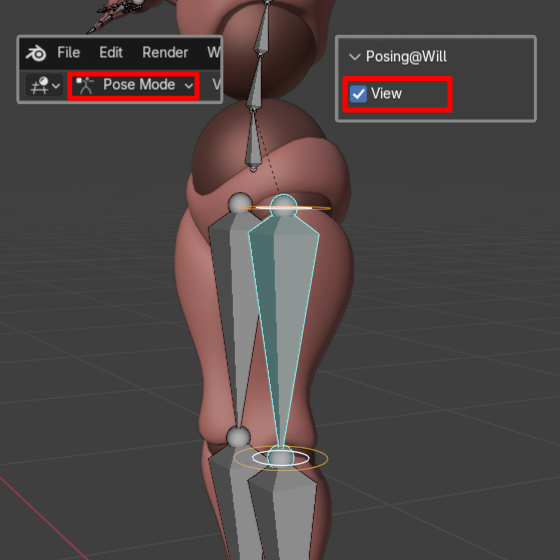
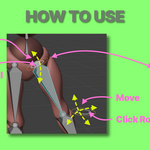
- Select the target armature.
- Switch to POSE mode.
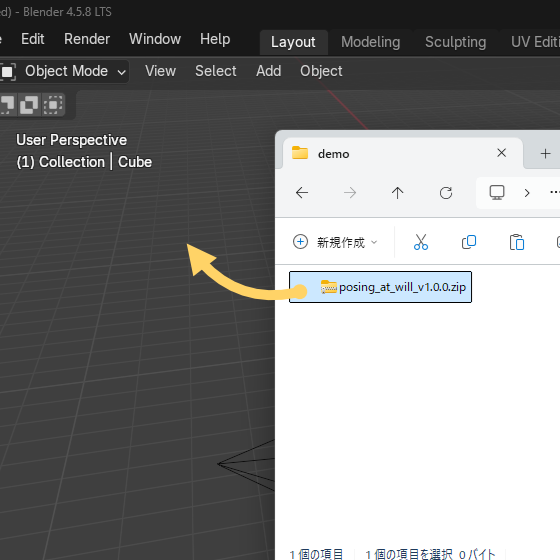
- In the Sidebar, open the Posing@Will tab and enable the View checkbox.
- In the 3D View, select the bone.
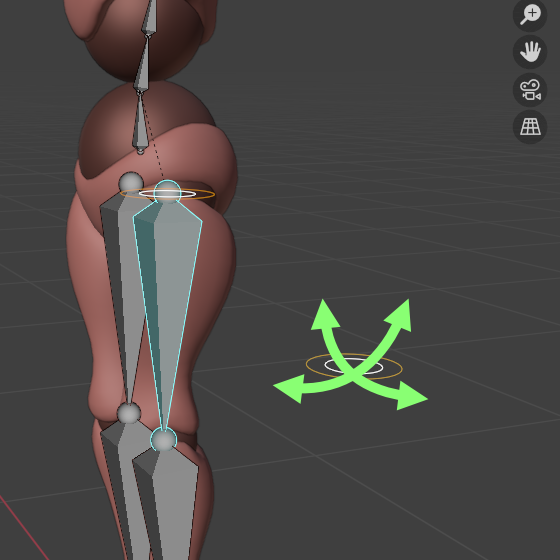
- Adjust the Target position.
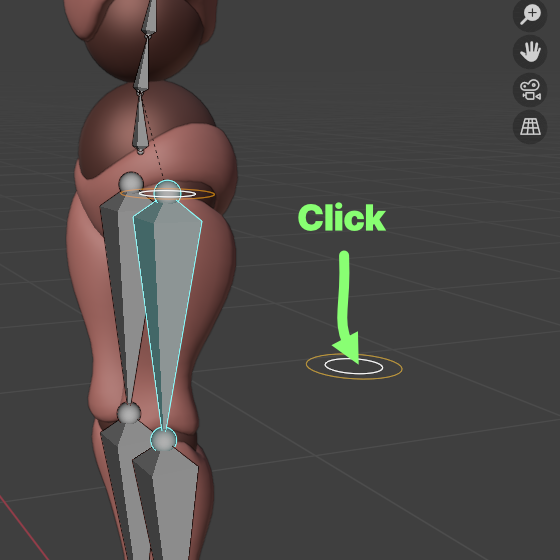
- Click the ROTATE button.
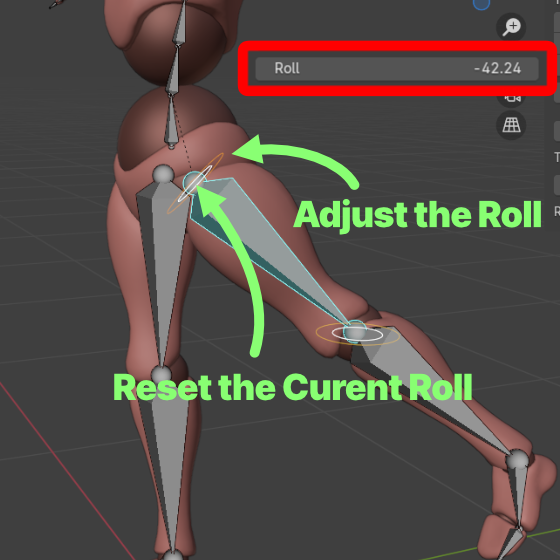
- Adjust the Roll (-180 to 180).
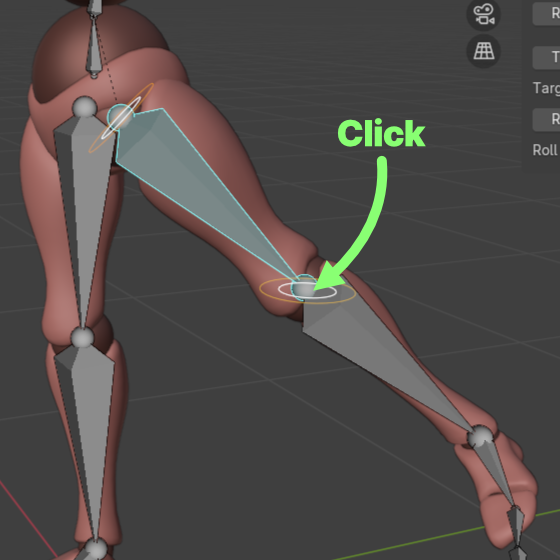
- Click the ROTATE button.
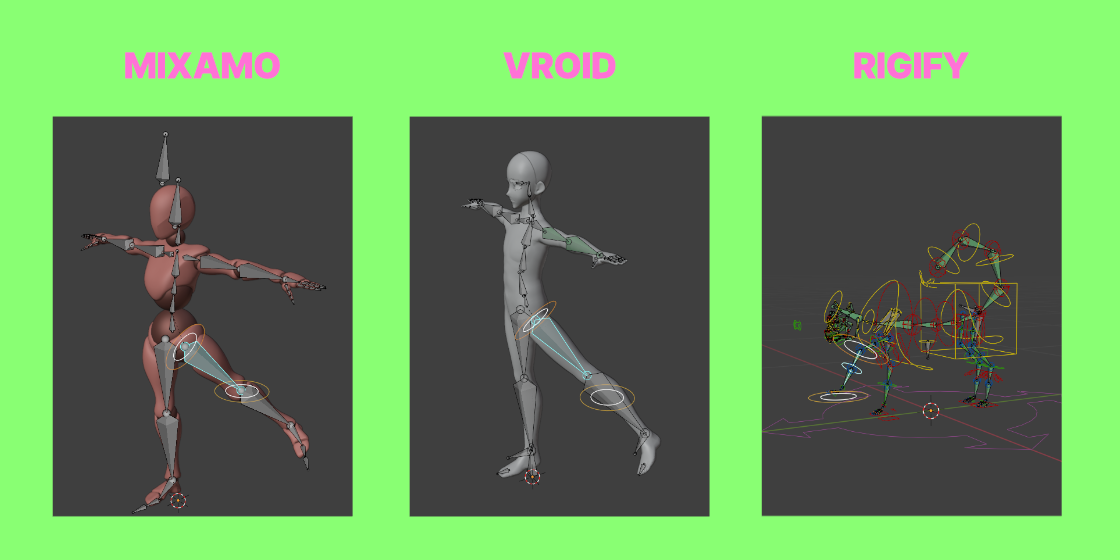
Works with any FK-based rig. Rigs that do not support FK will not work.
The add-on simply rotates bones without any special processing, so it should work with most rigs.
For details about the rig, please contact the provider.
- If the dependency graph modifies bone rotation (keyframes, IK, copy rotation, etc.), the add-on may not rotate bones correctly.
Please check this page for the latest support information.
- Support info: POWERBLOW Support