Precision Cable Builder
 Automated Layers



Install Precision Cable Builder
- Download the latest zip file.
- Go to Edit > Preferences > Get Extensions > Install From Disk...
- Select the Precision Cable Builder zip file.
Add 'Cable Curve' Object and Customize
- Press Shift+A to open the Add menu.
- Click Curve > Cable Curve.
- Use the Modifier Tab in the Properties Panel to customize your cable.

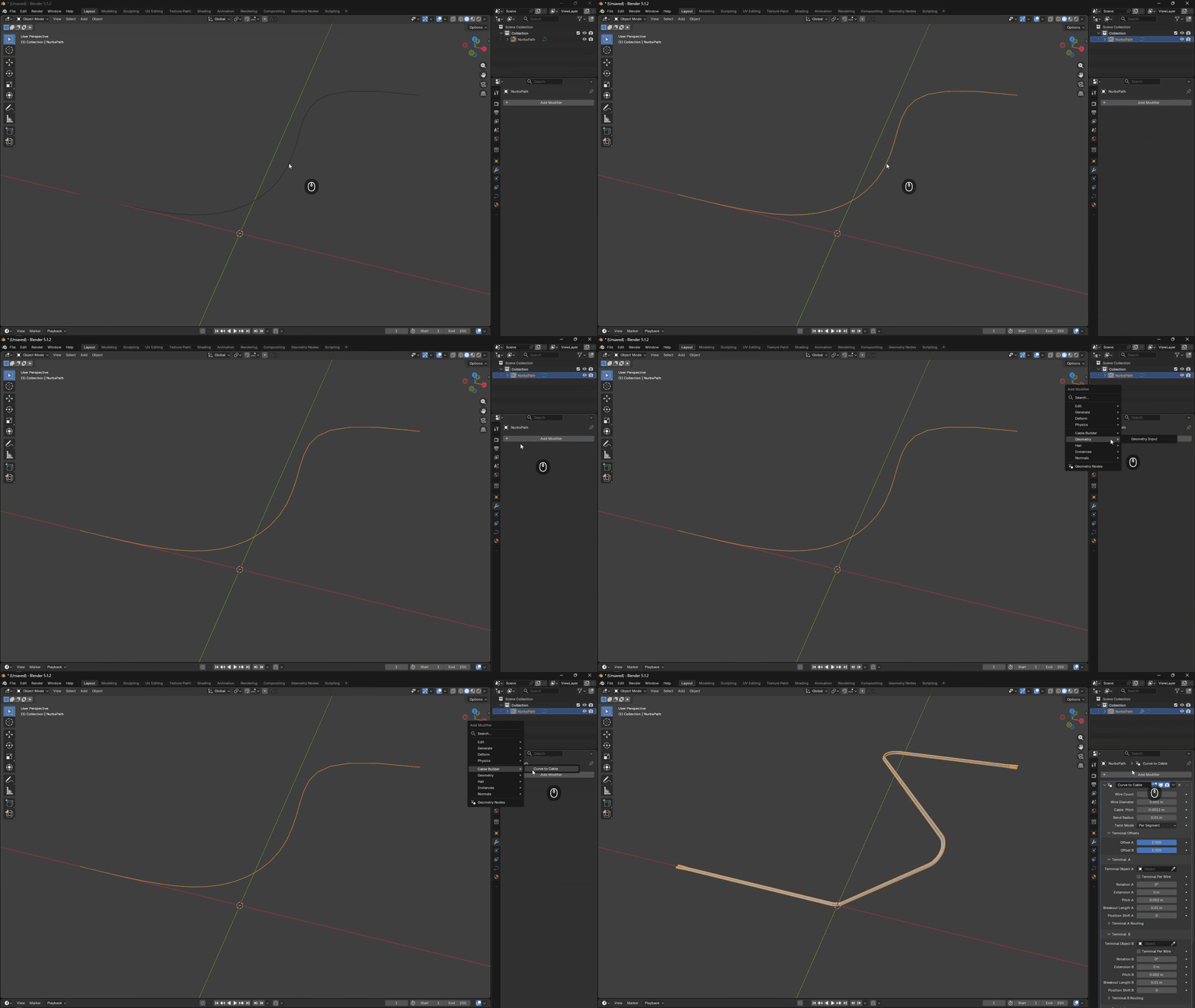
Add 'Curve to Cable' Modifier to Existing Path Object
- Select your path object.
- Click Add Modifier in Properties > Modifier Tab.
- Click Cable Builder > Curve to Cable.
 Included
Includes 12 months of
- Support from Automated Layers
- Product updates
Extend this product’s Support Period +12 months: 25% of product price
Have questions before purchasing?
Login to message
Discover more products like this
springs tube procedural Cable pipes cable-builder rope procedural cables cables-and-connectors Wire dimensional-cables cables