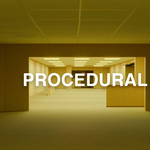
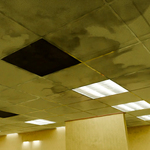
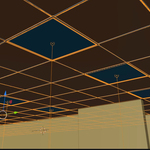
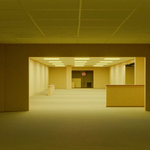
Procedural Backrooms Generator

Šime Bugarija in Procedural Generators


Item Rating

This item has an average rating of 4 from 11 ratings by the community.

73%
0%
10%
0%
19%

Purchase this item to leave a review!

  • Nizzy
    about 2 months ago

    Very great product and helps me give high quality videos!

  • Phil
    3 months ago

    Great product if you want to create backrooms quickly. Easy to use with good video instructions.

  • Petar
    3 months ago

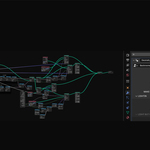
    Very good modifier setup - very easy to use, with a lot of controllers with which you can control even the smallest details. You also get very detailed video instructions, although they are almost not necessary because everything is very simple.

  • Wilbur Post
    3 months ago

    Terrific kit! Easy to work with, easy to customize. Well thought out. Thank you!

  • Layson Diaz-Rodriguez
    4 months ago

    this is good, but i have a question. for some reason this download shows up as a zip folder in my files. and it doesnt show up in preferences file selector, is there anyway to fix that? and doing the ctrl + r thing to bulge a wall doesnt really work for me. but this eitherway is a good generator!

    • Šime Bugarija

      4 months ago

      Thanks for the review,
      1 - yes, it is a .zip folder and does not require installation like a classic addon. Extract the zip folder and inside you have a blender file that you can start working with immediately. You can add assets in the asset browser if you want.
      2 - CTRL+R (loop-cuts) - is an option that only works in Edit mode. Check that you may not be in Object mode.
      Note: Please first watch the Instructional video, everything is explained in it.
      Good news - In addition to the instructional video, I am currently recording a step-by-step tutorial on how I created the teaser from the introduction. I will share with you the parts where I describe your problems (and other users will get everything in a few days, (about 12-15 short tutorials) as bonus
      Problem 1 (about zip folder) - https://youtu.be/EDrOGfdnAcU and https://youtu.be/h9rZoAIirI8
      Problem 2 (about using Ctrl+r) - https://youtu.be/diwzOAWTWso

  • Ahmet Deniz Ayla
    4 months ago

    Really great procedural generator.

  • iNocturne
    4 months ago

    I am Hemisphere Cinema whom comment on the video as well i have been struggeling to capture good lightning on my own experimental backroom videos and stills but this is a good ground helper addon and i use a 1070ti. hope you release more custom stuff related to this.

  • Victor Waters
    5 months ago

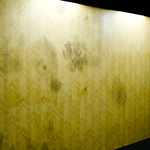
    I really like this and am super happy with my purchase. However, I've noticed that the wallpaper has a line/shadow down the middle of it, and I'm unsure if I'm doing something wrong. Otherwise, this is definitely worth it!

    • Šime Bugarija

      5 months ago

      Thanks, I see now, I forgot to turn off "shadow visibility" for one decal. It's now fixed and re-uploaded. Please download the new file and everything will work fine.

  • guy
    5 months ago

    Amazing, but in cycles the transparency on the decals on the floor are 100% transparent but the ones that are randomly spawned on the ground are not 100% transparent and it leave strange brown squares appear on the ground which really removes immersion.

    • Šime Bugarija

      5 months ago

      Hello and thanks for your comment,
      - You have to select the 3_floor object (the one with the asset browser icon) and set the Transparency there to 0 (if you duplicate a new floor, the driver works only on the main object that serves as a controller)
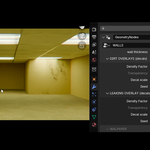
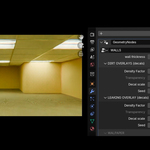
      - each decal can be adjusted separately, they are in the folders (WALL-DIRT CARPET-DIRT, CEALING-OVERLAY) - just choose one, go to the shader editor in and play with the color-ramp in aplha (I adjusted them to my liking, you can do yours)
      - there is also a "Concrete dirt" option, (it is possible that it is not set to 0)
      - If you work in a new blender file - Light path - Set Transparent to much more than 12
      - I recommend watching the entire instructional video

  • Aidan
    3 months ago

    Most confusing thing ever, you can't just place walls it makes an entire room and also why can't I do anything with the floor??? The video doesn't help either. Why can't it just be assets to build a backrooms?

    • Šime Bugarija

      3 months ago

      Dear, of course you can shape the walls and floor yourself, but in Edit mode (not in Object mode). I'm sorry that you gave a negative rating because you didn't understand the basics.

  • $16.99
$16.99

Have questions about this product?
Login to message

Details
Sales 400+
Rating
11 ratings
Dev Fund Contributor
Published 5 months ago
Blender Version 5.0 - 5.1
Render Engine Used Cycles, Eevee
License Creative Commons
Discover more products like this

backrooms carpet procedural Office walls