 Shift4cube



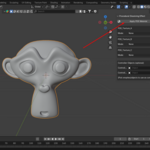
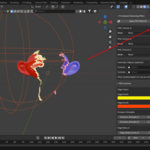
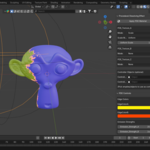
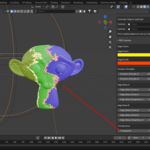
⚡ Procedural Dissolving Effect (PDE) Add-on
Bring cinematic dissolve effects into Blender with one click!
This add-on lets you apply a powerful Procedural Dissolving Effect material, load your textures easily, and control mapping & shader settings directly from the Sidebar.
🖼️ Apply & Manage Materials
🎯 One-Click Apply → Append the PDE material from assets.blend and assign it to selected objects instantly.
🎨 Three Sub-Textures → Work with PDE_Texture_A, PDE_Texture_B, and PDE_Texture_C.
📂 Load Texture Maps (like Node Wrangler Ctrl+Shift+T)
⚡ Quick import of Base Color, Roughness, Normal, Metallic, AO, Emission maps.
🧠 Smart detection of map types based on file names.
🔌 Auto-connects maps to the right Principled BSDF inputs.
🎛️ Compact Dropdown Controls
Each texture (A/B/C) has a dropdown menu with mapping options:
-
🎚️ Scale
🔗 Uniform Scale: one slider for all axes (X=Y=Z).
📐 Normal Scale: independent X, Y, Z control.
-
🔄 Rotate
Full 3-axis rotation (X, Y, Z) in degrees.
-
📍 Position
Move textures with X/Y/Z translation.
✨ Mapping nodes are auto-created (UV preferred) and reused — clean node trees, no duplicates.
🌈 Shader Controls (Extra)
🎨 Edge Colors → Set dissolve edge color A/B.
💡 Emission Strengths → Adjust glowing edge intensity.
🌀 Noise Settings → Fine-tune dissolve edge scale, detail, and roughness.
👻 Transparency → Control how much of the object fades out.
🧩 Smart Workflow
🧭 Mapping nodes automatically use UV coordinates for predictable results.
♻️ Mapping nodes are named and reused — keeps the node tree organized.
🎮 Optional controller pickers allow using empties to drive material properties via drivers.
⚙️ Location & Info
📍 UI Location: 3D View > Sidebar > PDE
👤 Author: S4C
🚀 Perfect for: VFX artists, animators, and anyone who loves cool dissolve effects.
🔥 With PDE Add-on, you can create animated dissolve effects in seconds — no manual node wrangling needed!