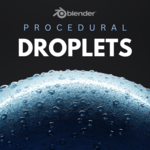
Procedural Droplet Generator
 KennyPhases








📄 Documentation: Droplet Generator for Blender (Geometry Nodes)
🔧 Installation
-
Download the
.blendfile or.geonode group from your purchase. -
Open your Blender project.
-
Go to the Asset Browser or File > Append.
-
Select the downloaded
.blendfile → NodeTree → Droplet Generator. -
The generator will now be available in your Geometry Nodes editor.
💧 How to Use
-
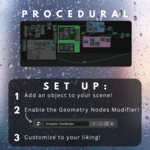
Select an object you want to apply condensation to (glass, leaf, metal, etc.).
-
Add a Geometry Nodes modifier to it.
-
In the Geometry Nodes editor, assign the Droplet Generator node group.
-
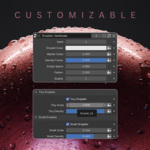
Adjust the built-in sliders for customization!
🖼️ Tip: Better with Materials
Use a glass or water shader on the droplet geometry output for realistic results. You can use your own shader or the one included in the demo file.
🧪 Pro Tip
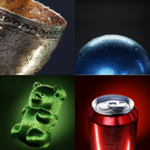
Try using this on:
-
Cold beverage cans
-
Shower doors
-
Leafy plants in the morning
-
Car windows during rain
✅ Requirements
-
Blender 3.5+
-
Works in both Eevee and Cycles
Have questions about this product?
Login to message
| Sales | 80+ |
| Published | over 1 year ago |
| Blender Version | 4.3 - 4.4 |
| Render Engine Used | Cycles, Eevee |
| License | Creative Commons |
Discover more products like this
droplet generator 3Dwater condensation drops Water 3d effect drop droplets drops 3d water condensation addon