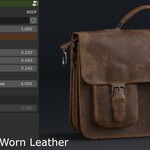
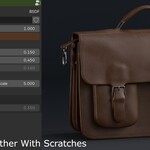
Procedural Leather - (Worn Leather,New Leather)
 Vertex Loop Studio


Overview
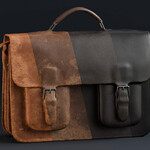
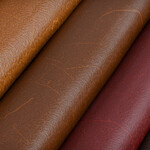
The Advanced Procedural Leather Material System is a node-based leather shader for Blender.
It is designed to provide full control over leather appearance, with both optimized and 100% procedural versions included.
The material works without UVs (procedural version) and can be customized entirely through exposed parameters.
Requirements
-
Blender Version: 4.2+ (recommended)
-
Render Engines: Cycles & Eevee
-
Hardware: Works on all GPUs (optimized version recommended for low-end systems)
Installation
-
Download the asset from Blender Market
-
Open your project file
-
Open the .blend file and add the material to your library, or go to File → Append
-
Append the material or node group from the provided
.blendfile -
Assign the material to your object
Material Versions Explained
Optimized Hybrid Version
-
Uses minimal image textures combined with procedural nodes
-
Lower GPU and memory usage
-
Best for animation, large scenes, and real-time workflows
100% Procedural Version
-
No image textures
-
Resolution-independent
-
Best for close-ups and high-quality renders
How to Use
-
Assign the leather material to your object
-
Open the Shader Editor
-
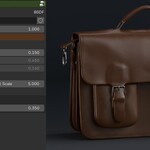
Use the exposed parameters to adjust the leather look
You can:
-
Change leather color instantly
-
Adjust roughness and gloss
-
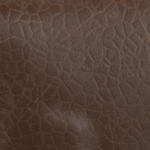
Scale leather grain and pores
-
Enable or disable scratches
-
Add worn edges with one click
-
Increase or reduce aging and damage
All changes are non-destructive and can be animated.
One-Click Modes
The material includes quick controls to:
-
Convert clean leather to worn leather
-
Enable edge wear
-
Toggle scratches
-
Reset to a clean state
These options allow fast iteration without rebuilding the shader.
-
Texture Mapping & Auto Scale
This material uses Object Coordinates instead of UVs to automatically fit most models.
-
The leather scale adapts to the object size
-
No manual UV scaling required
-
Consistent leather grain across different models
The optimized hybrid version uses Box Projection, which allows the material to automatically fit and scale correctly on most meshes, even without clean UVs.
This makes the material fast to apply and ideal for assets with different sizes and proportions.
In addition to that, there is a UV mode if you prefer it.
-
Performance Tips
-
Use the optimized version for large scenes or animation
-
Disable scratches and high-frequency details when not needed
-
Reduce subdivision for background objects
Have questions about this product?
Login to message
| Published | 8 months ago |
| Blender Version | 4.2 - 5.0 |
| Render Engine Used | Cycles, Eevee |
| Misc Data | Uvs-Unwrapped |
| License | Royalty Free |
Discover more products like this
leather leather shader leather material procedural leather brown leather procedural leather shader