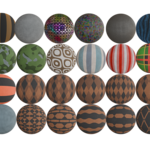
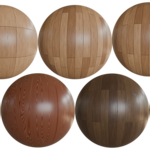
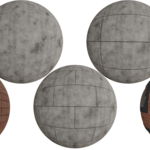
Procedural Blender Materials Collection - Shader Lab 100+
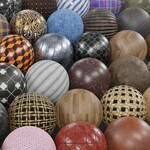 CAN OF TEXTURES



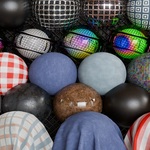
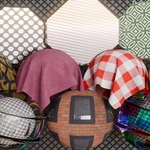
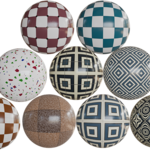
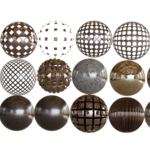
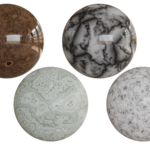
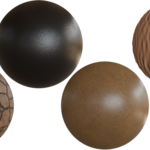
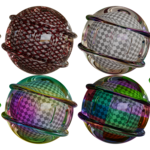
📦 How to Install the Asset Browser Library
Follow these quick steps to install the procedural materials pack into Blender’s Asset Browser:
-
Download & Extract: Unzip the file you downloaded. You’ll see one or more
.blendfiles with (blender_assets.cats.txt), each representing a category (e.g. Fabric, Metal, Wood, etc.). -
Choose a Location: Move the .blend files with .cats.txt to a permanent folder where you'd like your asset library to live (e.g.
D:/BlenderAssets/ProceduralPack/). - Open Blender: Launch Blender and go to Edit > Preferences > File Paths.
- Add Asset Library: Under the “Asset Libraries” section, click the + button. - Give your library a name (e.g. Procedural Pack) - Select the folder where you placed the .blend files.
- Save Preferences: Click Save Preferences in the bottom-left corner.
- Access Materials: Now go to the Asset Browser (switch any editor to “Asset Browser”), and select your new library from the dropdown. - You’ll see all materials, organized by category and ready to drag and drop!
💡 Tip: You can preview, tag, or favorite materials directly from the Asset Browser for faster workflow.
$7
Have questions about this product?
Login to message
| Sales | 40+ |
| Rating | 2 ratings |
| Published | about 1 year ago |
| Blender Version | 3.6 - 4.5 |
| Render Engine Used | Cycles, Eevee |
| License | Royalty Free |
Discover more products like this
fabric blender-procedural-material-pack leather procedural material material collection procedural Glass Shader Material Blender Procedural Material procedural material pack materials