 ArtbyTymi


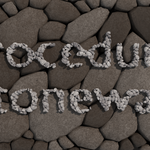
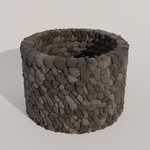
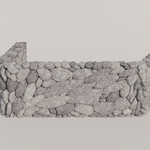
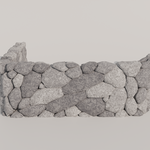
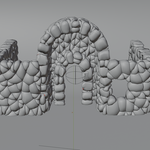
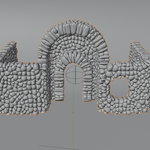
Procedural Stone Wall
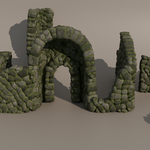
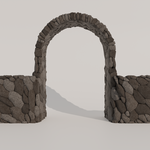
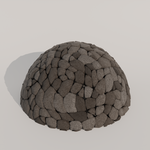
Build believable stone walls from a single plane, then art direct the look in seconds. This Geometry Nodes setup generates stacked stones with adjustable size, style, gaps, thickness, random seed, plus a one click blockout mode for faster viewport work. A matching stone material is included.
Quick facts
| Item | Details |
|---|---|
| What it is | Geometry Nodes stone wall creator that turns a plane into a stone wall |
| Controls | Stone size, style preset, gap, thickness, seed, blockout switch |
| Included | Node setup and a stone material |
| Ideal for | Dungeons, ruins, stylized environments, quick graybox to final workflows |
Art direct the stones, not the mesh
Pick the overall look with a style preset and refine it with stone size and gap controls. You can quickly iterate between chunky fantasy stones and tighter, more uniform builds without remodeling.
One plane in, wall out
Start with any plane, apply the node group, and the wall is generated for you. This makes it easy to block shapes fast and keep everything editable while you adjust layout and proportions.
Thickness control for real volume
Dial in wall thickness directly in the node settings to match your scene scale. This helps when you need proper silhouettes, edges, and believable depth for close up shots.
Fast viewport mode with blockout switch
When you want performance, flip the blockout switch and work with a lighter representation. Then switch back for final renders when you are ready.
Included material
A stone material is included so you can render immediately. Use it as is, or swap it with your own material set while keeping the same procedural geometry.
About Procedural Stone Wall
This tool was built to remove the repetitive part of making stone walls, while keeping the result fully art directable. The goal is a simple workflow that starts as a fast blockout and stays editable all the way to final.
Support and updates
If you run into issues or have questions about setup, parameters, or typical use cases, send a message through the marketplace system and include your Blender version plus a screenshot of the node settings. Updates and improvements are provided to existing customers.