 NoiseBee


Official Documentation
Product Stage Pro
Create procedural product backdrops, studio lighting setups, camera presets and customizable materials directly inside Blender.
Overview
Product Stage Pro is designed to speed up the creation of professional product presentation scenes inside Blender.
Instead of rebuilding backdrops, lights and cameras for every project, you can generate a procedural stage, customize its dimensions, apply a material, select a lighting setup, choose a camera preset and begin rendering.
Requirements
- Blender 4.x or Blender 5.x
- Access to the Blender 3D Viewport
- Product Stage Pro addon ZIP file
Installation
- Download the Product Stage Pro ZIP file.
- Open Blender.
- Go to Edit → Preferences → Add-ons.
- Click the dropdown menu in the upper-right corner and choose Install from Disk.
- Select the downloaded ZIP file without extracting it.
- Enable Product Stage Pro if Blender does not enable it automatically.
Accessing the Addon
Open the Blender 3D Viewport.
Press N to open the sidebar.
Select the Product Stage Pro tab.
Quick Start
- Open the Product Stage Pro panel from the 3D Viewport sidebar.
- Choose the type of procedural backdrop you want to create.
- Adjust the backdrop dimensions and shape controls.
- Select or create a procedural material.
- Add one of the included lighting setups or use your own custom lights.
- Select a camera preset and adjust the framing if necessary.
- Choose your render format and begin rendering.
Procedural Backdrops
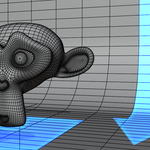
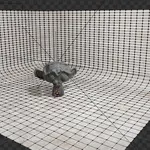
Product Stage Pro includes several types of procedural stages designed for product visualization.
Available stage types
- Plane stages
- L-shaped backdrops
- Cyclorama backdrops
- Reference-based cyclorama shapes
- Stepped product displays
- Procedural cylinders
- Wave-shaped stages
- Product display setups
Dimensions, proportions and internal curve settings can be adjusted directly from the addon interface.
Procedural Materials
Product Stage Pro includes a collection of base procedural materials that can be used on the generated backdrops.
Included material categories
- Ice
- Marble
- Concrete
- Fabric
- Velvet
- Wood
Material controls
- Material scale
- Color and tint
- Surface roughness
- Bump intensity
Studio Lighting
The addon includes ready-to-use lighting setups for product visualization.
Included lighting setups
- Three-point studio lighting
- Softbox lighting setup
You can also add and use your own custom Blender lights together with the procedural backdrop.
Camera Presets
Camera presets provide practical starting points for common product-rendering compositions.
- Predefined camera angles
- Focal length presets
- Depth of field controls
- Render aspect presets
Render Formats
Use the included render format presets to quickly prepare images for product listings, portfolios, websites and social media content.
Recommended Workflow
01. Create the backdrop.
02. Adjust its dimensions and curve.
03. Position your product.
04. Apply a procedural material.
05. Add a lighting setup or custom lights.
06. Choose a camera preset.
07. Select the render format and render the scene.
Usage Tips
- Position the product before finalizing the camera framing.
- Use lower roughness values for polished and reflective product scenes.
- Increase material scale gradually to avoid textures that appear too large.
- Combine the included lighting setups with custom lights when additional highlights are required.
- Use depth of field carefully to keep important product details visible.
Troubleshooting
The addon tab is not visible
Make sure the addon is enabled in Blender Preferences, open the 3D Viewport and press N to display the sidebar.
The material does not look correct
Switch to Material Preview or Rendered View and check the material scale, roughness and bump settings.
The camera does not frame the product correctly
Select the camera, adjust its position or focal length and verify that the product is correctly positioned on the stage.
Support
For installation help, bug reports, questions or feature suggestions, contact us through the official Discord server.
Contact on Discord
 Included
Includes 12 months of
- Support from NoiseBee
- Product updates
Extend this product’s Support Period +12 months: 25% of product price
Have questions before purchasing?
Login to message
| Published | over 1 year ago |
| Blender Version | 4.2 - 5.2 |
| Extension Type | N/A |
| Render Engine Used | Arnold, Cycles, Eevee, Octane, Vray |
| License | GPL |
Discover more products like this
addon blender procedural 3D Artistic Backdrops 2026addon interface backdrop addon Blender-light-studio backdrop addon cyclorama preset