 MeshMind


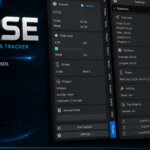

Pulse — Blender Add-on
Assist, never interrupt.
Pulse stays in the background, tracking your work sessions, goals, streaks, achievements, and activity — and it only speaks when it has something useful to say. No popups fighting for attention, no gamified nagging. Just a quiet record of what you actually made.
✓ One-time purchase, no subscription · ✓ 100% local data, nothing leaves your machine
It measures the work, not the clock
A session timer that just counts minutes tells you how long Blender was open — not whether you were modeling, staring at reference images, or making tea. Pulse watches what you're actually doing (modeling, sculpting, UV, animation, nodes, shading) and pauses itself the moment you go idle, so the numbers you see back are numbers you can trust.
|
Idle-aware, automatically Detects inactivity and pauses the timer on its own — no manual start/stop, no inflated totals from a forgotten running clock. |
Speaks only when useful Gentle, non-modal save reminders and quiet toast notifications — nothing that blocks the viewport or breaks your flow. |
Four connected systems — all included
One sidebar tab, everything sharing the same session data.
The quiet foundation, running the moment Blender opens.
- Automatic session timer — starts with Blender, no setup
- Idle detection pauses tracking after inactivity
- Gentle, non-modal save reminders
- Quiet toast notifications
- Sidebar dashboard for at-a-glance status
Consistency over competition.
- Daily and weekly hour goals with progress bars
- Streak tracking for consecutive creative days
- Achievement system focused on consistency, not leaderboards
Look back and see what you actually made.
- Weekly, monthly, and yearly statistics
- Activity detection across modeling, sculpting, UV, animation, nodes, shading
- Per-project time tracking
- Longest and average session length, most productive day and hour
For freelancers and anyone who wants the full record.
- Progress snapshots — automatic viewport captures for timelapses
- Session notes
- Freelancer mode: clients, billable hours, earnings
- Export to JSON, CSV, or Markdown
Designed for production
- ✓ Every feature can be toggled off in preferences
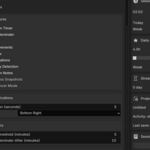
- ✓ Configurable idle time, save-reminder delay, goals, snapshot interval, and hourly rate
- ✓ All data stored locally — nothing sent anywhere
- ✓ Exports land in a plain folder you control
- ✓ Single sidebar panel for the whole system
- ✓ Blender 3.6+ compatible
What it won't do
Pulse tracks and reflects. It doesn't manage you.
Everything lives in a local JSON file next to your Blender config. No accounts, no cloud sync, no telemetry.
Achievements and streaks are there if you want to glance at them — Pulse never pops up to guilt you into a session.
Freelancer mode tracks billable hours and earnings against a rate you set — it's a ledger, not an invoicing platform.
Installation
- Download the product ZIP from your Superhive library
- Edit → Preferences → Add-ons → Install from Disk (or drag the .zip onto Blender)
- Enable "Pulse"
- Open the 3D Viewport Sidebar (N) → Pulse tab
Support
Questions, feature requests, or something not tracking right? Reach out with your Blender version and what you expected to see. Contact: [email protected]
