 MeshMind


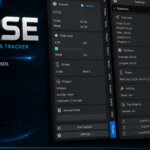

Pulse – A Quiet Productivity Companion for Blender
Pulse stays in the background and helps you understand how you actually work — without ever demanding attention.
> **Assist, never interrupt.**
No modal popups. No constant notifications. No workflow interruption.
Just a calm studio assistant that tracks your time, celebrates consistency, and gives you useful insights when you want them.
---
## Why Pulse?
Most productivity tools shout.
Pulse whispers.
It automatically starts when Blender opens, pauses when you go idle, and only speaks when it has something genuinely useful to say — a gentle save reminder, a quiet “one hour complete”, or a streak milestone at the end of the day.
---
## Features
### Core Tracking
- **Automatic Session Timer** – starts with Blender, no buttons required
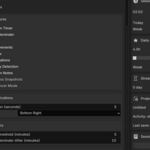
- **Idle Detection** – pauses after configurable inactivity (default 5 min)
- **Save Reminders** – quiet notice when you haven’t saved for a while
- **Today / Week / Month / Year totals**
- **Per-project time tracking**
### Goals & Habits
- Daily and weekly hour goals with clean progress bars
- **Streak tracking** – consecutive creative days
- **Achievement system** focused on consistency (First Hour, 7-Day Streak, Night Owl, Early Bird, 100 Hours…)
### Insights
- Activity detection (Modeling, Sculpting, UV, Animation, Geometry Nodes, Shaders, Compositing…)
- Longest session, average session, most productive day & hour
- Top projects ranking
- Full statistics panel
### Pro Tools
- **Progress Snapshots** – automatic viewport captures for simple timelapses
- **Session Notes** – optional short note when you end a session
- **Freelancer Mode** – clients, billable hours, hourly rate, estimated earnings
- Export to **JSON, CSV and Markdown**
### Design Philosophy
- Minimal UI that feels native to Blender
- Dark-theme friendly
- Notifications never steal focus
- Almost zero performance impact
- Everything stored locally (no cloud, no accounts, no telemetry)
---
## Perfect For
- Freelancers who need accurate billable hours
- Artists building better creative habits
- Students tracking practice time
- Anyone who wants insight without interruption
---
## Installation
1. Install the zip via Edit → Preferences → Add-ons → Install
2. Enable **Pulse**
3. Open the Sidebar (N) → **Pulse** tab
All data is stored locally in your Blender config folder.
Have questions about this product?
Login to message
| Published | about 2 months ago |
| Blender Version | 4.2 - 5.2 |
| Extension Type | N/A |
| Render Engine Used | Cycles, Eevee |
| License | Mit |

Discover more products like this
#AnimationTimeTracker session tracking statistics Goals productivity