Pure-Sky Pro
 3DVision


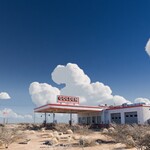
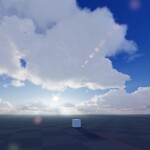
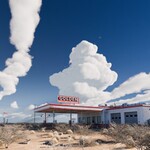
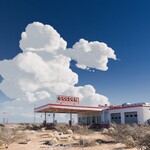
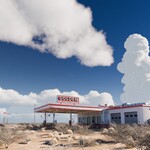
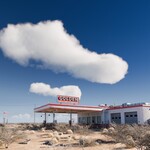
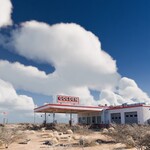
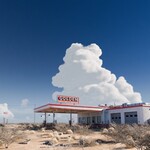
Join us on Discord
How to get started with PSP 7.0
How do I configure "Cycles"?
How do I configure "Clouds"?
Introduction
Pure-Sky Pro is a Blender addon (compatible with versions 4.3 to 4.5 at least) that allows you to create ultra-realistic procedural skies with atmospheric effects, volumetric clouds, and moonlight. It works with both Eevee (via “Eevee Next”) and Cycles, offering advanced features such as volumetric shadows and god rays.
Key Features
Hybrid Mode
Combines procedural sky with an HDRI to achieve richly detailed lighting while maintaining control and flexibility.
Volumetric Clouds
- Multiple cloud presets (e.g., cumulus, cumulonimbus, altocumulus)
- Rendering modes: Base, Fast, Accurate, NPR, Instances
- Clouds can cast shadows and generate god rays, especially in Eevee Next.
Preset Libraries
- 21 sky presets (auroras, sunsets, starry skies...)
- 22 cloud presets
- 6 atmospheric fog presets
- Ability to export and share custom presets
Scene Integration
- Mesh detection for cloud interaction
- Convert mesh into volumetric cloud
- Use textures as density masks for cloud control
Installation and Getting Started
Installation
- Go to Edit → Preferences → Add-ons → Install, and select the Pure-Sky Pro ZIP.
- Enable Pure-Sky Pro.
- Immediately enable Blender’s built-in Sun Position addon.
- Restart Blender to finalize setup.
First-Time Setup
- After restarting, load a preset and click "Refresh Camera Coordinates" in the Pure-Sky Pro panel.
- Your camera is now fully synced — no manual adjustments needed.
Suggested Video Tutorials
- Getting started with Pure-Sky Pro 7.0
- Configuring clouds in version 7.0.28+
- Using Eevee and Cycles for realistic results
Interface Overview
- Sky & Atmosphere – Presets, brightness, color, moon phase
- Clouds – Presets, density, height, mesh interaction
- Atmospheric Fog – Depth, density, scattering
- Hybrid Mode – HDRI toggle, blend control
- Preset Export/Import – Save and share settings
- Render Settings – Base, Fast, Accurate, etc.
Tips and Best Practices
- Start with presets to explore the system quickly.
- Always save custom presets before rendering.
- Keep a backup of your default world (no “Reset All” yet).
- Use Fast mode for previews, Accurate for final results in Cycles.
Quick Summary Table
| Module | Key Settings | Recommendations |
|---|---|---|
| Sky & Atmosphere | Moon phase, color palette, intensity | Start from a preset and fine-tune |
| Clouds | Type, density, masking | Use Fast for previews, Accurate for final |
| Hybrid Mode | HDRI blend, light intensity | Combine realism and flexibility |
| Fog | Depth, density, fog style | Use for immersive outdoor scenes |
| Scene Interaction | Mesh detection, mesh-to-cloud, mask | Ideal for terrain integration |
| Preset Export | Export/import settings | Easy reuse and sharing |
-
$19
This pack contains version 7.0.41 (No Clouds)
-
$99
This pack contains version 7.0.41
-
$299
This pack contains version 7.0.41
Have questions about this product?
Login to message
| Blender Extension Compatible | Yes |
| Sales | 5700+ |
| Rating | 83 ratings |
| Published | about 7 years ago |
| Blender Version | 4.5 - 5.2 |
| Extension Type | Add-on |
| Render Engine Used | Cycles, Eevee |
| License | GPL |
Discover more products like this
rig spring20 free true-sky 2.80 spring24 bfcm23 hdri skies environment texture sky hdr lighting realistic 32bit spring23 bfcm21 cycle Pro-Lighting Skies bfcm19 summer23 environment nature skies bcon19 physical starlight spring grass sky dome hdri skies world map blender 3d volumetric clouds tree spring21 hdr free bfcm20 hdri-studio Eevee sky Workflow procedural shader summer20 spring22 hdr lighting procedural sky hdri summer24 summer21 bfcm22 lens dirt Flare winter24 bfcm24 Realtime Lens Flares volumetric-clouds environment flared bcon22 summer22