 Anvil Interactive Solutions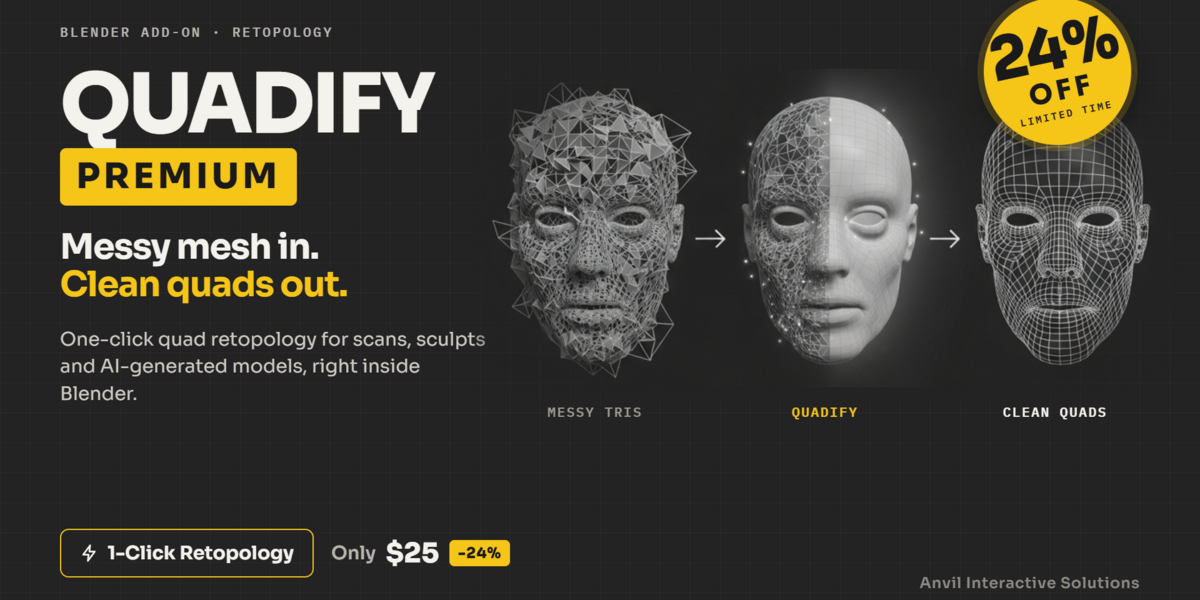
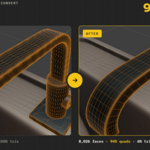
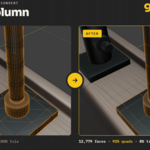
Messy triangles in.
Clean quads out.
Recover the quads buried in triangulated hard-surface assets, rebuild dense organic and scanned meshes, and prepare whole prop libraries with consistent density, LODs and batch processing.
Recover when you can.
Rebuild when you must.
A triangulated car panel usually still contains useful quad structure. A dense photogrammetry scan usually does not. Premium handles both workflows instead of treating them as the same operation.
|
RECOVER
Smart ConvertMerges the triangles you already have back into quads. One click, with your surface left untouched.✓ Detects hard surface, scan/AI or mixed meshes✓ Picks the merge threshold from the mesh itself✓ 3-pass conversion, conservative to relaxed✓ Never merges across UV seams, materials or sharp edges✓ Keeps your shape, UVs and materials
|
REBUILD
Production RebuildBuilds brand-new quad topology for heavy organic and scan meshes, then projects it back onto your original surface.✓ Field-based quadrangulation✓ Draft, Medium, Standard, High and Ultra density✓ Runs in the background, so Blender stays responsive✓ Hidden full backup made before anything is replaced✓ Poor or stretched results rejected, and your original is kept
|
It reads the mesh before it touches it.
Hard-surface and scan geometry need opposite treatment. Quadify classifies every mesh first, then tells you what it detected and why.
| Hard surface | Topology-aware diagonal recovery. Every triangle pair is scored for planarity, convex quad shape and edge proportions to find the quad diagonals that triangulation buried, and the most constrained triangles are paired first. |
| Scan / AI mesh | A permissive shape threshold suited to dense triangle fields, with progressively looser passes to recover what the first pass left behind. |
| Mixed / organic | A balanced threshold with the same seam, material and sharp-edge protection. |
Smart Convert detects a scan/AI mesh on a rigged character and converts it to 82% quads, with the detected type and threshold shown in the panel.
It won't chase a number at the expense of your mesh.
After every run Quadify reports the real quad coverage. Where forcing a triangle into a quad would distort the shape, it keeps the triangle and tells you how many it kept.
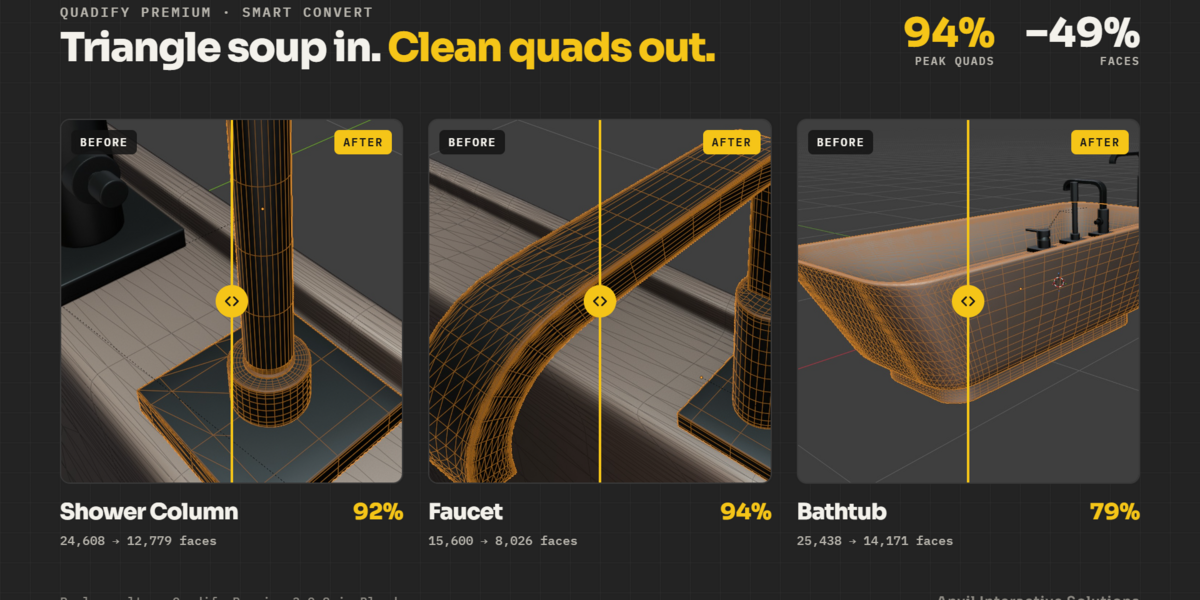
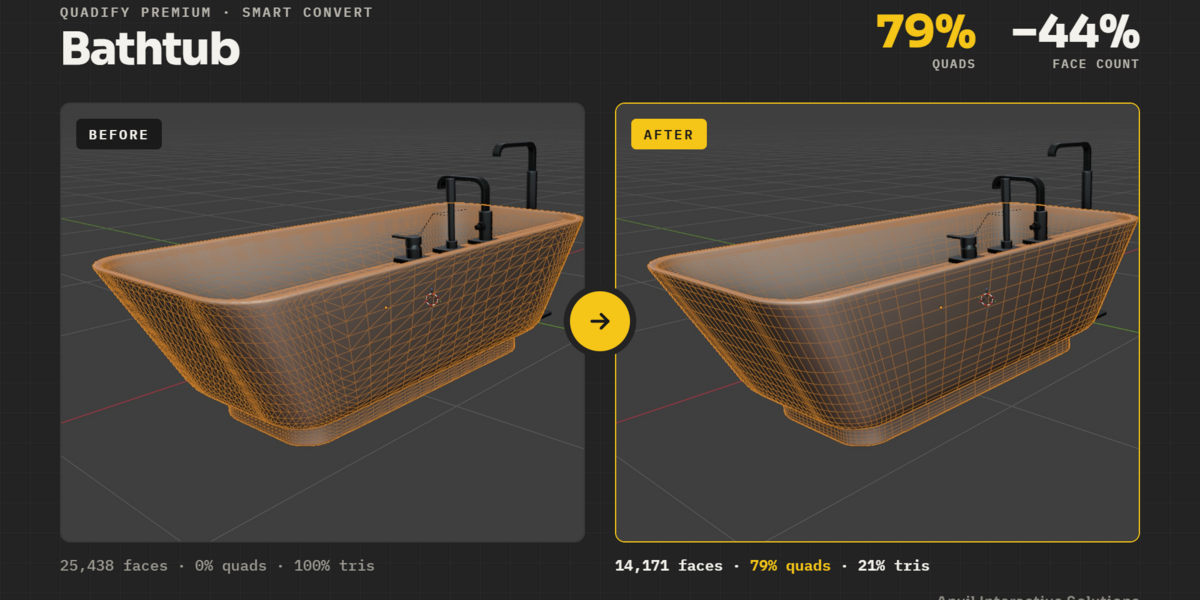
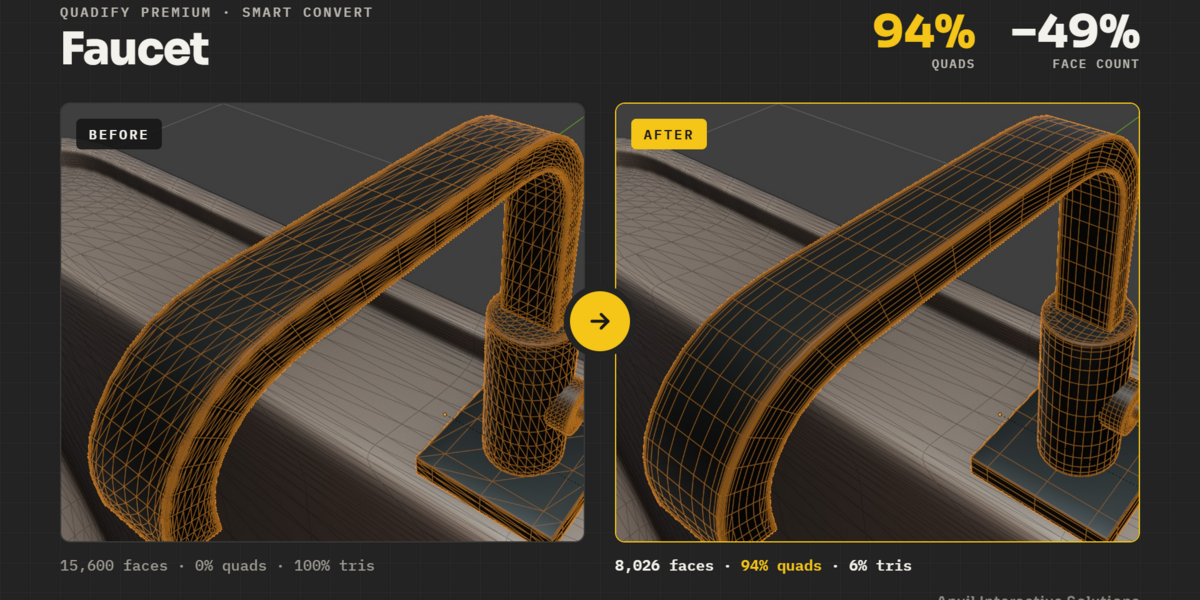
Fully triangulated to quad-dominant.
| ASSET | BEFORE | AFTER | QUADS |
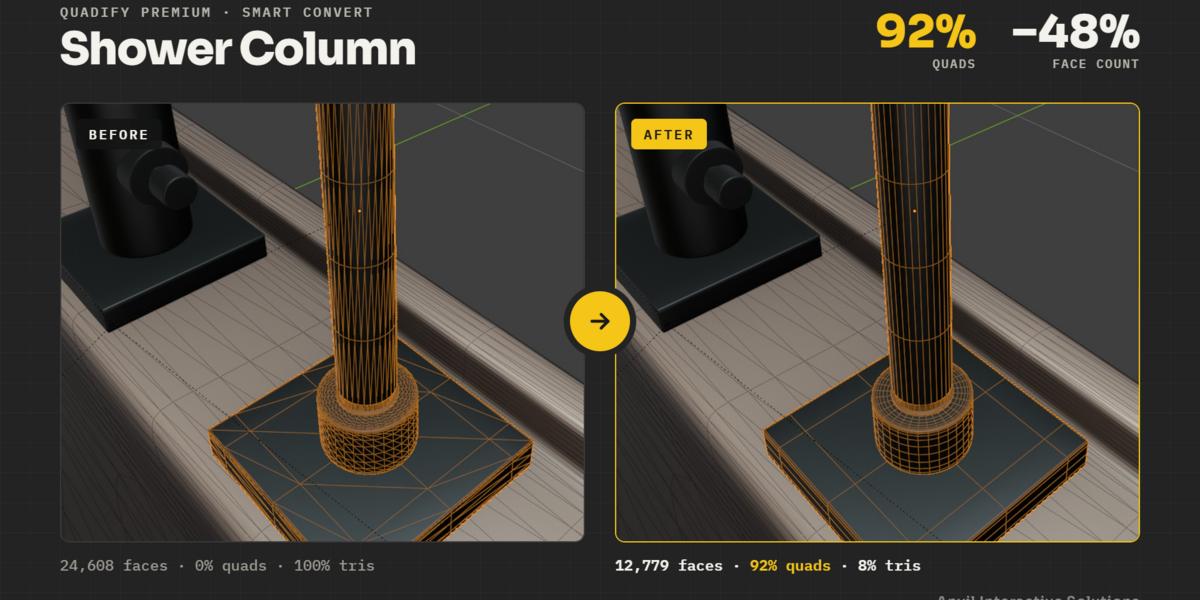
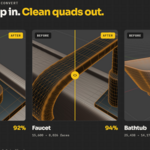
| Shower column | 24,608 faces · 0% | 12,779 faces | 92% |
| Faucet | 15,600 faces · 0% | 8,026 faces | 94% |
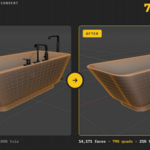
| Bathtub | 25,438 faces · 0% | 14,171 faces | 79% |
| Character (shown above) | Triangulated scan/AI mesh | 18,066 faces | 93% |
Smart Convert in Quadify Premium 3.0.8. Results depend on how the source mesh was triangulated.
Tell it what matters.
Select or paint regions yourself, or let Auto-Tag assign them from UV seams, sharp edges, curvature and flat areas.
| ProtectLeft alone. Silhouettes, seams and hard edges stay exactly as they are. | FocusConverted more aggressively. Ideal for flat, low-risk areas. | TransitionA middle ground that blends between the two. |
Six built-in region presets, plus your own. Tag by face selection or vertex groups, and copy tags to other selected objects with matching geometry.
One asset or a whole library.
| Density TargetReduce to a set number of triangles per m² of surface, so props of every size end up with consistent density. Mobile, Game prop and Cinematic presets included. | Face BudgetEnter an exact face count and Quadify decimates repeatedly until the mesh lands within your tolerance. |
| LOD GenerationGenerate 1 to 6 LODs with Gentle, Balanced or Aggressive profiles, named for Unity (Asset_LOD0) or Unreal (SM_Asset_LOD0). | Failure-Isolated BatchesConvert or reduce every selected mesh with the same settings. A problem object is skipped and reported while the rest carry on. |
| Mesh HealthFinds non-manifold edges, zero-area faces, loose vertices and inconsistent winding, and fixes them all in one click. | Live Quad OverlayQuads in green and triangles in red, directly in the viewport, with quad coverage and density in the panel. |
If it arrived triangulated, start here.
| Imported assetsFBX, OBJ and GLB files from other tools and stores, cleaned up so you can edit them in Blender. | Hard surface & CAD exportsRecover the quads hidden in triangulated props and product models. |
| Scans & AI meshesTurn photogrammetry and generated models into quad topology you can work with. | Game environmentsConsistent density and engine-named LODs across entire prop libraries. |
Automatic retopology still has limits.
Hero deformation topology: Smart Convert merges the triangles you already have. It does not draw new loops around eyes, mouths or joints, and it is not a replacement for hand-built animation topology.
100% quads: expect mixed topology. Smart Convert deliberately keeps residual triangles when pairing them would create worse topology.
Production Rebuild on macOS and Linux: the field-based solver runs on Windows. Other platforms fall back to Blender's Smooth Remesh, which gives lower-quality results and applies the object's transforms.
UVs after Rebuild: Production Rebuild creates brand-new geometry with no UVs or material assignments. Unwrap afterwards, or bake from the hidden backup. It is meant for organic and scan meshes and is blocked on hard-surface models by default.
Reduction and LODs: these use decimation, which produces triangles. They are for game-ready density, not for keeping quads.
Shape keys: not preserved through Reduce, LODs or Rebuild (the Rebuild backup keeps them). By default Quadify also stores a snapshot shape key before operations, which you can turn off in Advanced.
Texture work: Premium does not bake, unwrap or optimise textures. Asset validation, engine packing and baking are part of Quadify Pro.
Recover existing topology,
or build new topology.
Smart Convert for meshes that can be recovered. Production Rebuild for meshes that can't. Regions, density targets, LODs and batch processing for everything in between.
