 QuadLab Tools


QuadLab Mesh Cleaner
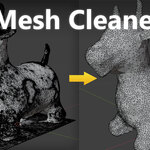
Blender addon for analyzing, cleaning up, trimming, and repairing scanned, sculpted, and other messy meshes.
Description
QuadLab Mesh Cleaner is a Blender addon focused on cleanup and preparation of scanned objects, post-sculpt meshes, and other dirty or complex geometry. It helps users inspect mesh problems, remove common mesh artifacts, trim unwanted regions, and repair holes as part of a practical workflow before remeshing, export, or manual retopology.
It is a cleanup and preparation tool, not a retopology addon.
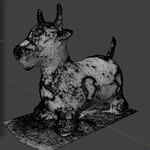
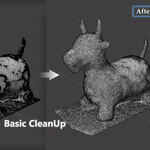
The workflow starts with Analyze Mesh, which reveals loose geometry, fragments, holes, boundaries, non-manifold cases, degenerate faces, and other mesh issues before cleanup. Basic CleanUp removes loose geometry, detached fragments, and small islands, runs merge-by-distance cleanup, dissolves degenerate geometry, recalculates normals, and performs limited cleanup for supported non-manifold cases.
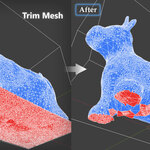
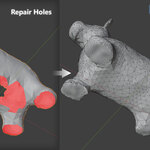
The workflow continues with Inspect, Trim Mesh, and Repair Holes.
QuadLab Mesh Cleaner is especially useful for artists and technical users working with scanned, sculpted, decimated, kitbashed, or otherwise irregular meshes that need a cleaner starting point.
Feature Highlights
- Mesh analysis with visible diagnostics before cleanup
- Basic CleanUp for loose geometry, detached fragments, small islands, and common mesh artifacts
- Merge-by-distance cleanup for dirty imported geometry and small gaps
- Degenerate / near-zero geometry cleanup
- Optional n-gon cleanup during Basic CleanUp
- Limited cleanup support for selected non-manifold cases
- Trim Mesh workflow with kept-region preview
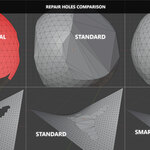
- Repair Holes workflow with Standard and Smart modes
- Topology-safety rollback during Repair Holes
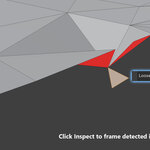
- Inspect tools for selecting and framing problem areas
- Restore Mesh action based on stored original snapshot
Limitations
- Best suited for scanned, sculpted, and irregular meshes
- Basic CleanUp is an initial cleanup pass, not a universal solver
- Limited support for complex non-manifold cases
- Some hole shapes may not be repairable automatically
- Self-intersections may require manual correction
- Very large meshes may process slower