Quadlab Mesh Cleaner
 QuadLab Tools


Installation
QuadLab Mesh Cleaner can be installed through Blender’s Extensions system or as a standard add-on package.
Option 1 — Install as Extension (recommended):
- Open Blender
- Go to Edit → Preferences → Extensions
- Click Install from Disk
- Select the QuadLab Mesh Cleaner ZIP file
- Enable the extension
Option 2 — Install as Add-on:
- Open Blender
- Go to Edit → Preferences → Add-ons
- Click Install
- Select the ZIP file
- Enable the add-on
Full Video Walkthrough
For a complete overview of the QuadLab Mesh Cleaner workflow and tools, watch the full video guide on YouTube:
QuadLab Mesh Cleaner Workflow in Blender (YouTube)
Quick Start Workflow
- Run Analyze Mesh to detect issues
- Use Basic CleanUp to remove loose geometry and artifacts
- Use Inspect to review detected problem areas
- Apply Trim Mesh to remove unwanted regions
- Use Repair Holes to close mesh gaps
Workflow Overview
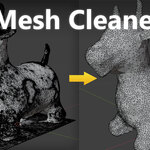
QuadLab Mesh Cleaner follows a structured cleanup pipeline designed for working with scanned and irregular geometry.
Analyze Mesh
Detects common mesh issues before cleanup:
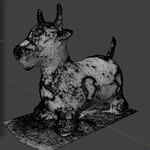
- Loose geometry and detached fragments
- Small islands and floating elements
- Open borders and hole candidates
- Non-manifold edges and problematic topology
- Degenerate and near-zero area faces
- Self-intersections and overlapping geometry
Diagnostics are visualized directly in the viewport, allowing problem areas to be reviewed before cleanup.
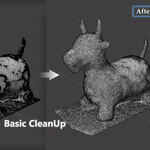
Basic CleanUp
Performs an initial cleanup pass:
- Removes loose geometry, fragments, and small islands
- Runs merge-by-distance cleanup to weld close vertices
- Dissolves degenerate / near-zero geometry
- Recalculates normals
- Applies limited cleanup for selected non-manifold cases
This step prepares the mesh for further processing but is not intended as a complete solver.
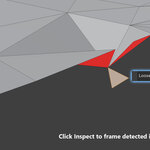
Inspect
Provides tools for reviewing detected issues:
- Select and isolate problem areas
- Frame specific diagnostics in the viewport
- Quickly navigate between detected issues
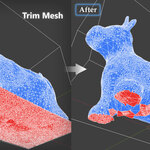
Trim Mesh
Allows unwanted regions of the mesh to be removed:
- Region-based trimming with visual preview
- Keeps selected areas while removing surrounding geometry
- Designed for isolating useful parts of scanned meshes
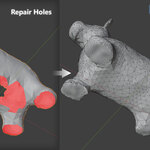
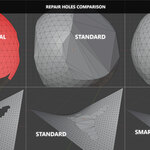
Repair Holes
Fills and reconstructs open mesh regions:
- Supports both small and large hole filling
- Includes Standard and Smart modes
- Smart mode adapts to surface curvature
- Optional surface-following behavior
- Topology-safety rollback if repair breaks topology
Notes
- The extension is designed for cleanup and preparation, not full reconstruction
- Best results are achieved as part of a manual workflow
- Complex cases may require additional manual adjustments
Have questions about this product?
Login to message
| Blender Extension Compatible | Yes |
| Published | 6 months ago |
| Blender Version | 5.0 - 5.1 |
| Extension Type | Add-on |
| Render Engine Used | Cycles, Eevee |
| License | GPL |
Discover more products like this
Sculpt modeling mesh analysis addon mesh repair topology trim mesh blender scan cleanup mesh cleanup non-manifold hole repair