Quick Decimator & Optimizer
 Rana Abdullah




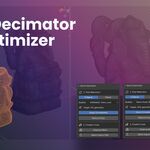
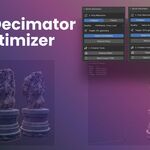
Quick Decimator + Optimizer 🚀
The Quick Decimator + Optimizer is a comprehensive, one-click toolset for Blender designed for artists and developers. It handles poly reduction, mesh cleanup, and batch export to quickly prepare assets for AR, WebGL, games, or high-speed previews.
No need to add modifiers manually or tweak settings each time — just select your objects and use the integrated tools to finalize your model in seconds.
⚡️ Features
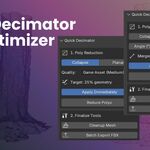
The addon integrates multiple critical steps into the Sidebar's "Optimize" tab, organized into three clean sections:
0. Live Face Counter
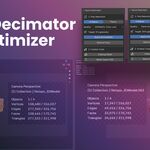
At the very top of the panel, the addon displays the active object's name and its exact polygon count in real-time. This gives you instant feedback before running any operation, and lets you verify the result the moment it's done — no need to open the mesh statistics overlay or Properties panel.
1. Poly Reduction
This section uses one of two powerful algorithms to reduce face count:
-
Collapse (Ratio-Based): Perfect for general decimation on complex or organic shapes. Features smart presets:
- AR/WebGL — Very low poly (5% geometry kept)
- Game Assets — Medium poly (25% geometry kept)
- Preview Mode — Light optimization (50% geometry kept)
- Planar (Angle-Based Dissolve): Ideal for cleaning up flat, subdivided surfaces (like walls or floors) by merging co-planar faces into clean N-gons based on an angle limit.
Options:
- Apply Immediately — Applies the modifier directly to mesh data instead of leaving it in the modifier stack.
-
Preserve Original — Before decimating, the addon duplicates each selected object and hides it (stored as
<name>_original). Your source geometry is always safely recoverable, even after applying destructive changes.
2. Finalize Tools
Critical tools for preparing models for use outside of Blender:
-
Cleanup Mesh: A single button that runs four essential actions on all selected objects simultaneously:
- Apply Transforms (Rotation & Scale)
- Merge by Distance (removes stray/duplicate vertices)
- Delete Loose Geometry (removes floating verts and edges)
- Recalculate Normals (fixes inverted faces)
3. Batch Export
-
Custom Export Path: Toggle on to set any destination folder using Blender's native directory picker. When off, exports go to the same folder as your
.blendfile. The current output path is always shown in the panel so you always know where files are going. -
Export FBX: Exports every selected mesh object as its own individual, game-engine-ready
.fbxfile with correct scale applied. -
Export GLB: Exports every selected mesh as its own
.glb(glTF 2.0 binary) file — the preferred format for WebGL, Three.js, Sketchfab, and AR/VR platforms. - Open Export Folder: Instantly reveals the output directory in your system's file manager (Finder on macOS, Explorer on Windows, Nautilus on Linux).
🎮 Use Cases
- Game Development: Create game-ready models for Unity, Unreal, or Godot with applied transforms, correct scale, and clean normals.
- Web & AR/VR: Optimize 3D assets for low-overhead platforms like WebGL, Sketchfab, Three.js, and mobile AR viewers — export directly as GLB.
- Workflow Speed: Reduce poly count to speed up Blender viewport performance, rendering, and scene previews.
- Safe Iteration: Use Preserve Original to decimate aggressively without fear — your source mesh is always one unhide away.
- Final Export: Streamline the entire process from optimization to final uploadable file in a single panel.
Author: Rana Abdullah | Version: 1.2.0 | Blender 4.0+

Discover more products like this
3D Optimization blender addon quick decimator FBX Export blender tools blender optimizer fast lods game-ready models polygon reducer mesh decimate Performance Boost asset cleanup