 Team Blender



Quick Face Color Stable is a lightweight but powerful Blender tool designed for artists who need fast, clean, and reliable color assignment during modeling, concepting, and look‑development.
Whether you’re blocking out shapes, marking functional parts, preparing hard‑surface models, or simply organizing your mesh visually — this addon lets you assign colors to objects or selected faces in one single click.
Key Features
✔ One‑Click Color Assignment
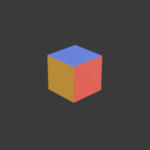
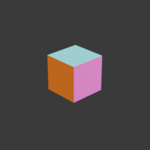
Apply a color instantly to an entire object or only the selected faces. Perfect for quick visualization and clean color blocking.
✔ Works in Both Object & Edit Mode
Object Mode: colors the entire mesh
Edit Mode: colors only the selected faces The addon automatically handles material slots for you.
✔ Automatic Material Management
Quick Face Color Stable creates and reuses materials based on RGB values. No duplicates. No clutter. No manual cleanup.
✔ Custom Color Picker
Choose any color you want and apply it instantly.
✔ Quick Palette
Includes a built‑in palette of commonly used colors for ultra‑fast workflows.
✔ Custom Logo Support
Displays your own PNG logo in the panel for a personalized touch.
✔ Stable, Clean, and Blender 4.0+ Ready
The addon uses Blender’s node system safely and never overwrites existing materials.
⚡ Why This Addon Exists
Coloring faces in Blender normally requires: creating a material → naming it → assigning it → switching modes → selecting faces → applying the slot…
This addon reduces that entire process to one button press.
It’s ideal for:
Hard‑surface modeling
Concept art
Kitbashing
Rapid prototyping
Teaching and demonstrations
Clean visual organization
If you want a fast, stable, no‑nonsense color workflow — this tool is made for you.
🧩 How It Works
Select an object or faces
Pick a color
Click Assign To Object / Faces
Done — the addon handles everything automatically
Materials are generated using the Principled BSDF shader and stored cleanly in your project.
📦 Included in the Addon
Quick Face Color panel
Custom logo loader
One‑click color operator
Quick color palette
Automatic material reuse system
Blender 4.0+ compatibility
🛠 Installation
Download the
.pyfileGo to Edit → Preferences → Add-ons → Install
Select the file and enable the addon
Open the N‑Panel → Quick → Quick Face Color
💬 Support
If you have questions, feature requests, or want custom tools built for your workflow, feel free to reach out.