Quick Face Color
 Team Blender


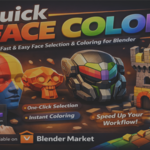



📘 Quick Face Color Stable — Documentation
Author: Nuh Ünver
Version: 1.0
Blender: 4.0+
1. Overview
Quick Face Color Stable is a lightweight Blender addon that allows artists to assign colors to objects or selected faces with a single click. It is designed for fast workflows such as:
Hard‑surface modeling
Concept art
Kitbashing
Rapid prototyping
Teaching and demonstrations
Clean visual organization
The addon automatically manages materials, reuses existing colors, and supports both Object Mode and Edit Mode.
2. Features
🎨 One‑Click Color Assignment
Apply a color instantly to:
the entire object (Object Mode)
selected faces only (Edit Mode)
⚡ Automatic Material Management
Materials are named based on RGB values
Existing materials are reused
No duplicates or clutter in the material list
🧩 Quick Color Palette
Includes six preset colors for ultra‑fast workflows.
🎛 Custom Color Picker
Choose any color and apply it directly.
🖼 Custom Logo Support
Displays your own PNG logo in the panel header.
🔒 Stable & Safe
Uses Principled BSDF
Never overwrites existing materials
Fully compatible with Blender 4.0+
3. Installation
Download the
.pyfileOpen Blender
Go to Edit → Preferences → Add-ons
Click Install…
Select the
.pyfileEnable Quick Face Color Stable
Open the N‑Panel → Quick → Quick Face Color
4. How to Use
Object Mode
Select an object
Choose a color
Click Assign To Object / Faces → The entire object receives the color
Edit Mode
Select faces
Choose a color
Click Assign To Object / Faces → Only the selected faces receive the color
The addon automatically:
creates a material if needed
reuses existing materials
assigns the correct material slot
5. Panel Layout
Located in:
N‑Panel → Quick → Quick Face Color
The panel contains:
Logo Header
Shows your custom PNG logo (if available).
Active Color
A color picker for custom colors.
Assign Button
Applies the selected color to the object or selected faces.
Quick Palette
Six preset colors:
Red
Green
Blue
Yellow
White
Black
Each button assigns its color instantly.
6. Material System
The addon generates materials using this naming format:
QFC_R_G_B
Example:
QFC_255_0_0   → pure red
QFC_0_255_0   → pure green
QFC_255_255_255 → white
If a material with the same RGB values already exists, it is reused automatically.
7. Logo System
The addon loads a PNG logo from:
C:\Users\nuhun\Pictures\qfc_logo.png
If the file exists:
It appears in the panel header If not:
A fallback text label is shown
You can replace the PNG with your own logo.
8. Known Limitations
The logo path is currently hard‑coded
Only RGB colors are supported (no alpha)
Materials use Principled BSDF only
If you want, these can be expanded in future versions.
9. Troubleshooting
❗ The logo doesn’t show
Check that the PNG exists at the exact path defined in the script.
❗ Colors don’t apply in Edit Mode
Make sure you have faces selected, not edges or vertices.
❗ Material list becomes long
This happens only if you use many unique RGB values. Preset colors and reused colors avoid this.
10. Credits
Developed by: Nuh Ünver
If you use this addon in your workflow, tutorials, or projects, credit is appreciated but not required.
Have questions about this product?
Login to message
| Published | 4 months ago |
| Blender Version | 3.0 - 5.0 |
| Extension Type | N/A |
| Render Engine Used | Cycles, Eevee |
| License | GPL |