Quick Location
 Christopher Groff


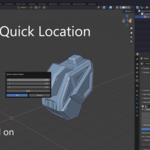
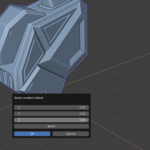
📦 Quick Location Popup – Effortless Object Positioning in Blender
Take control of your workflow with Quick Location Popup, a powerful yet lightweight Blender add-on designed to let you adjust object location values directly from a clean, simple popup menu. Ideal for modelers, animators, and anyone who wants faster scene adjustments without digging through the sidebar or properties panel.
✨ Features:
-
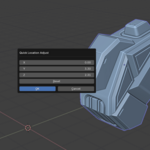
✅ Clean popup with X, Y, Z location sliders
-
✅ Remembers the object's original position and restores it with one click
-
✅ Trigger the popup using a customizable hotkey (default: Shift+V)
-
✅ Add or remove modifier keys (Shift, Ctrl, Alt) in the add-on preferences
-
✅ Works in Object Mode with any mesh, camera, light, or empty
🛠️ How to Use:
-
Select any object in Object Mode.
-
Press the hotkey (Shift+V by default) to open the popup.
-
Adjust the X, Y, or Z sliders to reposition the object.
-
Press Enter or click OK to confirm.
-
Click the Reset button to return to the original location before changes.
⚙️ Customization:
You can configure the hotkey under:
Edit > Preferences > Add-ons > Quick Location Popup > Preferences
Set your desired key and choose any combination of Shift, Ctrl, and Alt.
🧩 Installation Instructions:
-
Download the
.zipfile (do not extract it). -
In Blender, go to Edit > Preferences > Add-ons.
-
Click Install and select the ZIP file.
-
Enable the checkbox next to Quick Location Popup to activate the add-on.
-
Optional: Customize the hotkey in the add-on preferences.
https://youtu.be/nFY9awy2BKA
✅ Compatibility:
-
Blender 2.80 and above
-
Fully tested in Blender 4.4
Have questions about this product?
Login to message
| Published | about 1 year ago |
| Blender Version | 2.8 - 4.4 |
| Extension Type | N/A |
| Render Engine Used | Cycles, Eevee |
| License | GPL |
Discover more products like this
location-adjustment modeling tool fast-editing popup-menu workflow-enhancer hotkey-addon object control quick-location blender-utility reset-position object-transform transform-tool