Quick Palette Addon
 Yasine Imerie




📘 Quick Palette Documentation
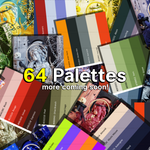
Quick Palette is a color management addon for Blender that helps artists, designers, and creators stay visually consistent and work faster.
It lets you create, organize, and apply color palettes directly inside Blender — making color selection effortless and precise.
⚙️ Installation Guide
Unzip the downloaded
Quick Palette.zipfile.Open Blender Preferences → Add-ons → Install...
Select the
Quick Palette Addon.zipfile (inside the main zip).Enable Quick Palette from the Add-on list.
In Add-on Preferences, set your Library Path to the Quick Palette Library folder.
✅ Tip: Keep your library in a fixed location to avoid missing paths.
🎨 How to Use
Open the Quick Palette panel in the Shader Editor or 3D Viewport.
Select a palette from the dropdown menu.
Click any color swatch to apply it to your selected material, light, or object.
💡 Perfect for artists who want consistent tones across multiple projects.
🌈 Features
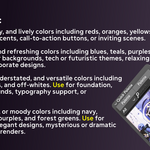
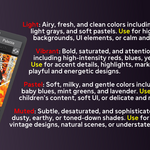
Built-in Color Collections – Warm, Cool, Neutral, Dark, Light, Vibrant, Pastel, and Muted palettes ready to use.
Instant Access – Apply colors with a single click.
Artist-Friendly Design – Clean, lightweight, and intuitive interface.
Consistent Workflow – Keep your visual identity unified.
💬 Support
If you encounter any issues or have suggestions, contact:
📧 [email protected]
I’ll be happy to help you get the most out of Quick Palette!
 Included
Includes 12 months of
- Support from Yasine Imerie
- Product updates
Extend this product’s Support Period +12 months: 25% of product price
Have questions before purchasing?
Login to message
| Published | 11 months ago |
| Blender Version | 4.0 - 4.5 |
| Extension Type | N/A |
| Render Engine Used | Cycles, Eevee |
| License | GPL |
Discover more products like this
Library adjustment color tones color library Geometry Blender shading Blender Compositing blender shading workflow Blender interface addons blender palette addon addon